
 Upgrade Storage
Advanced Search – saved search ignores attachment count
Hi!
For reference, I'm using Zotero v10.0.4.
I'm fairly new to using Advanced Search, but I believe I may have encountered a bug.
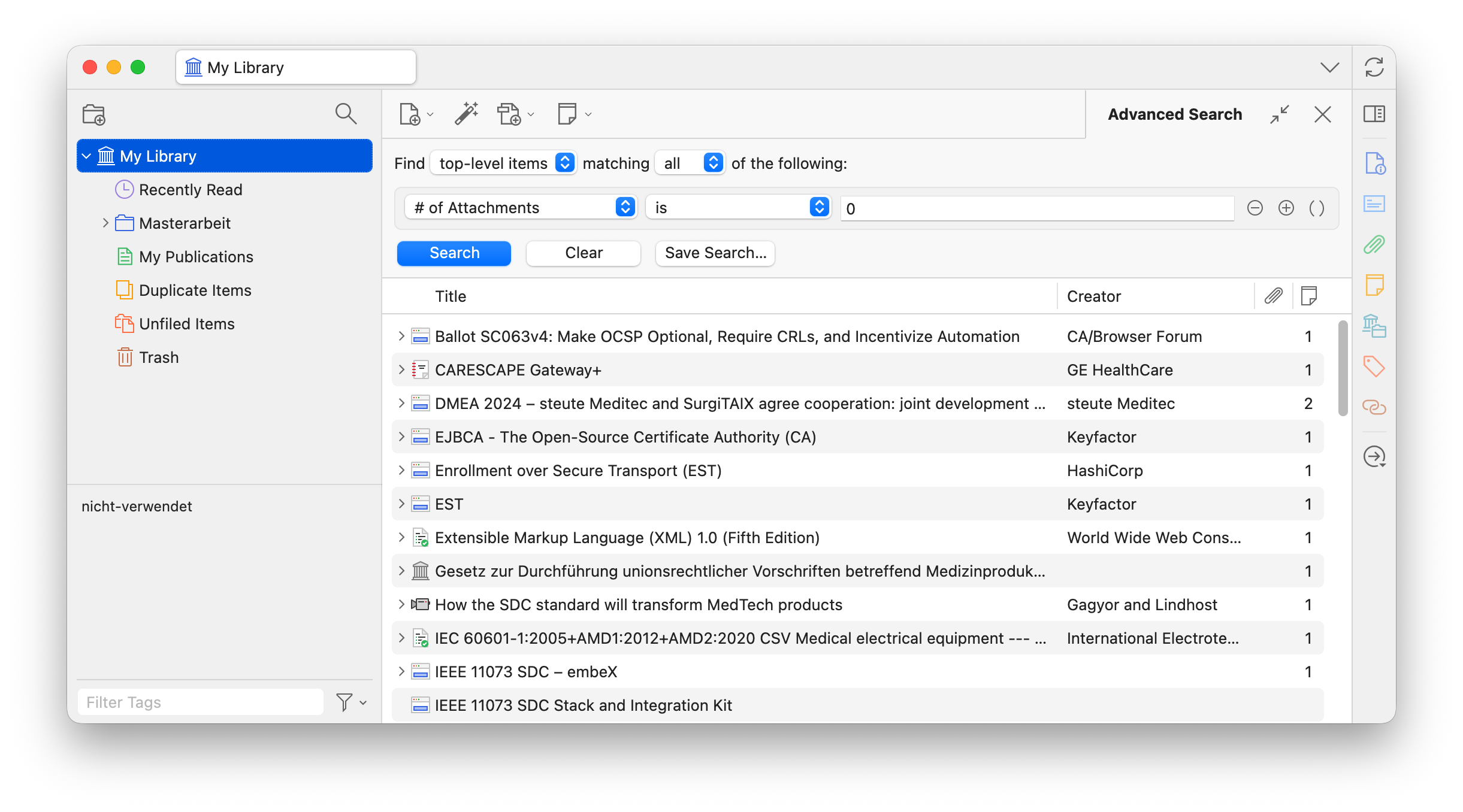
I wanted to find all items in my library without any attachments. When I use Advanced Search with the condition "# of Attachments" is 0", the search initially works as expected.
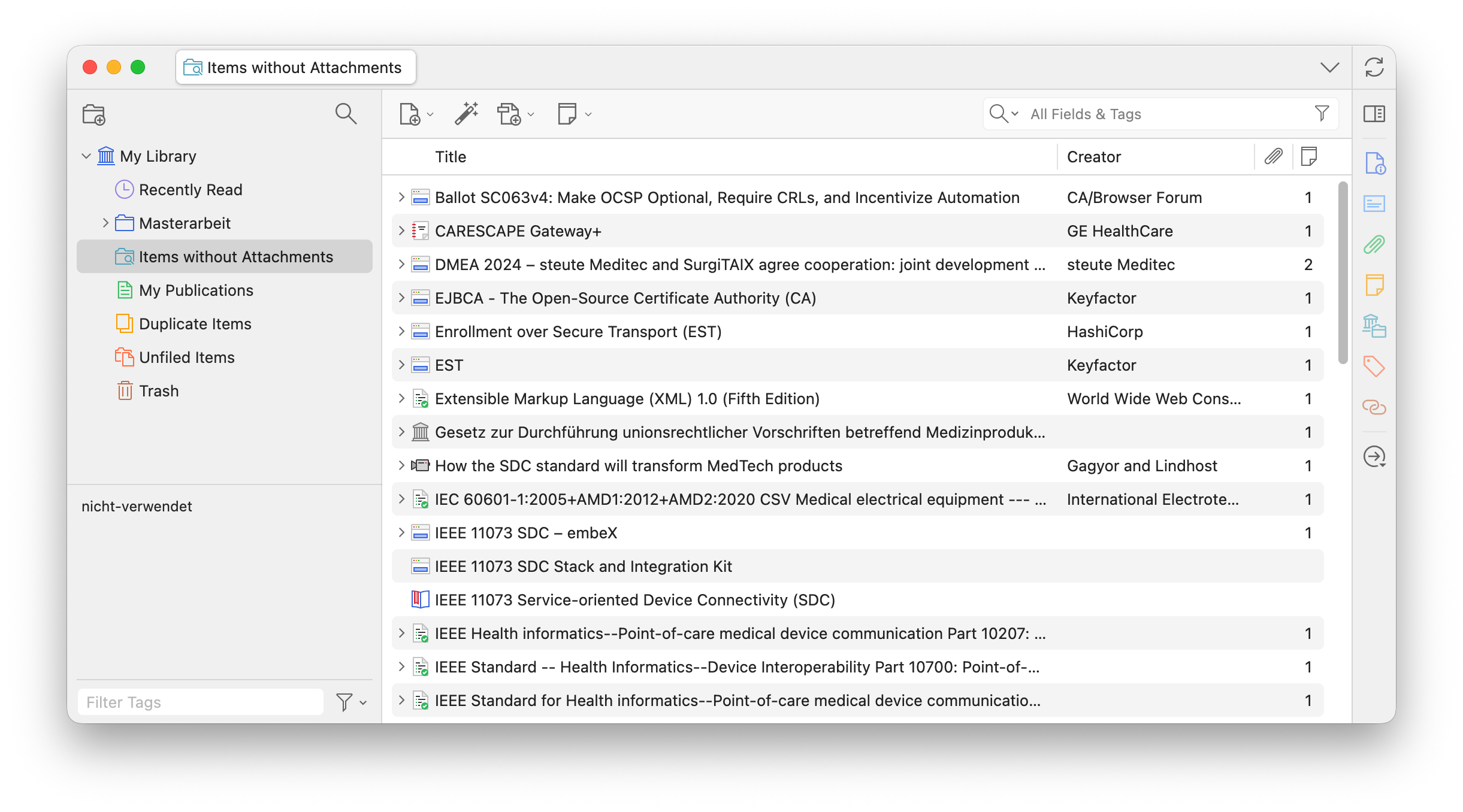
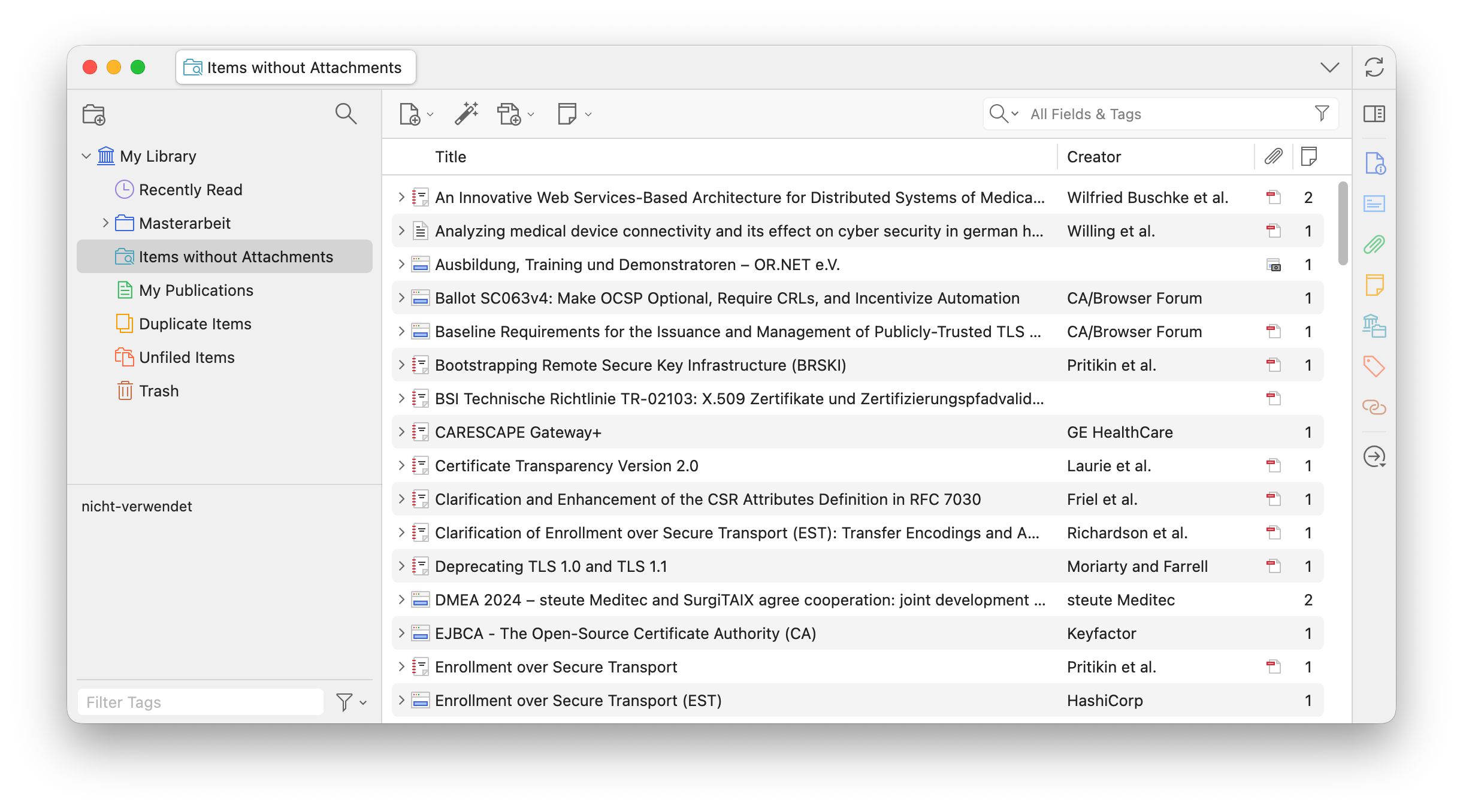
However, when I save the search and click on the newly created saved search in the sidebar, the results initially appear correct, but after a few seconds the view updates and shows all items in my library instead.
I've attached screenshots to illustrate the issue.
1. advanced search working as expected.
https://s3.amazonaws.com/zotero.org/images/forums/u21458330/u0jtvjmaivd7n0w48qtt.png
2. initial search view working correctly
https://s3.amazonaws.com/zotero.org/images/forums/u21458330/h3dgut6i9io7yrikhnzc.png
3. search view update after a few seconds, ignoring the search conditions
https://s3.amazonaws.com/zotero.org/images/forums/u21458330/isol1hux4m6qmg5jqz1a.png
Thank you for your great work! I hope I haven't overlooked a step or configured the search incorrectly.
For reference, I'm using Zotero v10.0.4.
I'm fairly new to using Advanced Search, but I believe I may have encountered a bug.
I wanted to find all items in my library without any attachments. When I use Advanced Search with the condition "# of Attachments" is 0", the search initially works as expected.
However, when I save the search and click on the newly created saved search in the sidebar, the results initially appear correct, but after a few seconds the view updates and shows all items in my library instead.
I've attached screenshots to illustrate the issue.
1. advanced search working as expected.
https://s3.amazonaws.com/zotero.org/images/forums/u21458330/u0jtvjmaivd7n0w48qtt.png
2. initial search view working correctly
https://s3.amazonaws.com/zotero.org/images/forums/u21458330/h3dgut6i9io7yrikhnzc.png
3. search view update after a few seconds, ignoring the search conditions
https://s3.amazonaws.com/zotero.org/images/forums/u21458330/isol1hux4m6qmg5jqz1a.png
Thank you for your great work! I hope I haven't overlooked a step or configured the search incorrectly.
So there seems to be a problem with entering 0 as the criterion here. Also, when I save a search like that and then open it again, the field is no longer 0 but empty.
There are other issues with the # of Attachments search. I also have a saved search with a title _attachments >= 1 which is defined as # attachments is greater than 1. But it doesn't work - it shows in the main pane as 'Error loading items list'. There is then no way to do anything else - that error pane remains no matter what I click on. The only way to restore Zotero is to close and reopen it. Also, there is no way to delete that saved search, as the error appears as soon as you click on it, and nothing works once the error pane appears.
A new *saved* search for "# of Attachments is 0" search still has the above problem we both described - it shows ALL items in the library. But a new (not saved) search for the same thing works OK.
Curiously, as I noted above, when I click to edit the saved search, the value field that I saved as 0 is then empty. If I enter 0 there again, save the search again, edit again, it goes back to an empty value field yet again.
Also, my earlier saved search for "# of Attachments is greater than 1" still triggers "Error loading items list" when clicked on, and locks Zotero until restart.
Is there a javascript way to delete that saved search (or another solution) ?
However, I've discovered a workaround. Instead of setting
"# of Attachments is 0"
one can configure
"# of Attachments is less than 1".
This works (at least for me) as expected.