
 Upgrade Storage
Scrollbar going down indefinitely with mouse scroll in the Context Pane of the Reader
Steps to reproduce:
1) Open a PDF file in the Reader with the Context Pane opened on the right
→ If you scroll down in the Contect Pane, it stops with the Related section at the bottom:
https://s3.amazonaws.com/zotero.org/images/forums/u265723/0ci335o97mz38i783qfu.png
2) Click on the Notes button in the Sidenav
3) Click on the Info button in the Sidenav
→ If you scroll down in the Contect Pane, it reaches normally the Related section and then continues going down more slowly indefinitely:
https://s3.amazonaws.com/zotero.org/images/forums/u265723/dh5younh61dkon6u55j4.png
Same with arrows instead of mouse scroll.
Zotero 9.0-beta.21+1a89239a1 (64-bit)
Windows 11
1) Open a PDF file in the Reader with the Context Pane opened on the right
→ If you scroll down in the Contect Pane, it stops with the Related section at the bottom:
https://s3.amazonaws.com/zotero.org/images/forums/u265723/0ci335o97mz38i783qfu.png
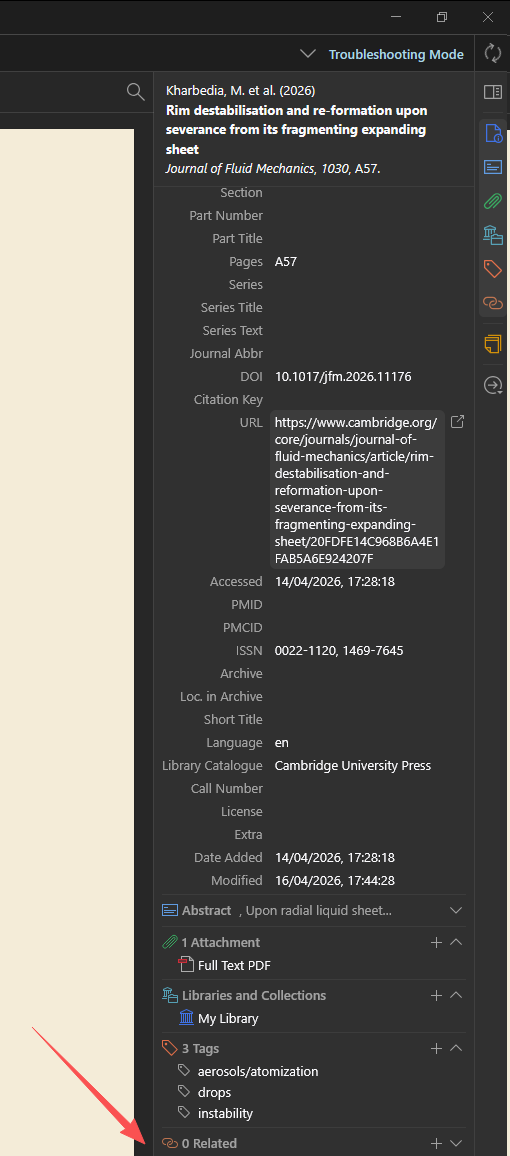
2) Click on the Notes button in the Sidenav
3) Click on the Info button in the Sidenav
→ If you scroll down in the Contect Pane, it reaches normally the Related section and then continues going down more slowly indefinitely:
https://s3.amazonaws.com/zotero.org/images/forums/u265723/dh5younh61dkon6u55j4.png
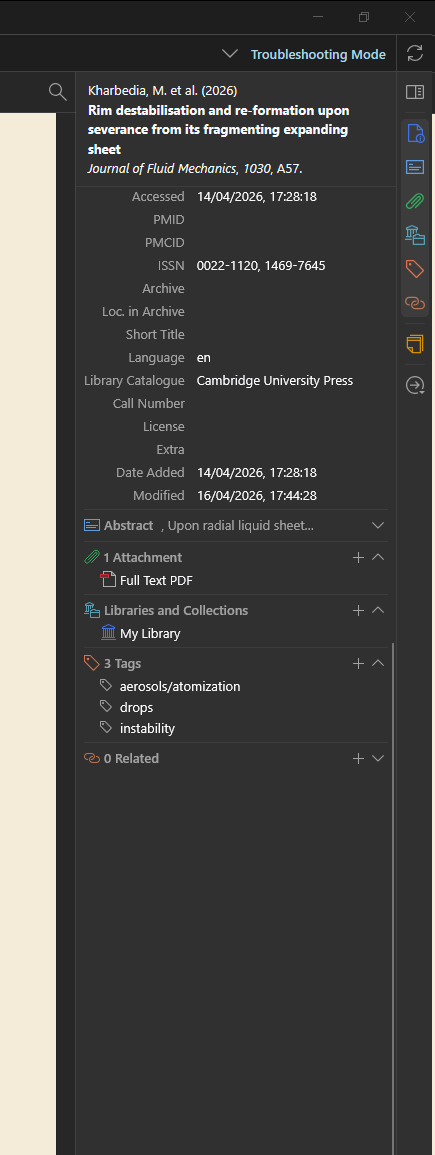
Same with arrows instead of mouse scroll.
Zotero 9.0-beta.21+1a89239a1 (64-bit)
Windows 11
I found the cause. After a click on a sidenav button, or with a pinned section, the pane gets bottom padding (--min-scroll-height) so the section can sit at the top. The scroll handler in itemDetails.js (_handleContainerScroll) then shrinks that padding to scrollTop + clientHeight. clientHeight is a whole number, but the scrolling area can start on a half pixel and be x.5 px tall. Here that happens with the Bibliography Entry header, whose lines are 19.5 px high, on an item whose entry takes an odd number of lines. The padding then ends 0.5 px below the real bottom, scrollHeight rounds up by 1 px, and every further scroll event at the bottom repeats it: +1 px per event, indefinitely.
Steps:
1. Set the item pane header to Bibliography Entry.
2. Select an item whose entry takes an odd number of lines (1 or 3).
3. Click a sidenav button, or pin a section.
4. Scroll to the bottom of the item pane and keep scrolling.
Using the box's real height (this._paneParent.getBoundingClientRect().height) instead of clientHeight in that handler stops it. I tested this by writing the corrected value right after the handler runs.