
 Upgrade Storage
Can't delete My Library folders on the web
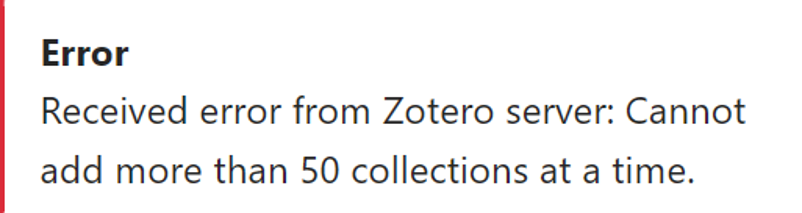
I'm getting the error message below when I try to delete folders in My Library in a web account. This happened first when I tried the delete on the web. I then went back and deleted the folders in the desktop app without any problems. This had no effect on My Library on the web. Closed and re-opened the desktop app. The deleted folders did not appear in the desktop my library. Went back to the web. They were still there. Tried to delete them. Same error. The folders are empty, despite what the message says.
https://s3.amazonaws.com/zotero.org/images/forums/u19205463/p207gl9youfbmsw3mp4s.png
https://s3.amazonaws.com/zotero.org/images/forums/u19205463/p207gl9youfbmsw3mp4s.png
Separately, we'll investigate why deleting a larger number of collections from the trash doesn't work in the web library.
It worked to the following extent: she had two collections in her My Library. She tried to delete both collections on the web and got the error message that we've been discussing. Then she tried deleting subcollections instead. She was able to work her way up the hierarchy for one of the collections if she started far enough down that the error message didn't appear. She deleted all of the subcollections for that collection but still could not delete the collection itself. With the other collection, she had no success at all, even if she started at the bottom.
Note that she had already deleted the items in all of the subcollections, so the lowest level subcollections in both collections were empty. And she did all of this, the original deletion of the items and the later deletion of subcollections with no sync of My Library.
What she wanted to do was to create a group library in an account where the group library would have some but not all of the files in her My Library. The best way to do this apparently seemed to be to copy her Zotero profile and files to a new profile and then use that new profile to set up the group library by moving selected subcollections and items from the new profile's My Library to the Group Library. But she accidentally synced the new profile's My Library.
Her attempt to recover from that is what's gotten us where we are now. She unsynced the My Library of the new profile from the web account. Then, she figured that since she wasn't synced the best way to deal with the My Library collections on the web was to delete them on the web. As discussed above, this worked only partially as noted above. So, she deleted them using desktop Zotero but forgot that her My Library was not synced. When I asked her about syncing, she turned syncing back on, and that got her most of the result that she wanted: both collections were deleted on the web.
This of course does not explain the error message that she got. So, there's that. But also this: subcollections remained in the web account's trash for some reason. And syncing did not delete them. She was able to delete the subcollections (which were empty as far as she could tell) one by one. But if she tried to delete a lot of them, she got this message: "Error Unable to communicate with Zotero server. Please check your connection." So, she did 10 or so at a time, and it worked fine. Everything is deleted on the web and in the desktop application. The web account's group library contains the collections, subcollections and items that she want's it to. So, she's happy.
Something of an edgy case it would seem, this one. And all now well in userland. But in case someone should again want to create a group library from some but not all of the contents of their primary My Library, what would be the best way for them to go about that?
Note that what happened to this user is exactly what she was trying to avoid. Some of her data is privacy sensitive, and she didn't want to take a chance of accidentally uploading it by using her own Zotero profile. That's why she created a new one. But she did accidentally sync the new profile's My Library. That's clearly one thing to avoid next time.
But cloning a profile, moving selected collections, subcollections and items to a group library and then deleting the contents of the new profile's My Library? Is there a simpler way to achieve the desired result of a My Library-less account with a group library holding the desired contents? If not, is there a easy way to clone a profile? I presume that the support pages or some message chain in the forums describes that, but I haven't had a chance to look. I'll be able to do that soon, I hope.
I'd probably go through export and a separate profile
https://www.zotero.org/support/kb/multiple_profiles
Zotero isn't really designed to combine non-syncing with syncing behavior, so this is going to be a bit awkward.
It is easy to not sync files, and obviously data synced with Zotero is still private (though may not meet data security requirements depending on the source) and you can just share what's in a group -- that would be the intended approach.