
 Upgrade Storage
Some tag 'suggestions' appearing capitalised
When I enter tags 'by hand' a drop-down appears with suggestions based on what I've entered so far. Useful.
But recently (one month? two?) some of the suggestions are capitalised. None of my existing tags are capitalised - they are designed that way for simplicity - so where do these capitalised ones come from? Can I turn them off? They just get in the way, however 'clever' they are.
Has anyone else come across this or is it just me?
Here are pictures of the drop-down and my tag list.
https://s3.amazonaws.com/zotero.org/images/forums/u3113719/ey7zz39klvcmcudvpcaw.jpg
https://s3.amazonaws.com/zotero.org/images/forums/u3113719/qpn5hwymshixmelsud2m.jpg
But recently (one month? two?) some of the suggestions are capitalised. None of my existing tags are capitalised - they are designed that way for simplicity - so where do these capitalised ones come from? Can I turn them off? They just get in the way, however 'clever' they are.
Has anyone else come across this or is it just me?
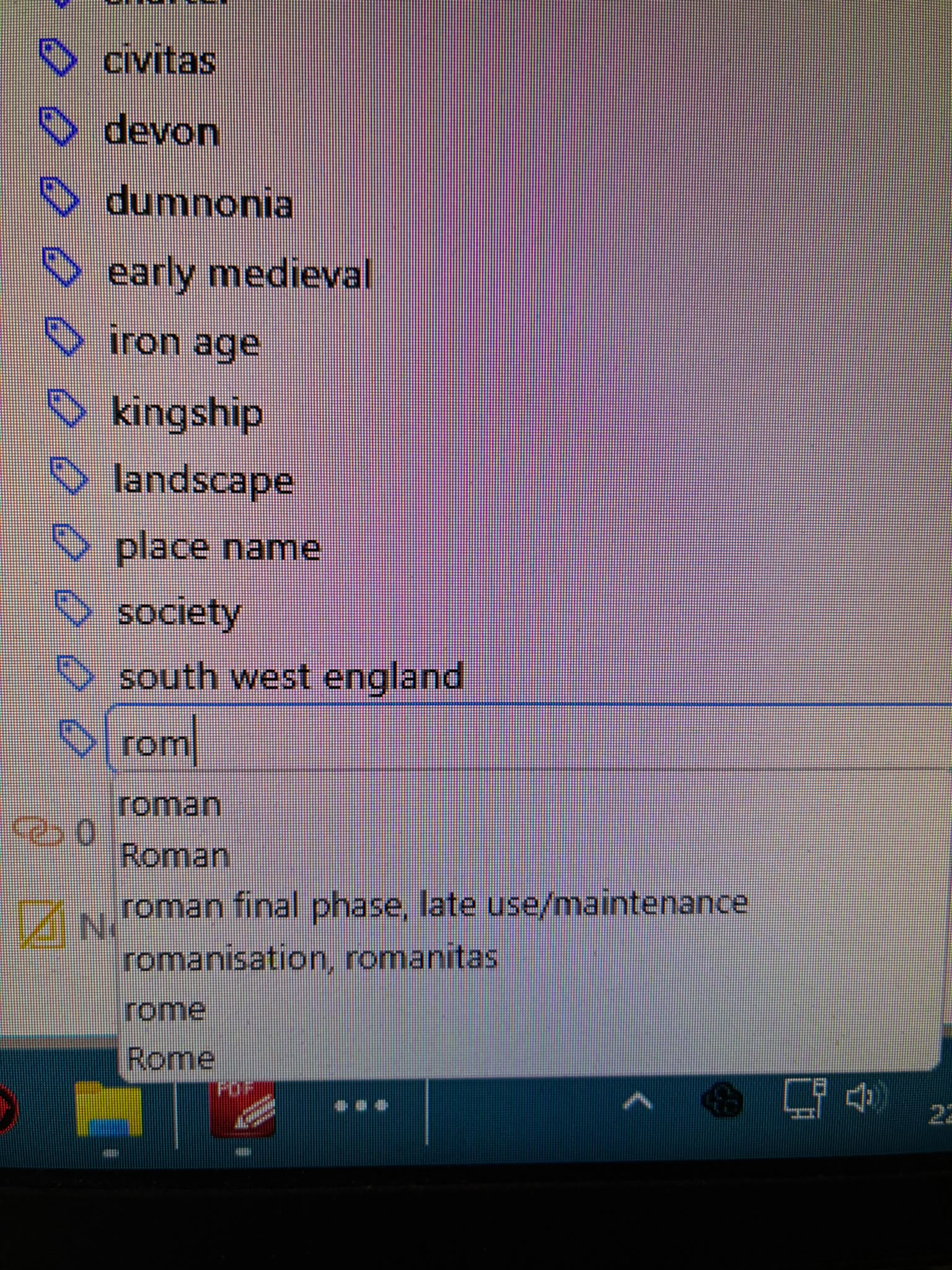
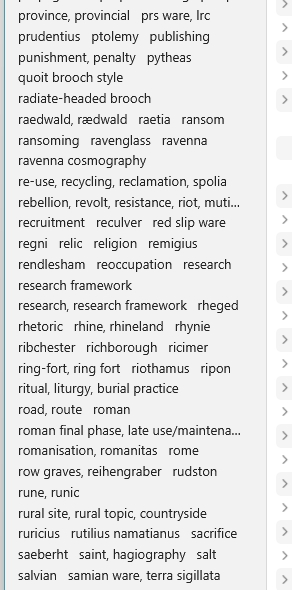
Here are pictures of the drop-down and my tag list.
https://s3.amazonaws.com/zotero.org/images/forums/u3113719/ey7zz39klvcmcudvpcaw.jpg
https://s3.amazonaws.com/zotero.org/images/forums/u3113719/qpn5hwymshixmelsud2m.jpg
Items in Trash - ??? why? how?
And why has this only just started happening? But more importantly, how do I stop it? (will it stop now I've turned off Auto tag ... no, after a close down and restart it's still there)
Just to be clear, autocomplete is library-wide, while the tag selector only shows tags in the current scope. So if you're not in the library root, you might not see the capitalized version in the tag selector, but it will still show up in autocomplete.
Latest example: I entered 'qu' in case I'd got a tag for 'quern' and 'Quernmore' appeared. This is the site of a Roman pottery, so I'll have it mentioned somewhere in my library, but it's not a tag. On this basis anything could pop up and I don't like that sort of unpredictable behaviour.
Thanks for explaining this, but I still don't know why it's happening. I just cleaned out the Bin, but I still got 'Quernmore' popping up.
You're going to need to believe me that it's autocompleting real, existing tags from your library. "Roman" is a tag on an item in your library, and you should see it in the tag selector in the library root.
I've just tried entering every letter of the alphabet in Tags and got some MOST unexpected suggested results:
A - Ambleside; B - Birdoswald; C - Castleshaw; D - 0; E - 0; F - 0; G - 0; H - History; I - 0; J - 0; K - Kirkham; L - Lancaster; M - Manchester; N - 0; O - 0; P - 0; Q - Quernmore; R - Ribchester, Roman, Rome; S - 0; T - Tarbock Island; U - 0; V - 0; W - Walton-le-Dale; X - 0; Y - 0; Z - 0
Zero of course means no result. These are mostly Roman sites, so might be mentioned somewhere, and mostly in Lancashire (???) but Tarbock Island is apparently a roundabout on the M6 motorway and I'll bet you £100 it isn't anywhere on my machine! And History just comes out of nowhere.
I'd no idea Tags was so dynamic - that it could pick up tags without my entering them? I'll do an Export, I think, and see if the unwanted stuff is there - unless you've another idea about how to find where it's coming from?
Many thanks for the helpful chat btw
If you have an active filter (e.g., a search term in the quick-search bar, or a tag selected in the tag selector), the tag selector will only show tags on the items you're currently viewing.
This is how the tag selector and tag autocomplete have always worked.
Sorry, but thanks.
I do think it's amazing that (idiot) users can get tailored support like this with such a major piece of software, btw. If I could buy you a coffee ...