
 Upgrade Storage
Word for Windows: "Zotero experienced an error updating your document"
[Admin note: This was caused by the June 9 Windows security update from Microsoft. A fix is available now in Zotero 9.0.5.]
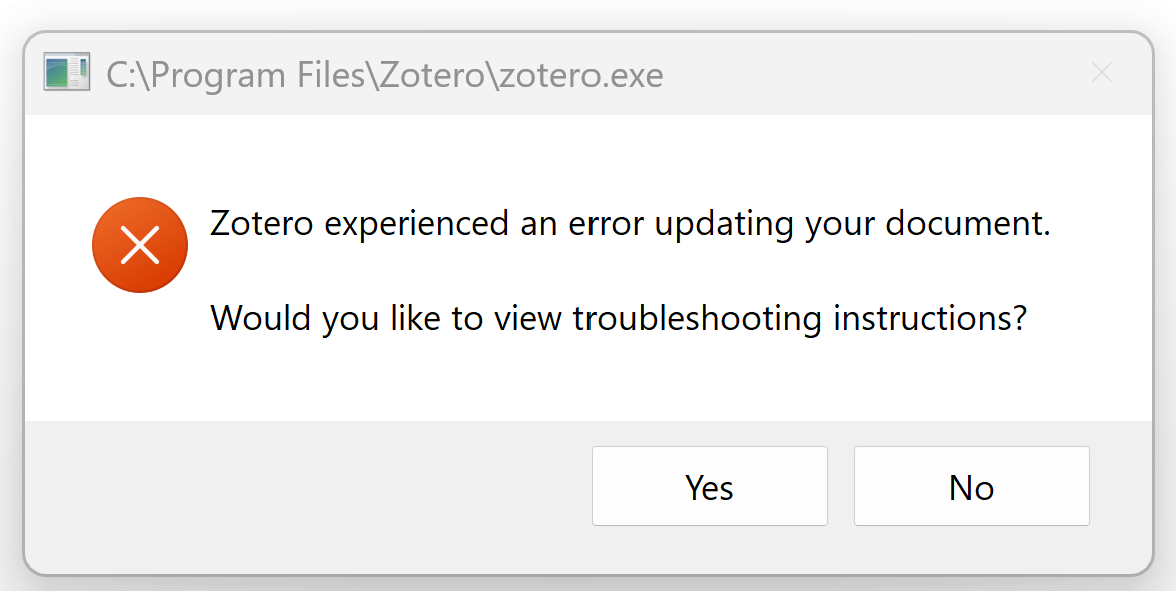
When I try to "Add/Edit Citation" to a Word document, I get the error message "Zotero experienced an error updating your document." I tried "Reinstalling Microsoft Word Add0in," but it still does not work. It works when I use Google docs, but I always get the same error on Windows.
https://s3.amazonaws.com/zotero.org/images/forums/u8992537/s7kva9pssq022i480xyu.png
When I try to "Add/Edit Citation" to a Word document, I get the error message "Zotero experienced an error updating your document." I tried "Reinstalling Microsoft Word Add0in," but it still does not work. It works when I use Google docs, but I always get the same error on Windows.
https://s3.amazonaws.com/zotero.org/images/forums/u8992537/s7kva9pssq022i480xyu.png
This discussion has been closed.
Can you provide a Report ID to start?
Does it work in new documents?
My Word is as follows
https://s3.amazonaws.com/zotero.org/images/forums/u8992537/n1wvbigcqsl2a97q4hci.png
I am trying to insert Chicago-style citations. It does not work on new Word documents, but it does work on Google docs. APA style does work on a new Word document, but I need to use Chicago-style for my article.
Do you recall any recent updates?
* Zotero 9.0.4 (64-bit)
* Word 2019
* Windows
* The problem started today
* It was working normally earlier today
* The issue occurs in completely new documents
* Reinstalling the Word add-in did not help
* Troubleshooting Mode did not help
* Document Preferences opens normally
* Add/Edit Citation fails immediately after selecting the citation style
* Add/Edit Bibliography also fails
Debug ID: D1145794371
My Word build is:
16.0.20026.20168
Windows updates were also installed today.
https://s3.amazonaws.com/zotero.org/images/forums/u20453031/pco7on63xy0b9odvjr24.jpg
I tested different citation styles.
APA works correctly and I can insert citations in a new Word document.
Chicago does not work. The error appears immediately after selecting the Chicago style and clicking OK.
This seems consistent with the other report in this thread.
We're investigating, but it may take a little while for this to get fixed (by either Microsoft or us). In the meantime, if you don't need to submit your document soon, and APA works, you can switch to APA for now and plan to switch back to Chicago later. Otherwise, you may need to switch to LibreOffice or Google Docs for now or use Word on a Mac.
This was caused by the June 9 Windows security updates from Microsoft. This was their largest set of security updates ever and fixed some serious vulnerabilities, so if you already uninstalled the Windows update to fix this, you should reinstall it after upgrading to Zotero 9.0.5.
Sorry for the trouble.
(There were many, many more messages about this in the moderation queue. I've CCed those people to trigger notifications.)
Thanks a lot!
Any help is appreciated :D
https://s3.amazonaws.com/zotero.org/images/forums/u13568145/7panzawvrtwkqgiyni33.png