
 Upgrade Storage
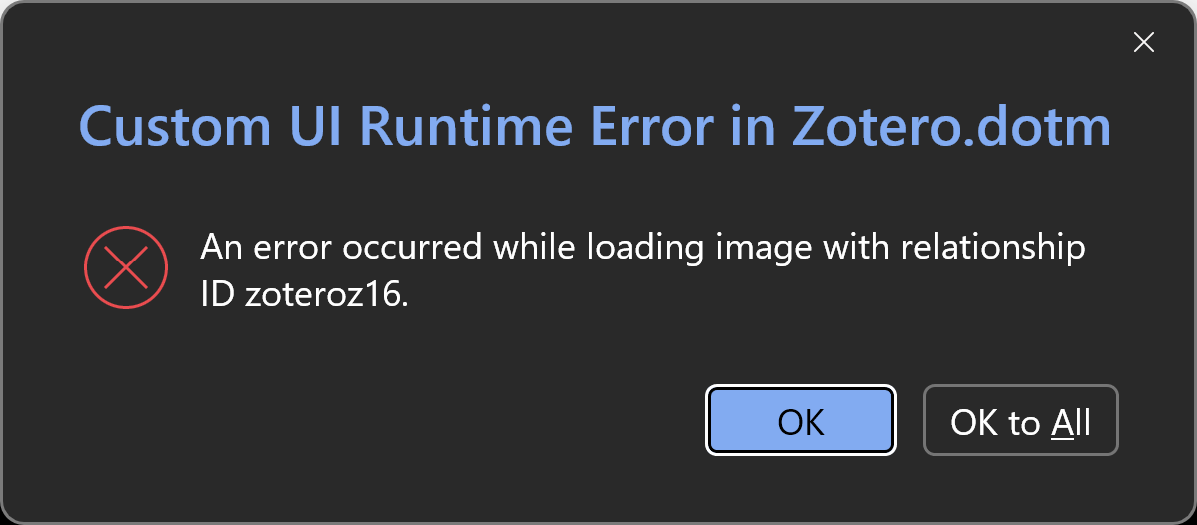
"Custom UI Runtime Error in Zotero.dotm"
I keep getting this error message whenever I go to the Zotero tab in MS Word
https://s3.amazonaws.com/zotero.org/images/forums/u12630600/l9mhqh7my1qt3ylsszkr.png
It doesn't seem to affect the extension functioning otherwise, though? So I'm not exactly sure what this means or how to make it not appear every time I reopen Word.
https://s3.amazonaws.com/zotero.org/images/forums/u12630600/l9mhqh7my1qt3ylsszkr.png
It doesn't seem to affect the extension functioning otherwise, though? So I'm not exactly sure what this means or how to make it not appear every time I reopen Word.
Zotero 9.0.2
Microsoft office 365 (Word 2604 Build 19929.20106)
Windows 11 Pro 25H2
Zotero 9.0.5
Win 22H2, build 22621.1992
Microsoft® Word for Microsoft 365 MSO (Version 2605 Build 16.0.20026.20140) 64-bit
(You can also just say "OK to All" for now.)