
 Upgrade Storage
Zotero Connector says it's saving to my library but not saving
I am using the Zotero Connector on Firefox and when I try to save a website to Zotero using the connector, it first seems to work as normal except that it's not giving me the option to choose a folder from my library to save to, the popup just says “Saving to My Library” but my other folders don't show up. And when I then go to my library on Zotero (which is open the whole time), the item is not showing up. I have uninstalled and reinstalled the Zotero Connector and also deactivated all other extensions and the same thing continues happening. I also tried on Google Chrome and the same thing happens. This is happening on all websites, I used this one as an example: https://www.vogue.com/article/muna-dancing-on-the-wall-album-announcement-interview.
The translator name it is giving me on this site is "(embedded meta data)"
Here is a Debug ID of reloading the website and trying to save to library D178618012.
Here is an image of the popup https://s3.amazonaws.com/zotero.org/images/forums/u5849875/f7td1ff5pquuvk808fhh.png
Thanks
The translator name it is giving me on this site is "(embedded meta data)"
Here is a Debug ID of reloading the website and trying to save to library D178618012.
Here is an image of the popup https://s3.amazonaws.com/zotero.org/images/forums/u5849875/f7td1ff5pquuvk808fhh.png
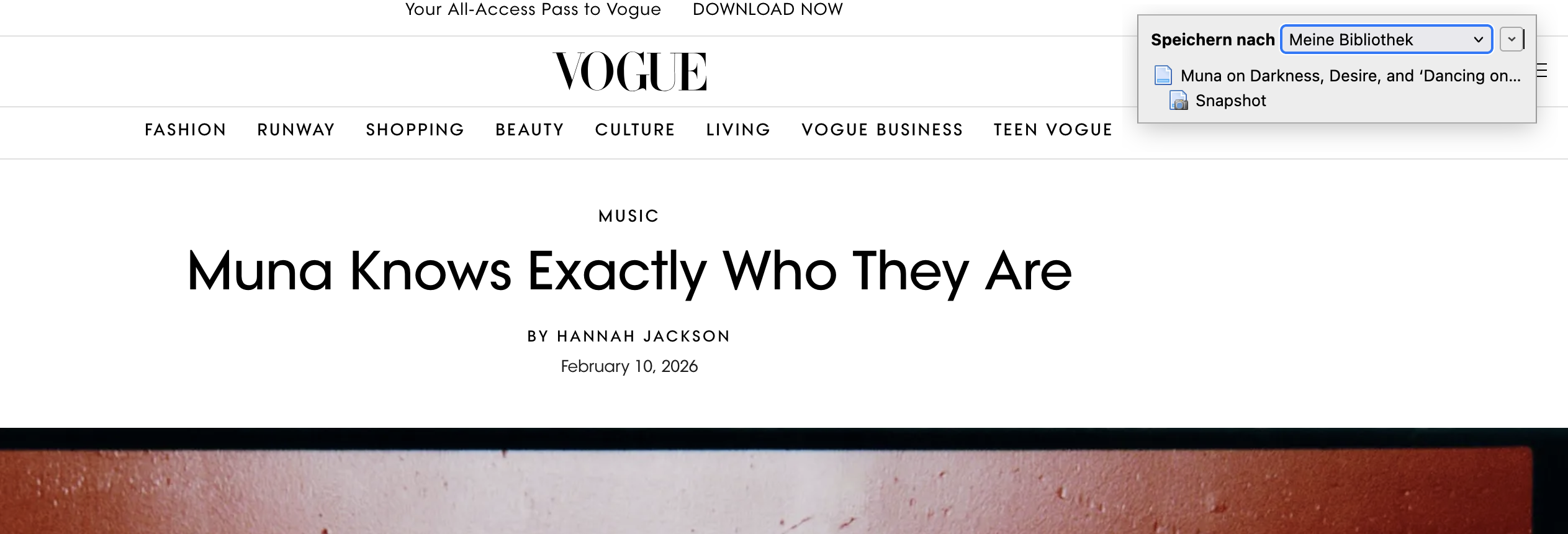
Thanks
Your debug output shows a successful save to Zotero.
Can you provide a Debug ID from Zotero (not the Connector) for reloading the page and trying to save?
https://s3.amazonaws.com/zotero.org/images/forums/u5849875/2vp7cnnvoj0g6ngrikcb.png
Here is a Debug ID from Zotero itself from when I tried to save from the connector to my library: D107549621.
And that is the part that confuses me because I am not receiving any error message or so in the Zotero connector but it is unclear where the connector is saving to because nothing shows up in my Zotero library anywhere and it feels like the Connector and Zotero aren't speaking to each other (unsure how to put that in technical terms).
Your debug output doesn't show any connection from the Zotero Connector. So either there's another instance of Zotero on this computer (e.g., in another user account) or you didn't reload the page and try to save while that was running.
If you're getting the message, those items are saving -- have you searched your Zotero library?