
 Upgrade Storage
Adding a reference using MS Word Zotero plugin puts entire reference in the text in the wrong place
I'm using MS Word on a Mac with the Zotero plugin. I'm trying to put a reference in the text.
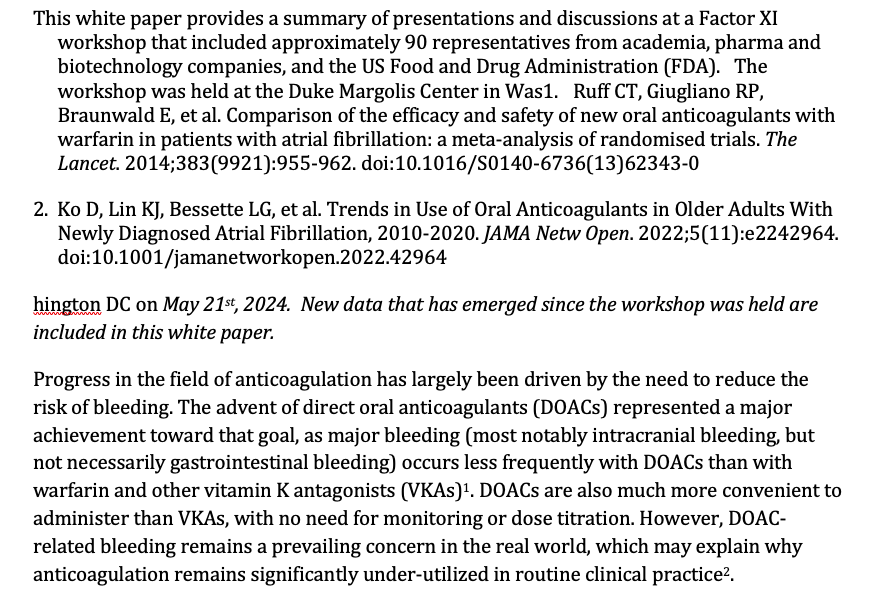
When I select the reference in the Add citation search box and click on the forward arrow, it puts a the full citation (and the prior citation) in the text in the wrong place (midsentence of the previous paragraph) and the reference doesn't appear in the bibliography at the end of the document.
Also, it changes the MS word menu under Edit. Instead of showing the Undo option with the command-Z keyboard shortcut, the first option is "VBA-Font.Colorindex with the same Command-Z shortcut. The second option is Repeat Paste.
I've restarted Zotero and Word and the same thing happens.
https://s3.amazonaws.com/zotero.org/images/forums/u19018463/2rh9yh01pp0586b0c2us.png
When I select the reference in the Add citation search box and click on the forward arrow, it puts a the full citation (and the prior citation) in the text in the wrong place (midsentence of the previous paragraph) and the reference doesn't appear in the bibliography at the end of the document.
Also, it changes the MS word menu under Edit. Instead of showing the Undo option with the command-Z keyboard shortcut, the first option is "VBA-Font.Colorindex with the same Command-Z shortcut. The second option is Repeat Paste.
I've restarted Zotero and Word and the same thing happens.
https://s3.amazonaws.com/zotero.org/images/forums/u19018463/2rh9yh01pp0586b0c2us.png
The only other plugin that I see is Acrobat
Although it still changes the edit menu. First the menu started with VBA-Font.ColorIndex. Now it starts with VBA-Range.Text
Regarding the error, you should follow the troubleshooting page posted above.