
 Upgrade Storage
Zotero Cite Box Oversearches
I have a very quick question. With the update, I noticed that when I want to cite a source, the cite box automatically pulls up every document that uses my keywords -- as opposed to just the documents whose author, title, etc., are included in the key words.
For example, if I want to cite Hanna Pitkin's The Cocnept of Representation, I used to just search "Pitkin concept representation" and only a few pieces would present themselves, each having these keywords in author's name, book title, etc. Now, though Zotero pulls up a number of articles that don't include these keywords in the title, but do include them in the article's body:
https://s3.amazonaws.com/zotero.org/images/forums/u5063049/4534fmr141wt8uxtdbxt.png
This makes it harder to find the material that I need quickly. How do I return to the old search?
Thanks!
For example, if I want to cite Hanna Pitkin's The Cocnept of Representation, I used to just search "Pitkin concept representation" and only a few pieces would present themselves, each having these keywords in author's name, book title, etc. Now, though Zotero pulls up a number of articles that don't include these keywords in the title, but do include them in the article's body:
https://s3.amazonaws.com/zotero.org/images/forums/u5063049/4534fmr141wt8uxtdbxt.png
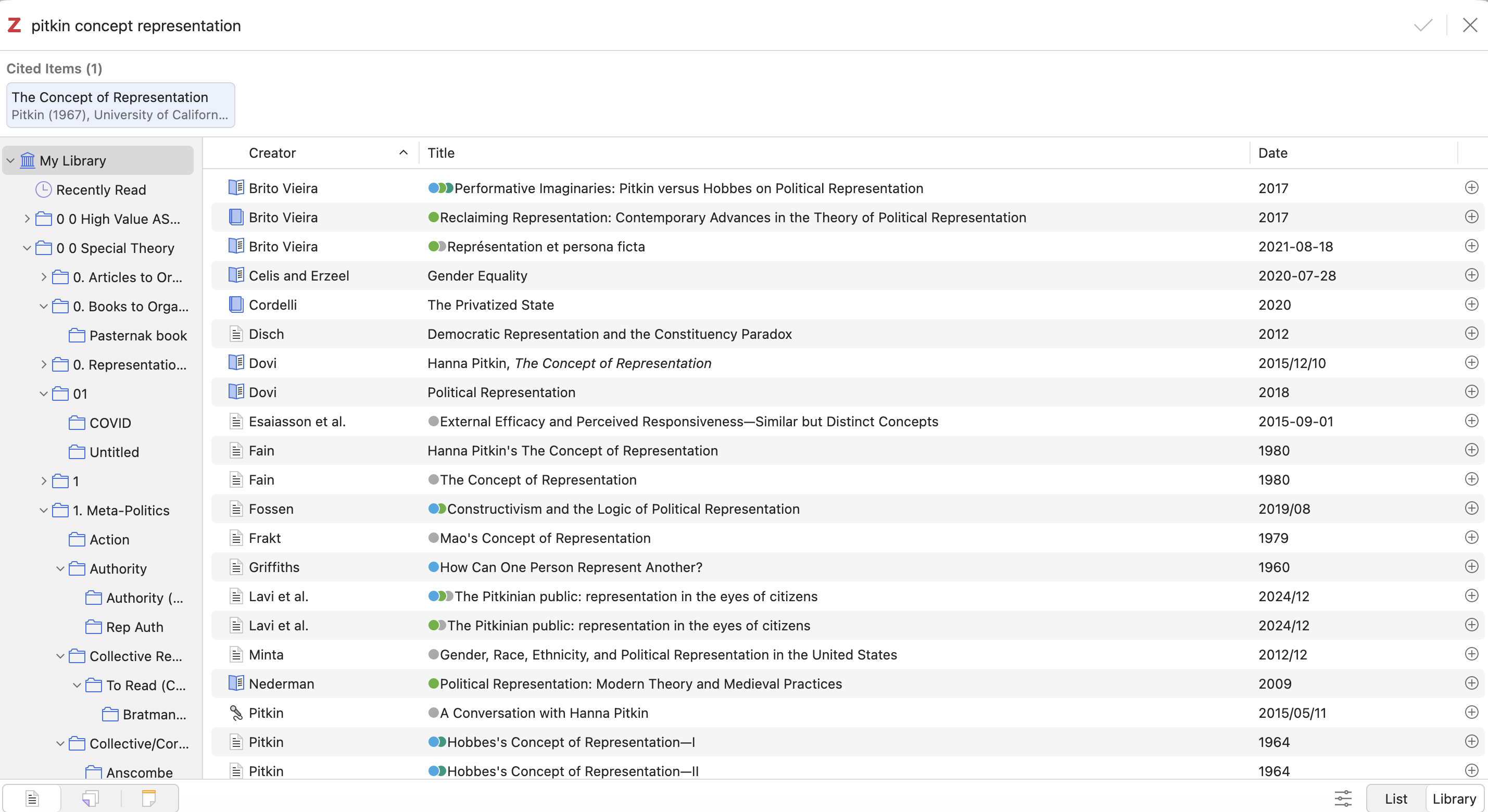
This makes it harder to find the material that I need quickly. How do I return to the old search?
Thanks!
Library mode currently uses "All Fields & Tags" mode. The classic citation dialog — which Library mode replaces — had a menu for the search mode, but that's awkward in the new unified window, so we had to pick one for Library mode. "All Fields & Tags" is the default search mode, it's not clear how often people even switch out of that, and Library mode exists for browsing collections, etc., where you're usually filtering a much smaller set of items than the library root has.
In an upcoming version, we'll likely sort search results by relevance in Library mode so that the items you're searching for appear at the top even if the search terms match other fields. That will be the better long-term solution.