
 Upgrade Storage
Word plugin install keeps asking for a folder – macOS 27, fresh Macbook Air
Hi,
I'm on a new MacBook Air running macOS 27, with a fresh install of Word and a fresh download of Zotero.
Every time I click install for the Microsoft Word Add-in in Zotero (Settings > Cite > Word Processors), Zotero asks me for a folder, and the install never completes. It never gets to a point to where it says Reinstall, because it has never installed successfully.
What I've tried:
Reinstalling Zotero and following the Zotero website instructions
Installing from the Cite pane
Reetting the Word Startup folder in Word (Setttings, File Locations, Start-up, Reset – done 3 times, didn't fix it
Manual Instruction steps – These haven't worked on this fresh machine, where some of the Word/Zotero files and folders don't exist yet.
Checking for an older Zotero version to downgrade to – one wasn't available on the download page
Zotero version (10.0.6)
Word version (16.114.2)
Report ID: None - no error dialog appeared, so n oreport was generated.
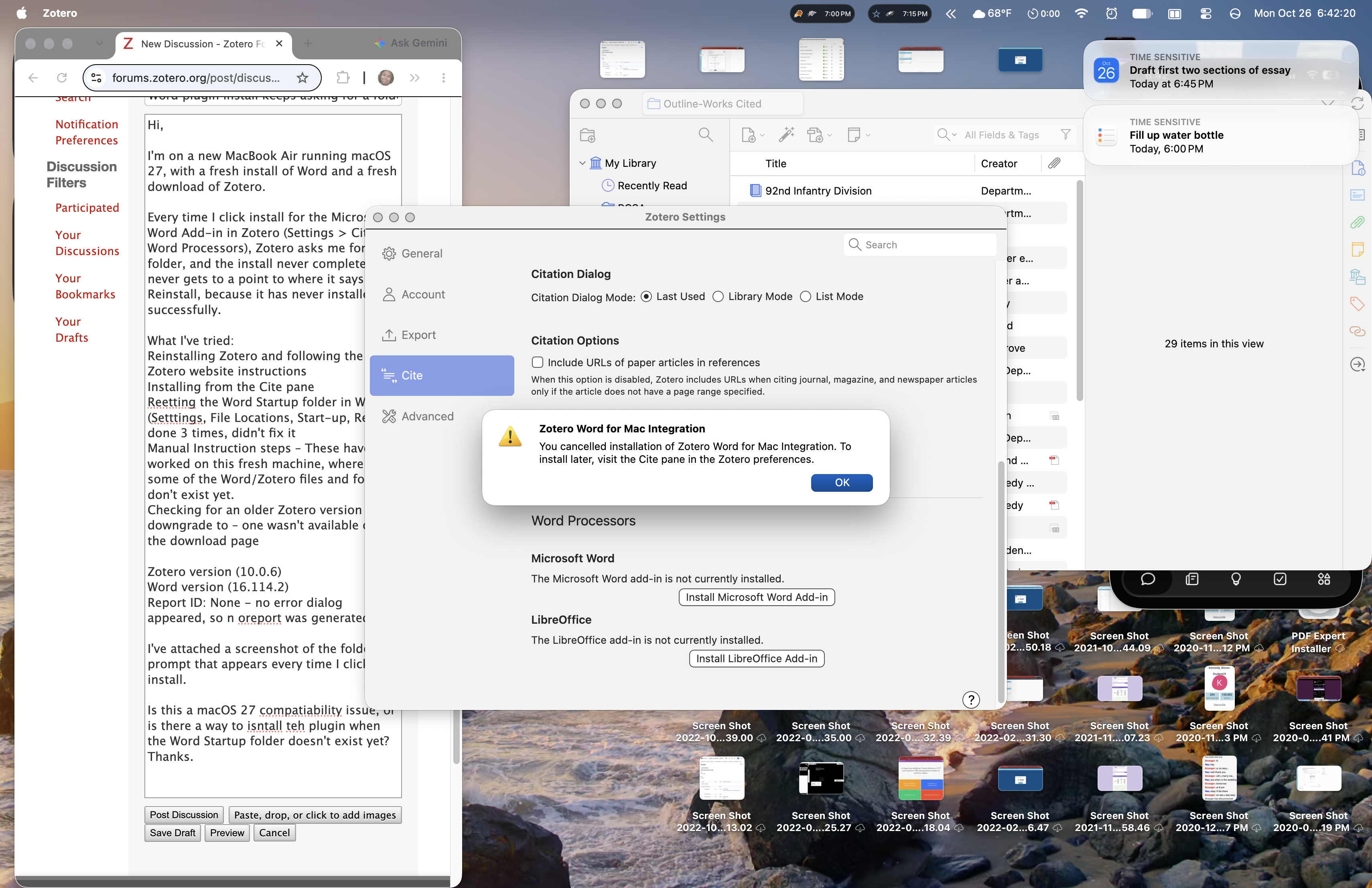
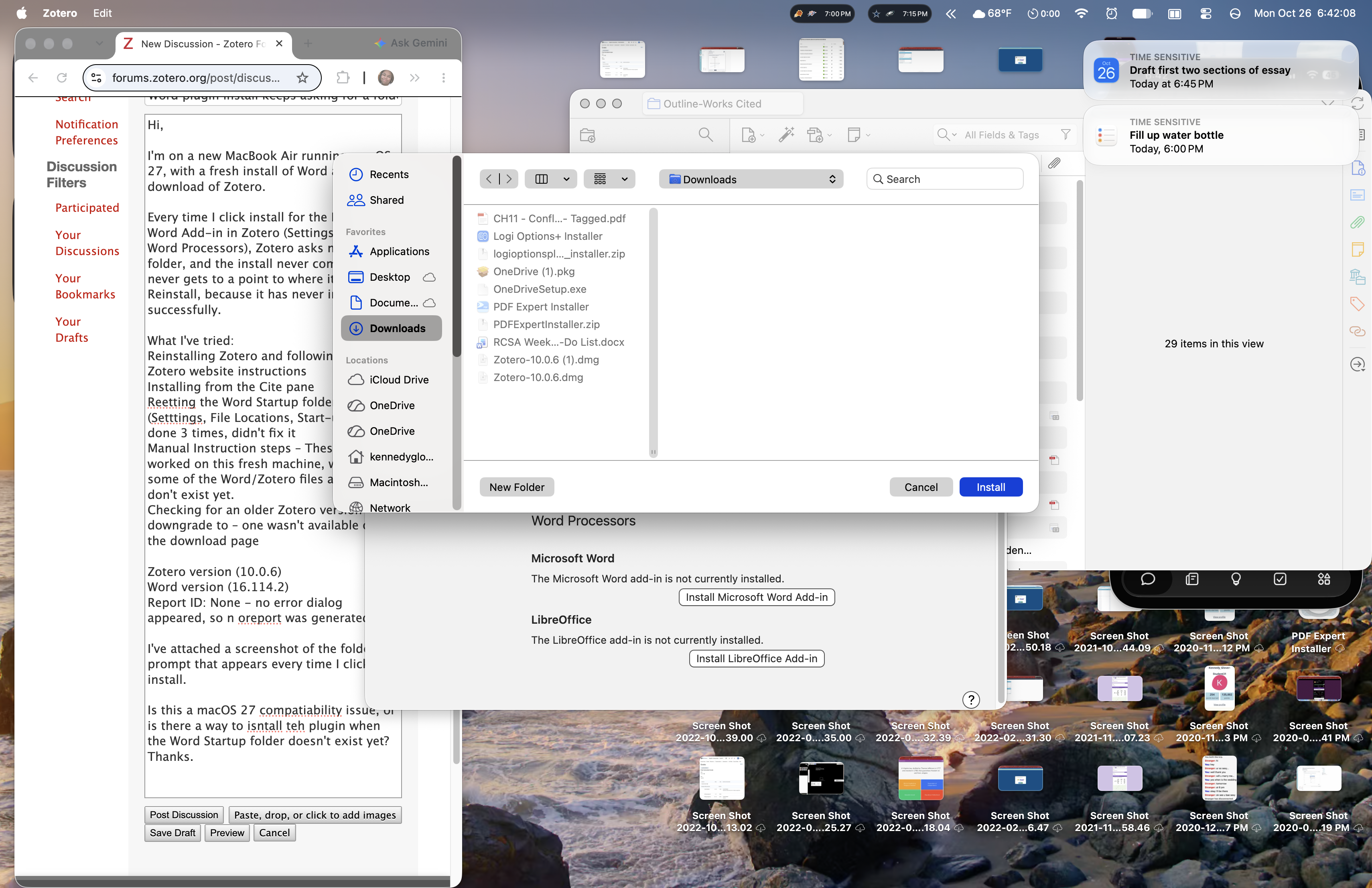
I've attached a screenshot of the folder prompt that appears every time I click install.
Is this a macOS 27 compatiability issue, or is there a way to isntall teh plugin when the Word Startup folder doesn't exist yet? Thanks.
https://s3.amazonaws.com/zotero.org/images/forums/u12798393/8oppa2rmmrkvc5j2cm67.png
https://s3.amazonaws.com/zotero.org/images/forums/u12798393/b35c0vf6n6u8h2mbex11.png
I'm on a new MacBook Air running macOS 27, with a fresh install of Word and a fresh download of Zotero.
Every time I click install for the Microsoft Word Add-in in Zotero (Settings > Cite > Word Processors), Zotero asks me for a folder, and the install never completes. It never gets to a point to where it says Reinstall, because it has never installed successfully.
What I've tried:
Reinstalling Zotero and following the Zotero website instructions
Installing from the Cite pane
Reetting the Word Startup folder in Word (Setttings, File Locations, Start-up, Reset – done 3 times, didn't fix it
Manual Instruction steps – These haven't worked on this fresh machine, where some of the Word/Zotero files and folders don't exist yet.
Checking for an older Zotero version to downgrade to – one wasn't available on the download page
Zotero version (10.0.6)
Word version (16.114.2)
Report ID: None - no error dialog appeared, so n oreport was generated.
I've attached a screenshot of the folder prompt that appears every time I click install.
Is this a macOS 27 compatiability issue, or is there a way to isntall teh plugin when the Word Startup folder doesn't exist yet? Thanks.
https://s3.amazonaws.com/zotero.org/images/forums/u12798393/8oppa2rmmrkvc5j2cm67.png
https://s3.amazonaws.com/zotero.org/images/forums/u12798393/b35c0vf6n6u8h2mbex11.png
-
dstillman Zotero Teamedited today at 1:11amWhat exactly doesn't exist? You need to have a Word Startup folder for the installation to work. I don't think we've ever seen one not exist with a standard Word installation. Zotero has never created those folders, so automatic installation never could have worked without them in any version.