
 Upgrade Storage
[iOS] Unable to dismiss document search bar in landscape mode
https://s3.amazonaws.com/zotero.org/images/forums/u12596263/4rvn0ujvdtdta13syjcf.png
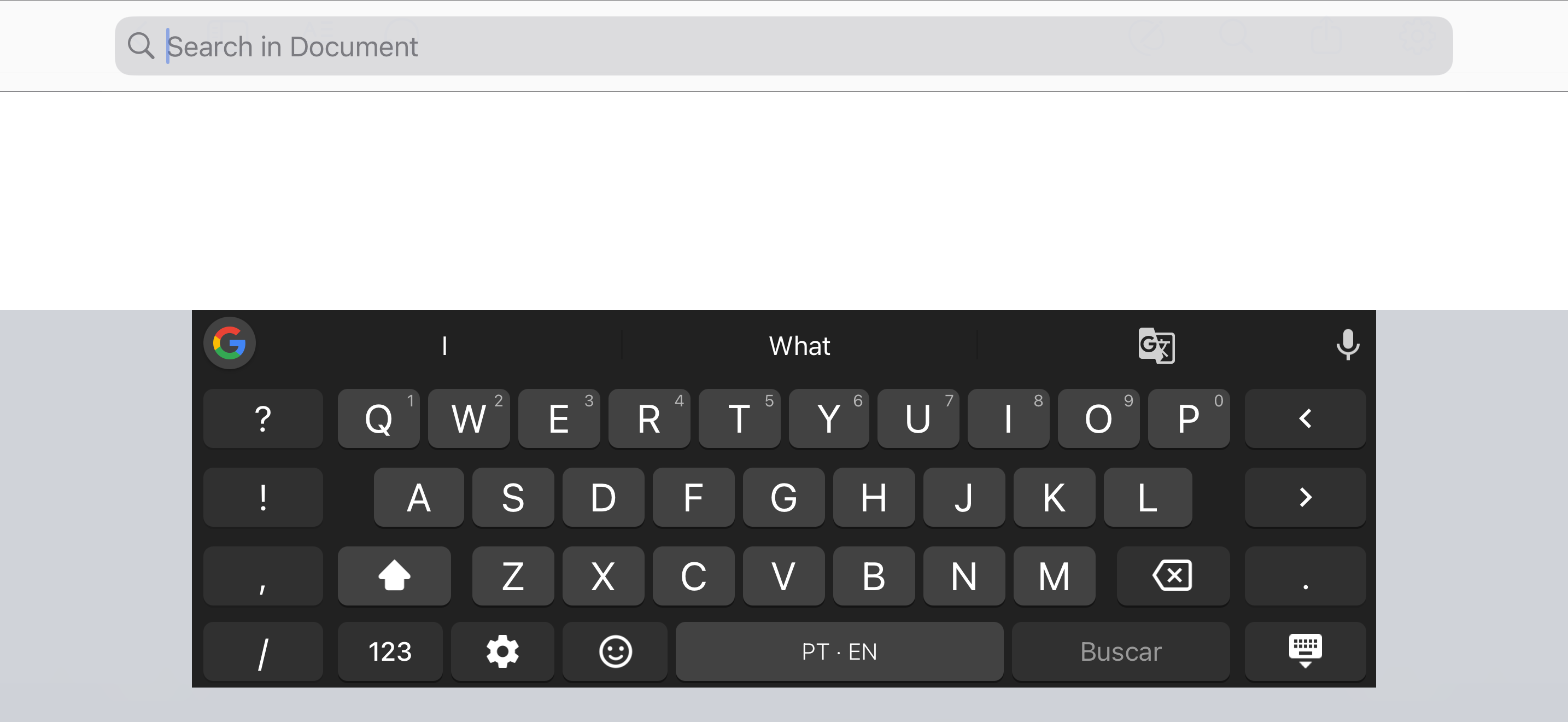
When reading a document in landscape mode on the Zotero iOS app, the search bar becomes difficult to dismiss after clearing the search field.
Steps to reproduce
1. Open a document in the Zotero iOS app in landscape orientation.
2. Open the “Search in Document” bar.
3. Enter a search term, then clear the search field.
4. Try to dismiss the search bar.
Actual behavior: The search bar remains on screen. The only way to dismiss it is to tap outside the search panel, but in landscape mode the panel occupies the entire available area, leaving no outside area to tap.
Expected behavior: There should be a reliable way to dismiss the search bar in landscape mode, such as a close button or a keyboard dismissal gesture that also closes the search interface.
This is a minor but frustrating usability issue when reading documents in landscape mode.
-
mvasilak Zotero TeamThanks for the report, we'll have a fix for this in an upcoming version.