
 Upgrade Storage
Safari pop up opens every time Safari opens
Hi there,
I'm very new to Zotero but I am enjoying using it, so far (looking for a replacement for Endnote for when my subscription ends). The Safari plugin is particularly useful...
However, I am having an issue that is starting to get very annoying. Basically, every time I open Safari, on the first website I load up I get a popup from the Zotero plugin like this:
https://s3.amazonaws.com/zotero.org/images/forums/u21493778/in1unis8sranq71hi2k3.png
Until I acknowledge this message, I cannot do anything on the webpage.
While having to do this EVERY time I reopen Safari is annoying enough, what makes it worse is that sometimes the popup doesn't actually appear, but I am still unable to interact with a webpage. I end up having to reload the webpage and, ironically, hope that this time it appears so I can get rid of it.
Is there any way to disable this popup? I've seen it more than enough to understand what it's telling me, I don't need to be reminded anymore.
I'm very new to Zotero but I am enjoying using it, so far (looking for a replacement for Endnote for when my subscription ends). The Safari plugin is particularly useful...
However, I am having an issue that is starting to get very annoying. Basically, every time I open Safari, on the first website I load up I get a popup from the Zotero plugin like this:
https://s3.amazonaws.com/zotero.org/images/forums/u21493778/in1unis8sranq71hi2k3.png
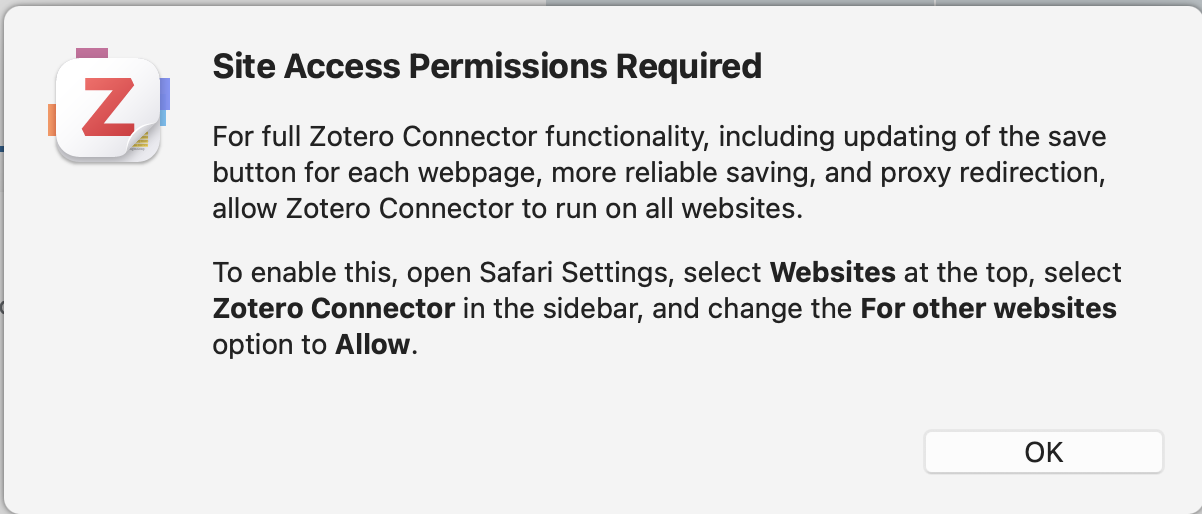
Until I acknowledge this message, I cannot do anything on the webpage.
While having to do this EVERY time I reopen Safari is annoying enough, what makes it worse is that sometimes the popup doesn't actually appear, but I am still unable to interact with a webpage. I end up having to reload the webpage and, ironically, hope that this time it appears so I can get rid of it.
Is there any way to disable this popup? I've seen it more than enough to understand what it's telling me, I don't need to be reminded anymore.
Since the Zotero connector runs on page load to identify if and how it recognizes the page, it's the only way it can work reasonably (and, to be clear, data about pages you load is not logged -- unless debug logging is explicitly on -- let alone sent anywhere beyond your computer.)
Would it be possible to add a 'Don't ask again' option to the popup? Because, again, I'm happy to pick which websites I allow (I always select 'Always allow' when I'm on a journal website, for example). It's not the logging that worries me so much as the fact that it can 'read and alter sensitive information on web pages including passwords, phone numbers and credit cards, and see your browsing history' for any website I allow it to look at.