
 Upgrade Storage
Highlights not working correctly in PDF reading mode
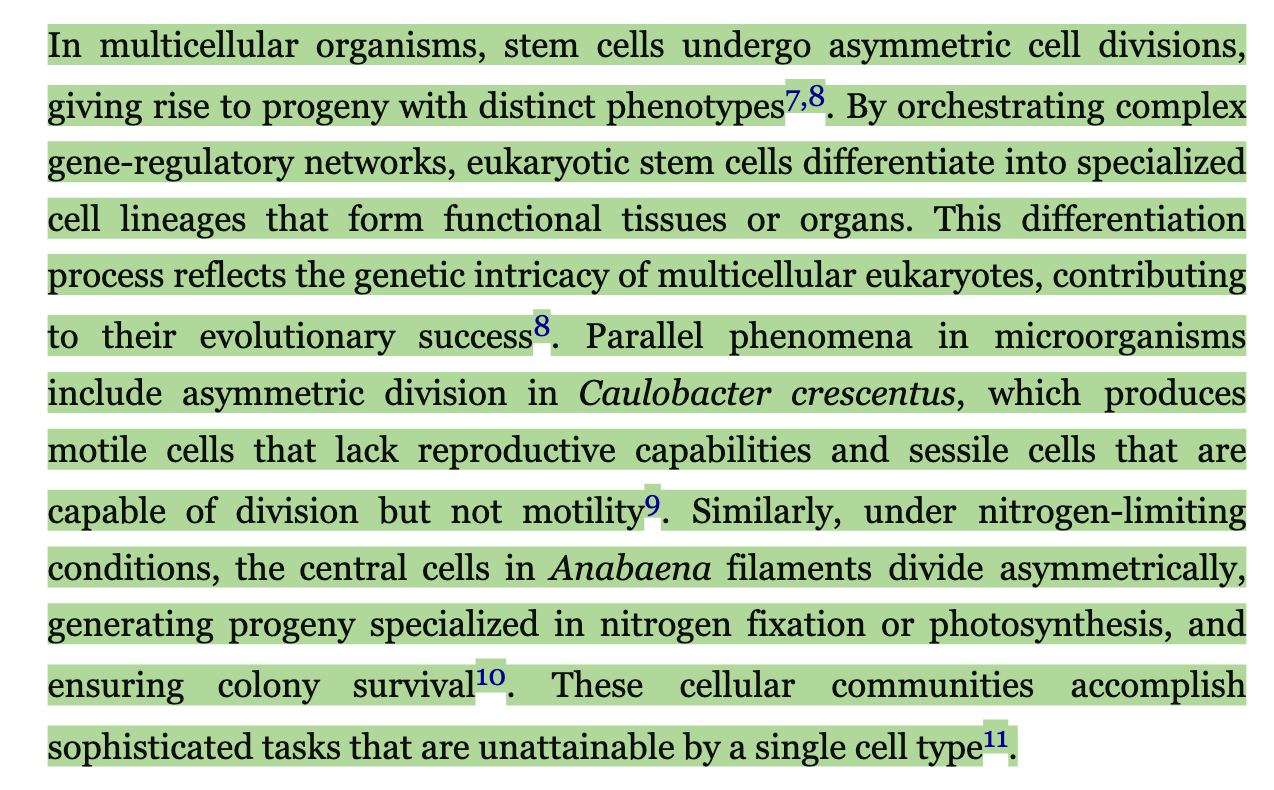
Report ID is 1230700118, I'm on a macbook neo and the latest version of Zotero. When I highlight across a citation in Zotero, it highlights the whole paragraph instead of just my selection as seen below (first photo is my selection, next is the result of highlighting)
https://s3.amazonaws.com/zotero.org/images/forums/u19905410/ixq8nizztxabq7dso1nh.png
https://s3.amazonaws.com/zotero.org/images/forums/u19905410/x6ha8m7ukbhhncacvvyv.png
I've never submitted a bug report so let me know if there is any missing information. Hovering over citations also doesn't show me the preview like it does in the regular mode, but I don't know if this is a bug or just a missing feature.
By the way, in spite of these minor inconvenience, I'm a big fan of the reading mode, it's much clearer to read PDFS this way for me. :)
https://s3.amazonaws.com/zotero.org/images/forums/u19905410/ixq8nizztxabq7dso1nh.png
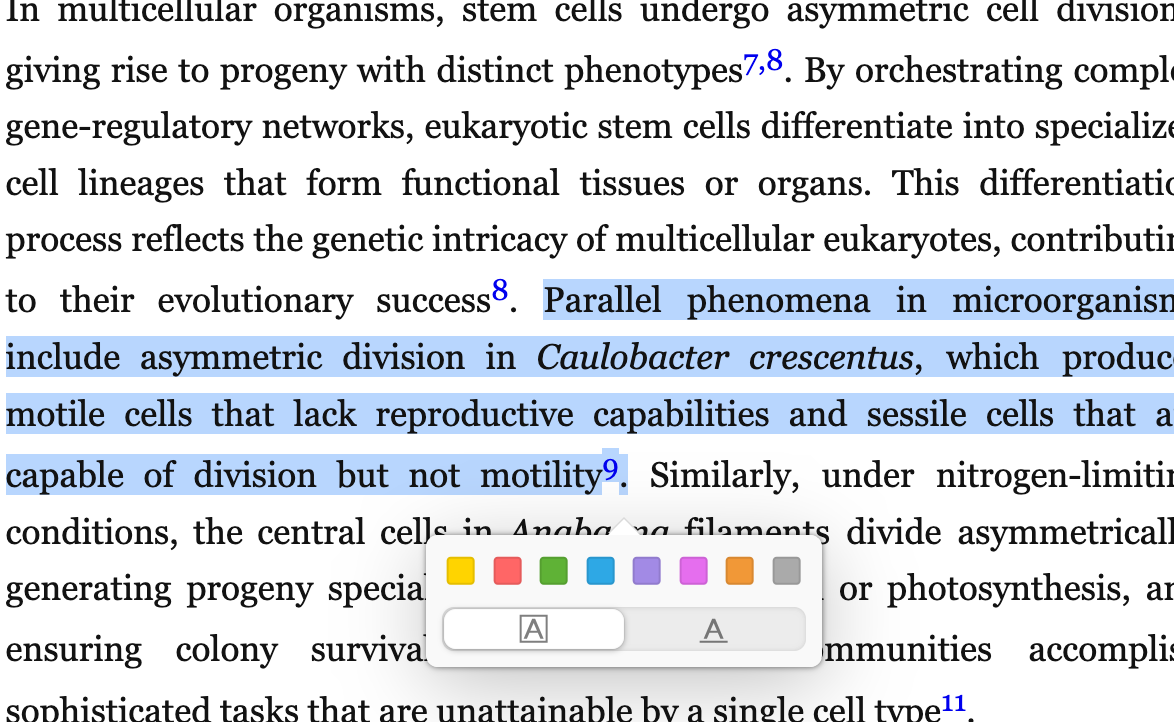
https://s3.amazonaws.com/zotero.org/images/forums/u19905410/x6ha8m7ukbhhncacvvyv.png
I've never submitted a bug report so let me know if there is any missing information. Hovering over citations also doesn't show me the preview like it does in the regular mode, but I don't know if this is a bug or just a missing feature.
By the way, in spite of these minor inconvenience, I'm a big fan of the reading mode, it's much clearer to read PDFS this way for me. :)
-
poettliIs the pdf publicly available? If yes, please post the URL here.
-
dstillman Zotero TeamIt's OK — I can reproduce this with certain sentences in a given PDF. We'll work on a fix.
-
dstillman Zotero TeamFixed for the next beta and for Zotero 10.0.2, which will be out in the next day or two. It occurs in sentences with embedded italics like those shown above.
-
poettliThanks for the quick fix. (And sorry for the useless request above.)
-
Wbro052Wow that's so speedy, thanks!
-
dstillman Zotero TeamFixed now in Zotero 10.0.2, available via Help → "Check for Updates…"