
 Upgrade Storage
Show all fields yes/no
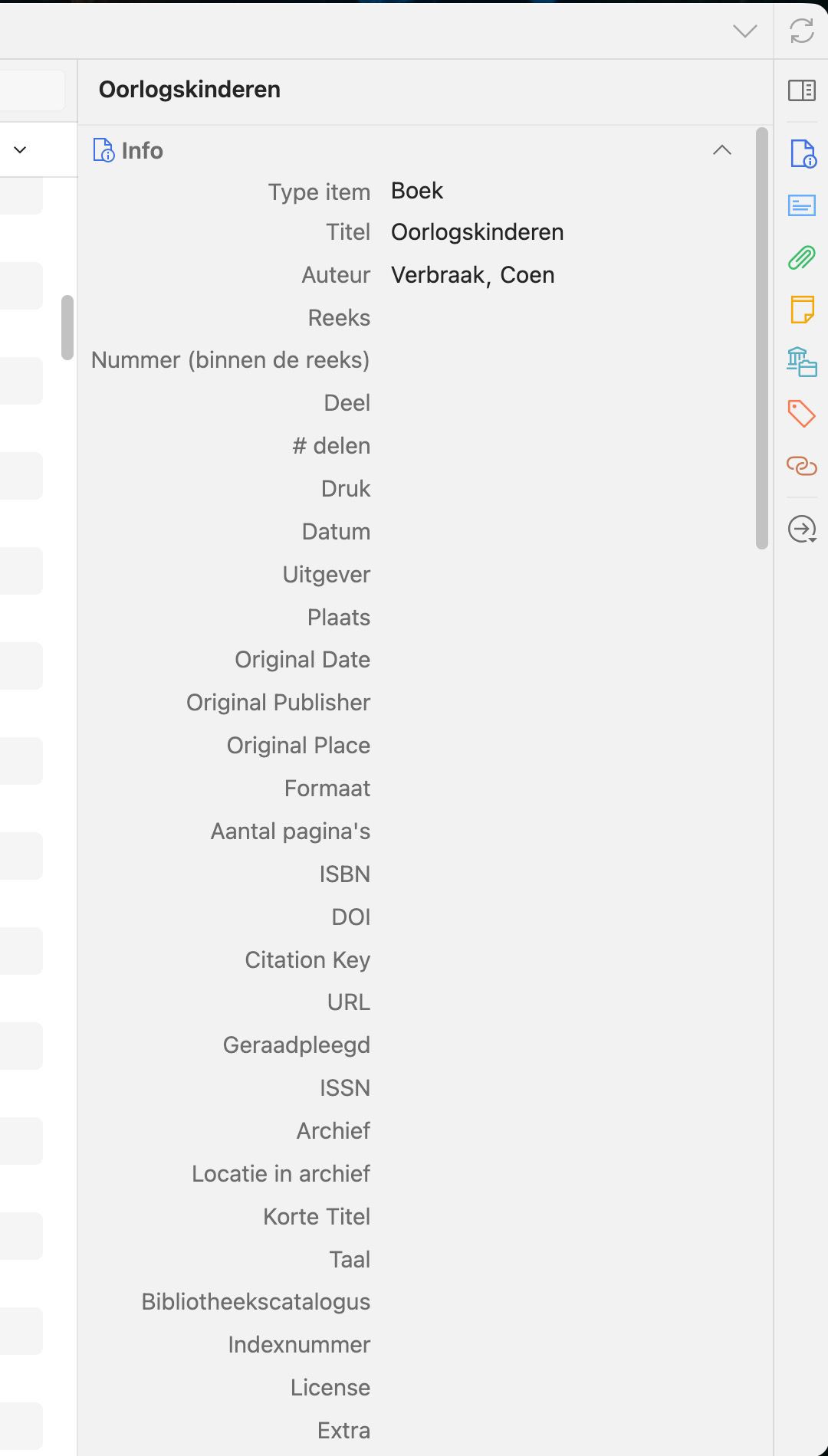
I don't use many fields in the Info section of the right-hand pane. But the empty fields in the Info section take up a lot of space. I can collapse the section but I rather avoid having to do this a 100 times, for example when managing the tags.
A solution would be to allow one to indicate a preference whether or not to display empty fields. If you choose not to display them, they can appear as soon as you make changes in the info section.
The screenshot shows how the Info tab covers all the other sections:
https://s3.amazonaws.com/zotero.org/images/forums/u16334476/2ln01lbdabga32ro2vpz.png
A solution would be to allow one to indicate a preference whether or not to display empty fields. If you choose not to display them, they can appear as soon as you make changes in the info section.
The screenshot shows how the Info tab covers all the other sections:
https://s3.amazonaws.com/zotero.org/images/forums/u16334476/2ln01lbdabga32ro2vpz.png
https://github.com/ppavlidis/condense-info-view
https://github.com/XoYaPeng/zotero-hide-fields
Hide Info Fields
A plugin for Zotero 7 and above, which is used to selectively hide fields in the item **Info pane** by item type and customize the field order.
Features
Hide Fields by Item Type — Each item type (book, journal article, report…) can be individually configured to specify which fields to hide; Checked = hidden.
Customize Field Order — Drag the ⠿ handle to adjust the display order of fields in the info pane.
Default Configuration — Item types without individual configurations will adopt the "Default" configuration uniformly.
Instant Effect — Changes are applied immediately without restarting Zotero.