
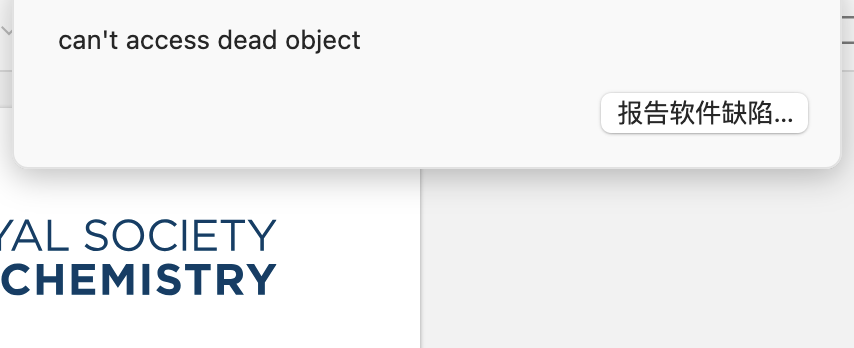
"can't access dead object"

ID:1298860217
A red circle with an exclamation mark appears in the top right corner
https://s3.amazonaws.com/zotero.org/images/forums/u16569290/zxmhs6lfc9vtpx4lg24f.png
  • dstillman Zotero Team
    edited 6 days ago
    [JavaScript Error: "TypeError: can't access dead object" {file: "resource://gre/modules/Timer.sys.mjs" line: 66}]
    notify@resource://gre/modules/Timer.sys.mjs:66:7
    reportErrors@chrome://zotero/content/zoteroPane.js:6467:18
    buttonCallback@chrome://zotero/content/xpcom/sync/syncRunner.js:1517:40
    Zotero.Sync.Runner_Module/this.updateErrorPanel/addEventHandlers/<@chrome://zotero/content/xpcom/sync/syncRunner.js:1528:13
    Restart in Troubleshooting Mode (Help → "Restart in Troubleshooting Mode…”), which temporarily disables all plugins. If that fixes it, you'll need to identify the plugin that's causing it and then report the problem to the plugin's developer.

    (There was just another report of this from someone else who had Better BibTeX enabled.)
  • dstillman Zotero Team
    @emilianoeheyns: Is this you? Now three reports of this from people with BBT enabled, and this one is in 9.0.6, which has been out since July.
  • edited 6 days ago
    Yep, it's me, but I've just been getting reports from it over the past few days. A new version was published for this yesterday. The place of the error was clear and easy to remove, but I haven't yet heard back from the reporting user, and I have not been able to reproduce.
  • It is likely related to the fact I recently put BBT into a sandbox.
  • I was getting the "TypeError: can't access dead object" error as well. After updating BBT to 9.0.58, I can no longer reproduce the issue.
  • Aka the problem was fixed :D
  • edited 4 days ago
    Not entirely :(. I have a fix that I think addresses it at the root but am waiting for confirmation on https://github.com/retorquere/zotero-better-bibtex/issues/3590

    My deepest apologies for the disruptions. I have added a test to my suite to catch the problem; if any test fails, no releases go out.

    I have pulled the latest release, so no new upgrades should happen until I have released a new one.
  • 9.0.63 is out with a fix. Users will need to restart for this particular upgrade; BBT will detect this and prompt for the restart.
  • I also replaced the previous release that had the problem with a pre-sandbox version (9.0.54) yesterday, so people that picked up 9.0.61 in fact have 9.0.54 and will be upgraded silently.
  • @dstillman can you pin a thread calling for people to upgrade?
  • I run into this issue yesterday on a Windows 10 machine and sent a crash report (Report ID 501567884). After restarting Zotero it didn't happen again and I was able to use Zotero as usual.
Sign In or Register to comment.