
 Upgrade Storage
Scopus webpage snapshot
Hello, I am updating a Zotero tutorial and the previous guidance indicates the Zotero web connector would previously identify multiple items on the Scopus results page, and you could choose which ones to import. (screenshot attached).
https://s3.amazonaws.com/zotero.org/images/forums/u5426077/4rdyqt3bp0xi8rbsp6lz.png . Now the folder icon does not appear and I just get the Webpage snapshot for the whole page. A colleague has the same experience. Is this a new change that I hadn't noticed before, or is related to the update, or to a Scopus change? Many thanks!
https://s3.amazonaws.com/zotero.org/images/forums/u5426077/4rdyqt3bp0xi8rbsp6lz.png . Now the folder icon does not appear and I just get the Webpage snapshot for the whole page. A colleague has the same experience. Is this a new change that I hadn't noticed before, or is related to the update, or to a Scopus change? Many thanks!
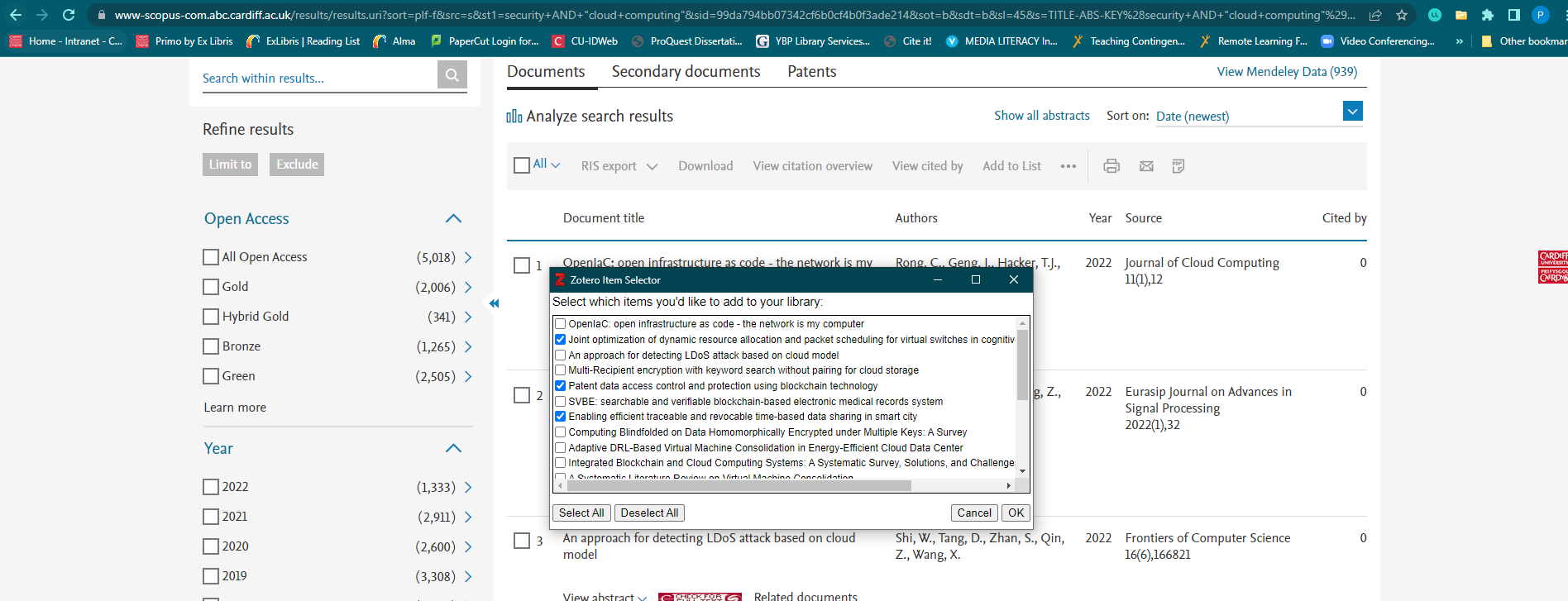
https://s3.amazonaws.com/zotero.org/images/forums/u5426077/l0nkbyi6vsb7z03zzgsx.png . For info, it works fine with LibrarySearch and IEEE Xplore results pages, it's just Scopus I'm having the issue with at present.