
 Upgrade Storage
Not like the (New) Citation Dialog
I was using Zotero 7 and recently updated to Zotero 10 (I believe). I was surprised to find that the Citation Dialog has changed. It now looks like the following (I believe this change was introduced in Zotero 8):
https://s3.amazonaws.com/zotero.org/images/forums/u13946242/gx2go9khv6fjqc3kpf84.png
My biggest concern is that it hides important options (for example, omit author, page number, etc.) in the 2nd layer, so I now have to double-click to open the editor in order to insert them.
Omitting the author and specifying page number ranges are very commonly used, and even encouraged, in many academic citations — especially when citing a long report or a book. Hiding these options in a secondary layer is not ideal. I prefer the older style, where everything was visible on the same page.
Is there any way to keep using the old-style Citation Dialog?
https://s3.amazonaws.com/zotero.org/images/forums/u13946242/gx2go9khv6fjqc3kpf84.png
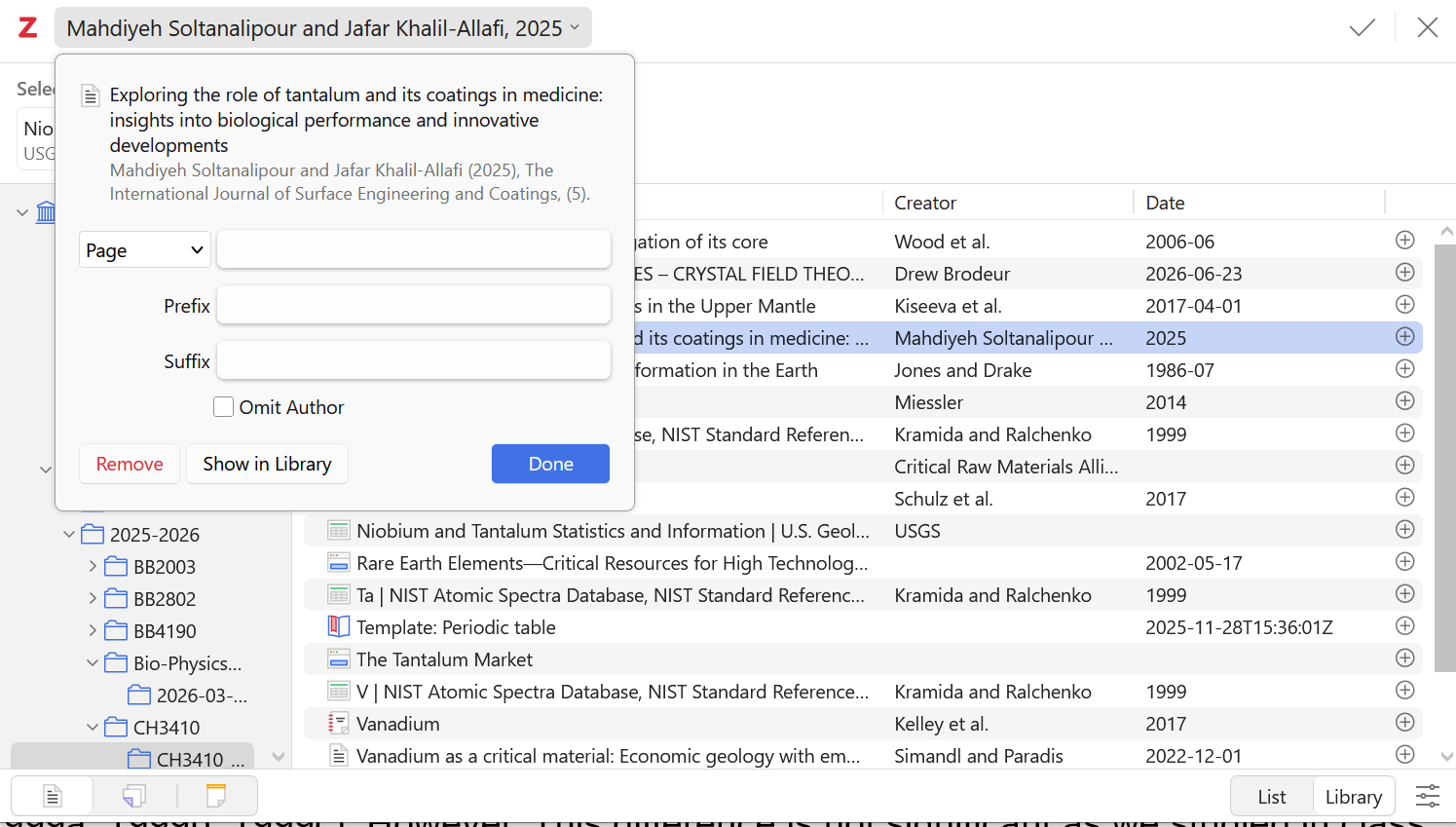
My biggest concern is that it hides important options (for example, omit author, page number, etc.) in the 2nd layer, so I now have to double-click to open the editor in order to insert them.
Omitting the author and specifying page number ranges are very commonly used, and even encouraged, in many academic citations — especially when citing a long report or a book. Hiding these options in a secondary layer is not ideal. I prefer the older style, where everything was visible on the same page.
Is there any way to keep using the old-style Citation Dialog?
-
dstillman Zotero Teamhttps://www.zotero.org/support/kb/classic_citation_dialog