
 Upgrade Storage
Used all storage. Cannot get my Zotero back to work after changing editing settings
Dear all,
I reached the full storage limit of my Zotero account today. After that, I have been unable to grab snapshots of papers through the Zotero Chrome Extension.
My goal is to simply use Zotero as a bibliographical tool - I don't need to access PDFs through it. However, I am unable to add new papers to it.
I have tried the following actions unsuccessfully:
1. Removing references from my Zotero app through desktop.
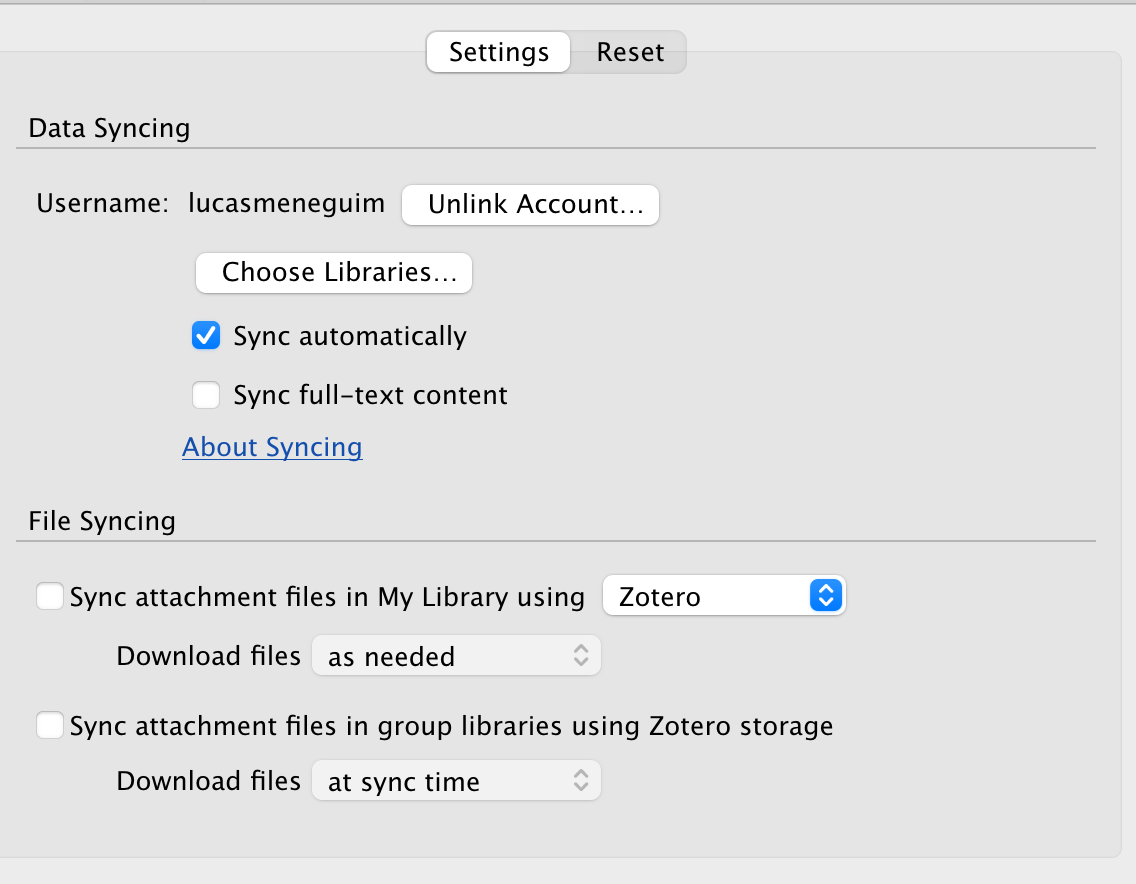
2. Changing Syncing options so that only data is synced and not files.
3. Tried resetting the libraries in different ways.
4. Lastly, tried creating a new account and passing the citations to the other account. But I am getting login errors on my Zotero desktop.
Follow the picture of my current settings.
https://s3.amazonaws.com/zotero.org/images/forums/u21240069/jcs7lky0n5aothyezyk5.png
PS: I am using a MacBook
Could anyone guide how I could restore the functionality of grabbing document snapshots using Zotero?
I reached the full storage limit of my Zotero account today. After that, I have been unable to grab snapshots of papers through the Zotero Chrome Extension.
My goal is to simply use Zotero as a bibliographical tool - I don't need to access PDFs through it. However, I am unable to add new papers to it.
I have tried the following actions unsuccessfully:
1. Removing references from my Zotero app through desktop.
2. Changing Syncing options so that only data is synced and not files.
3. Tried resetting the libraries in different ways.
4. Lastly, tried creating a new account and passing the citations to the other account. But I am getting login errors on my Zotero desktop.
Follow the picture of my current settings.
https://s3.amazonaws.com/zotero.org/images/forums/u21240069/jcs7lky0n5aothyezyk5.png
PS: I am using a MacBook
Could anyone guide how I could restore the functionality of grabbing document snapshots using Zotero?
Your Zotero Storage usage and quota have no effect on saving via the Zotero Connector as long as the Zotero app is open, so the entire premise here is mistaken. The Zotero Connector just saves to the app by default. You'll need to explain the actual problem that you're facing.
In your view, what could be some of the reasons why meta-data grabbing functionality through crome connector could have suddenly stopped working?
Trying to figure out what could have gone wrong here
https://www.zotero.org/support/troubleshooting_translator_issues