
 Upgrade Storage
Return to original (?) Zotero "view," without little tiny left "carat" thing "opened" for each item?
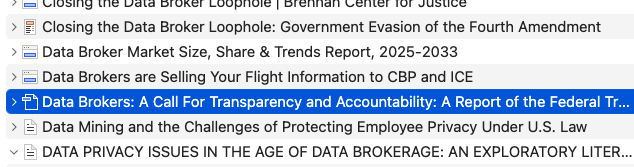
Hi. Please excuse my lack of terminology! I have about 300 sources (mostly law review and other articles) in a specific library, that I use for a specific paper. When I search my library for a term [say, "data broker"], it pulls up the 50 relevant articles. But instead of being able to see those 50 articles in a "clean" list, every entry is "opened" to show me all the individual tagged-entries I have in each one. I don't remember that last year (!), and wondered if there is a view setting I can turn off, so that I can return to the old view! I love my tagged/highlighted sections in each article but I don't want or need to see them when I search in this more general way, within my library. Here's what I prefer (all 'closed') vs. what I see (all open)!
https://s3.amazonaws.com/zotero.org/images/forums/u9892252/r7mnui0u4p4ztbrfbn13.png
https://s3.amazonaws.com/zotero.org/images/forums/u9892252/cry10xr6eosguhrfnre5.png
https://s3.amazonaws.com/zotero.org/images/forums/u9892252/r7mnui0u4p4ztbrfbn13.png
https://s3.amazonaws.com/zotero.org/images/forums/u9892252/cry10xr6eosguhrfnre5.png
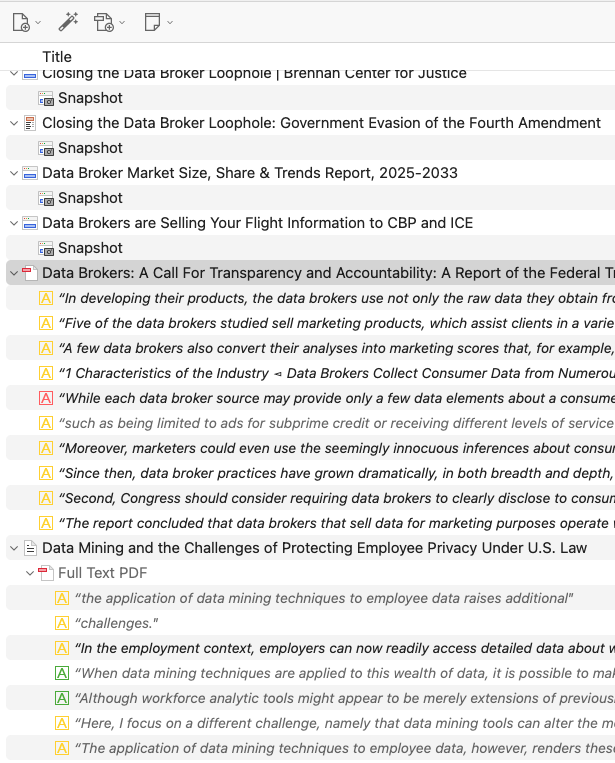
Hello. You can use the minus (-) or plus (+) keys on your keyboard to shrink or expand the tree of items/attachments, and the same works for viewing collections/subcollections in the collection pane.
Hope this helps.
Best regards.
If you want to match specific annotations as well, but don't want to see the context rows, make sure View → "Hide Non-Matching Annotations" is checked. (If you don't see that, you're on an outdated version of Zotero.)