
 Upgrade Storage
automatic updates troubleshooting
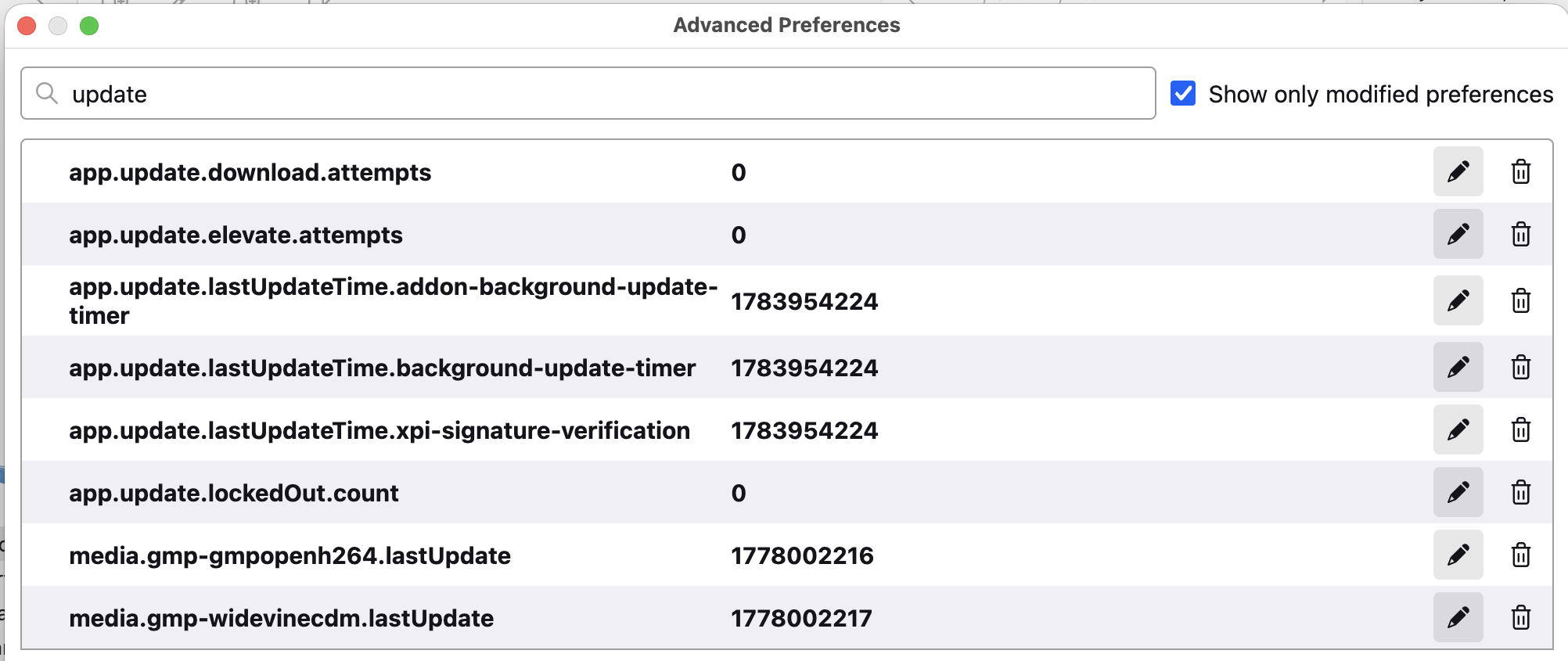
My Zotero does not update automatically. I checked config and there are several update-related preferences that have a trash can next to them. Would it be safe to delete these? (See image) Thanks!
https://s3.amazonaws.com/zotero.org/images/forums/u40/zufjhz29hk11zsr1r2im.png
https://s3.amazonaws.com/zotero.org/images/forums/u40/zufjhz29hk11zsr1r2im.png
app.update.auto?app.update.auto = true
My automatic updates stopped when I installed Actions & Tags plugin--I am sure it is to blame. Even though I uninstalled it, I still don't get notices about new versions. I was hoping that if I deleted these (extraneous?) preferences I would go back to normal.
How are you determining that you're not receiving updates? If this is the beta, there sometimes might not be beta updates for weeks at a time, and the app updates only on restart — there's no prompt. So if you don't restart Zotero frequently, it would be entirely normal to notice that you're on an outdated version and go to Help → Check for Updates and see an update offered (which would've already been downloaded in the background and would've been applied automatically on the next restart).
With troubleshooting mode: D244928745
I only got on beta a few days ago when I saw the new advanced search--before then I was on a stable version. I haven't seen an update notice since July 2024 at least. I missed at least one update for several weeks--I had thought a feature was missing and then searched the forum and found out it was introduced in a version several weeks prior. So now I check for new versions manually.
We can debug this, but it's not worth doing unless you're sure that you're actually missing updates. Not seeing any sort of prompt is not an indication of that.
All I was asking was whether I can delete the above preferences--are they Zotero preferences or from a plugin? If the latter, I will delete. Thank you.
I am aware of the MarkDB errors. The plugin runs fine once the startup is complete.
Beta updates are always available as automatic updates, so when the next beta comes out — probably tomorrow or the next day — you should get it automatically on a restart within a day without checking for updates, and you’ll see the new version number in the about window. If you don’t, we can debug further. Until then, you should not touch internal settings, no.