
 Upgrade Storage
All the documents have been moved to the recycle bin.
One day, when I opened Zotero, I found that all my documents had been moved to the recycle bin. After searching through some tutorials, I found the file named "zotero.sqlite.1.bak". After disabling the synchronization function, I replaced the backup file with the original "zotero.sqlite" file, and the document library was restored with various categories. However, as soon as I enabled the synchronization function again, all the documents went back to the recycle bin, and all the categories were basically deleted. I searched the internet thoroughly but couldn't find a solution to this problem.
https://s3.amazonaws.com/zotero.org/images/forums/u6395346/0jww81pofkoo6nmho6kp.png
https://s3.amazonaws.com/zotero.org/images/forums/u6395346/7zlgwrglsicop0orfhi5.png
https://s3.amazonaws.com/zotero.org/images/forums/u6395346/0jww81pofkoo6nmho6kp.png
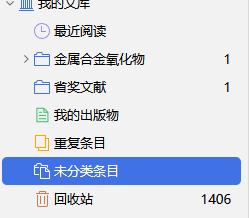
https://s3.amazonaws.com/zotero.org/images/forums/u6395346/7zlgwrglsicop0orfhi5.png
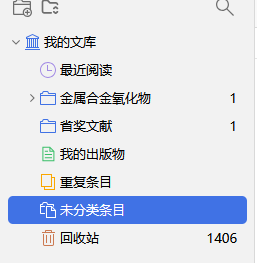
If you still have a copy of the backup file, you can overwrite the online library after restoring:
https://www.zotero.org/support/zotero_data#restoring_your_zotero_data_from_a_backup_and_overwriting_synced_changes
You should also delete any registered applications other than your current one:
https://www.zotero.org/settings/security#applications