
 Upgrade Storage
Some PDF Text Is Not Recolored When Using Reader Themes
Version: 10.0-beta.6+3e7030a64 (64-bit)
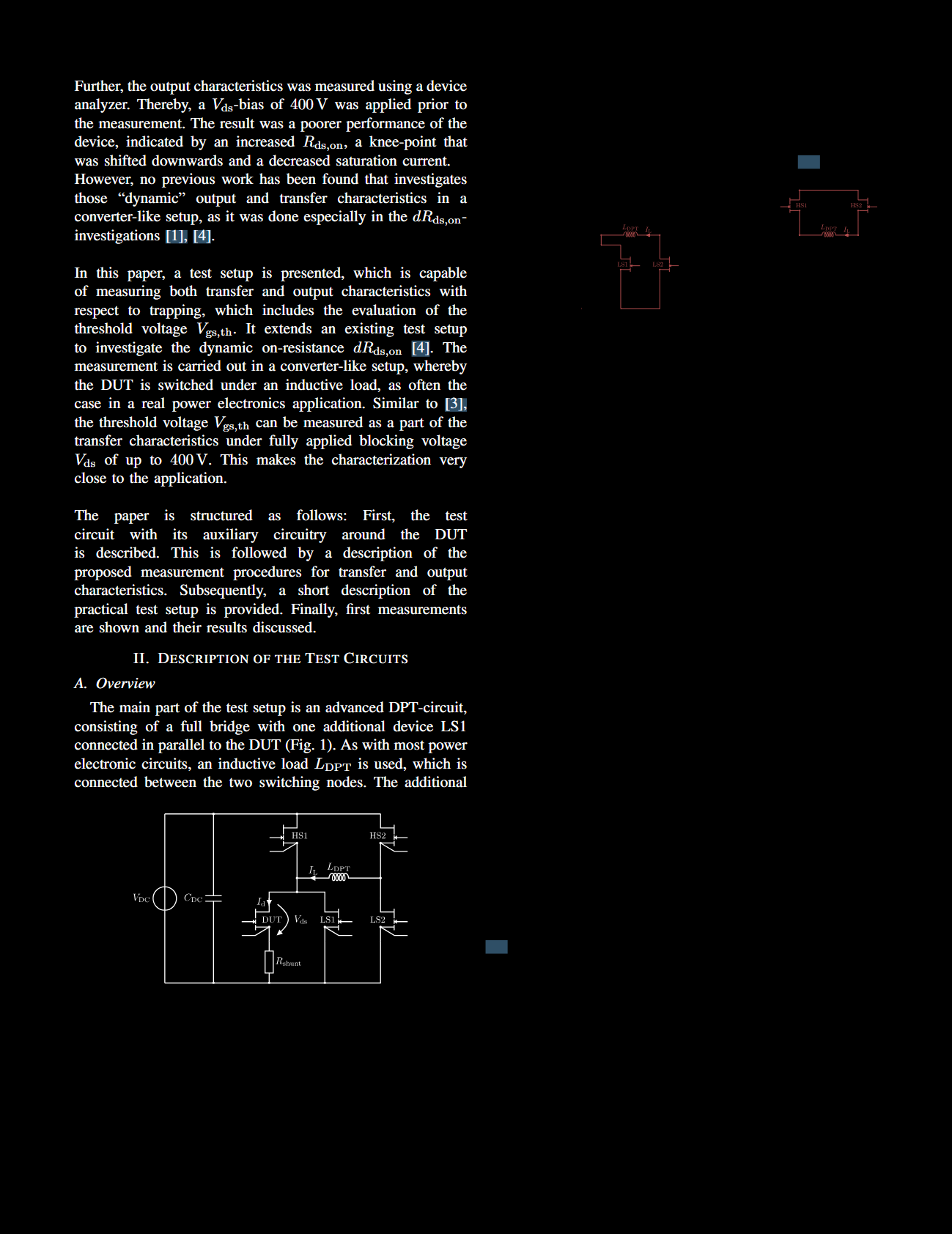
Problem: Parts of the text in some documents are not recolored when a theme other than "Original" is selected in the "Aa" panel, resulting in severely reduced readability.
Steps to reproduce:
1. Open the document available at https://publikationen.bibliothek.kit.edu/1000181727
in Zotero 10.0-beta.6+3e7030a64 (64-bit).
2. In the "Aa" menu, switch the theme to "Black".
3. Navigate to the second page of the document.
4. Observe that parts of the text appear black, as shown in the attached screenshot.
What causes this issue, and how can it be resolved? This issue occurs with many other documents I have, regardless of which theme I select (except "Original"). The only difference is that with the "Black" theme the affected text remains somewhat readable, whereas with the other themes it can become nearly invisible because their backgrounds are not completely black.
https://s3.amazonaws.com/zotero.org/images/forums/u18869558/9ypbfonpv54ohtwbvvgx.png
Problem: Parts of the text in some documents are not recolored when a theme other than "Original" is selected in the "Aa" panel, resulting in severely reduced readability.
Steps to reproduce:
1. Open the document available at https://publikationen.bibliothek.kit.edu/1000181727
in Zotero 10.0-beta.6+3e7030a64 (64-bit).
2. In the "Aa" menu, switch the theme to "Black".
3. Navigate to the second page of the document.
4. Observe that parts of the text appear black, as shown in the attached screenshot.
What causes this issue, and how can it be resolved? This issue occurs with many other documents I have, regardless of which theme I select (except "Original"). The only difference is that with the "Black" theme the affected text remains somewhat readable, whereas with the other themes it can become nearly invisible because their backgrounds are not completely black.
https://s3.amazonaws.com/zotero.org/images/forums/u18869558/9ypbfonpv54ohtwbvvgx.png
In my case, the problem is related to PDF Transparency Groups (/Group dictionaries).
Initially, I removed only the page-level /Group entry, but that did not solve the problem. I then recursively removed all /Group dictionaries from the PDF (including those inside Form XObjects). After doing so, Zotero recolored the document correctly in Reader Themes. The content of the document remained visually unchanged in all PDFs that I tested.
This suggests that the Reader Theme recoloring algorithm may not correctly handle text that is rendered inside transparency groups. It might therefore be worth checking how the recoloring code interacts with transparency groups, especially those contained in Form XObjects.
Hopefully this helps narrow down the issue.
If needed, I can provide a Python script that removes all /Group entries from a PDF. It serves as a workaround until this bug is fixed in Zotero.