
 Upgrade Storage
Cannot set encoding
I'm running into the problem that my paper titles output weirdly, because they're imported from websites using LaTeX and then export as plain text, so all the backslashes get converted to "\textbackslash" etc. Every discussion I'm seeing about this is saying to change the encoder, but this is not an option in my settings. The Zotero website shows it but it's just not there - see https://www.zotero.org/support/preferences/export
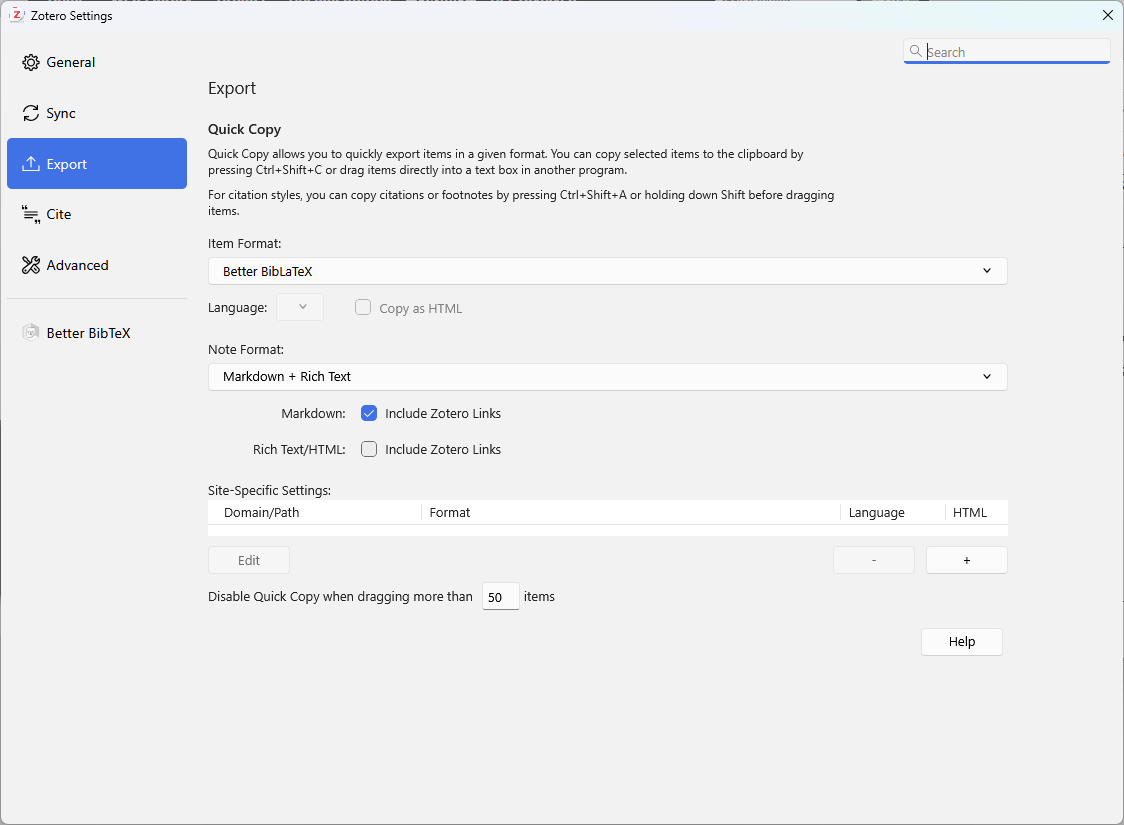
This is what I see:
https://s3.amazonaws.com/zotero.org/images/forums/u12196303/etoc55s6x5egxrnrgz6a.png
If anyone can explain what I can do, I will be very grateful!
I am on Windows 11, most recent update of Zotero and using the BetterBibTex plugin, in case any of that's relevant.
This is what I see:
https://s3.amazonaws.com/zotero.org/images/forums/u12196303/etoc55s6x5egxrnrgz6a.png
If anyone can explain what I can do, I will be very grateful!
I am on Windows 11, most recent update of Zotero and using the BetterBibTex plugin, in case any of that's relevant.
2) Your issue is not actually related to character encoding (that would affect whether non-ascii characters are escaped or not, and can be set on individual exports, but it has nothing to do with the escaping of LaTeX entities in title)
3) You shouldn't get LaTeX in titles in Zotero in the first place -- if you tell us where that happens, we can take a look. If you absolutely do want that, there's a setting in BetterBibTeX to export LaTeX literally -- you can search through the plugin documentation or ask on their github.