
 Upgrade Storage
Files changed on disk don't update in group
My understanding is that files updated on disk should sync up and this isn't working for me.
Working in a group, I modify an attached file (I'm changing some text in both a PDF and a text document), I see the modified time stamp in Zotero, but I'm not seeing this update in Zotero, even though other changes sync, file sync is enabled (and working) in the group, and I'm manually triggering sync to be extra sure.
Last time this happened I was in a rush so I changed the filename, which did work, but surely this should be easier? Locally Zotero is set to sync as needed, but that shouldn't affect this, should it?
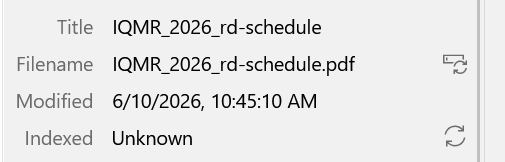
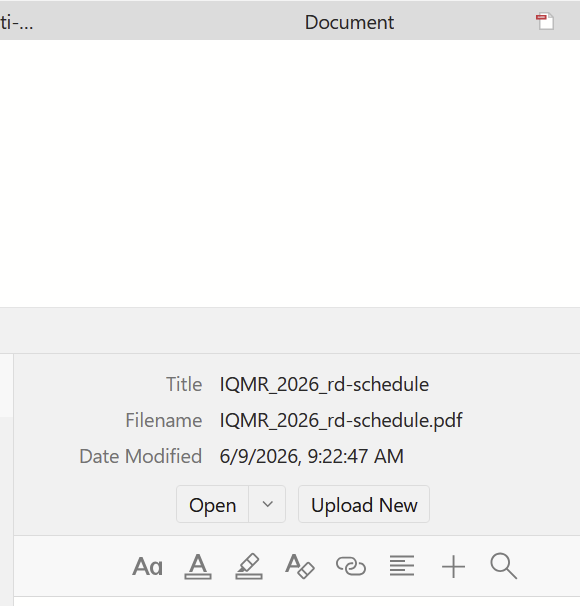
Screenshots of local & remote file:
https://s3.amazonaws.com/zotero.org/images/forums/u2433/ly1rquuyc2hfhffmiziu.png
https://s3.amazonaws.com/zotero.org/images/forums/u2433/9rbwc3rwiy6pn0b6d76l.png
Working in a group, I modify an attached file (I'm changing some text in both a PDF and a text document), I see the modified time stamp in Zotero, but I'm not seeing this update in Zotero, even though other changes sync, file sync is enabled (and working) in the group, and I'm manually triggering sync to be extra sure.
Last time this happened I was in a rush so I changed the filename, which did work, but surely this should be easier? Locally Zotero is set to sync as needed, but that shouldn't affect this, should it?
Screenshots of local & remote file:
https://s3.amazonaws.com/zotero.org/images/forums/u2433/ly1rquuyc2hfhffmiziu.png
https://s3.amazonaws.com/zotero.org/images/forums/u2433/9rbwc3rwiy6pn0b6d76l.png
Can you provide a Debug ID from Zotero startup through making an external change and clicking the sync button? The beta changed how we detect local file changes.
Debug ID is D313979185
This is an HTML file I modified in VS Code -- this time the modified time in Zotero didn't change (though it did change in the file system)
edit: modified date did update after opening the file in Zotero, but still no sync. That part isn't capture in the debug -- let me know if you want another one?