
 Upgrade Storage
Zotero UI completely garbled/unreadable on macOS 15.3.1
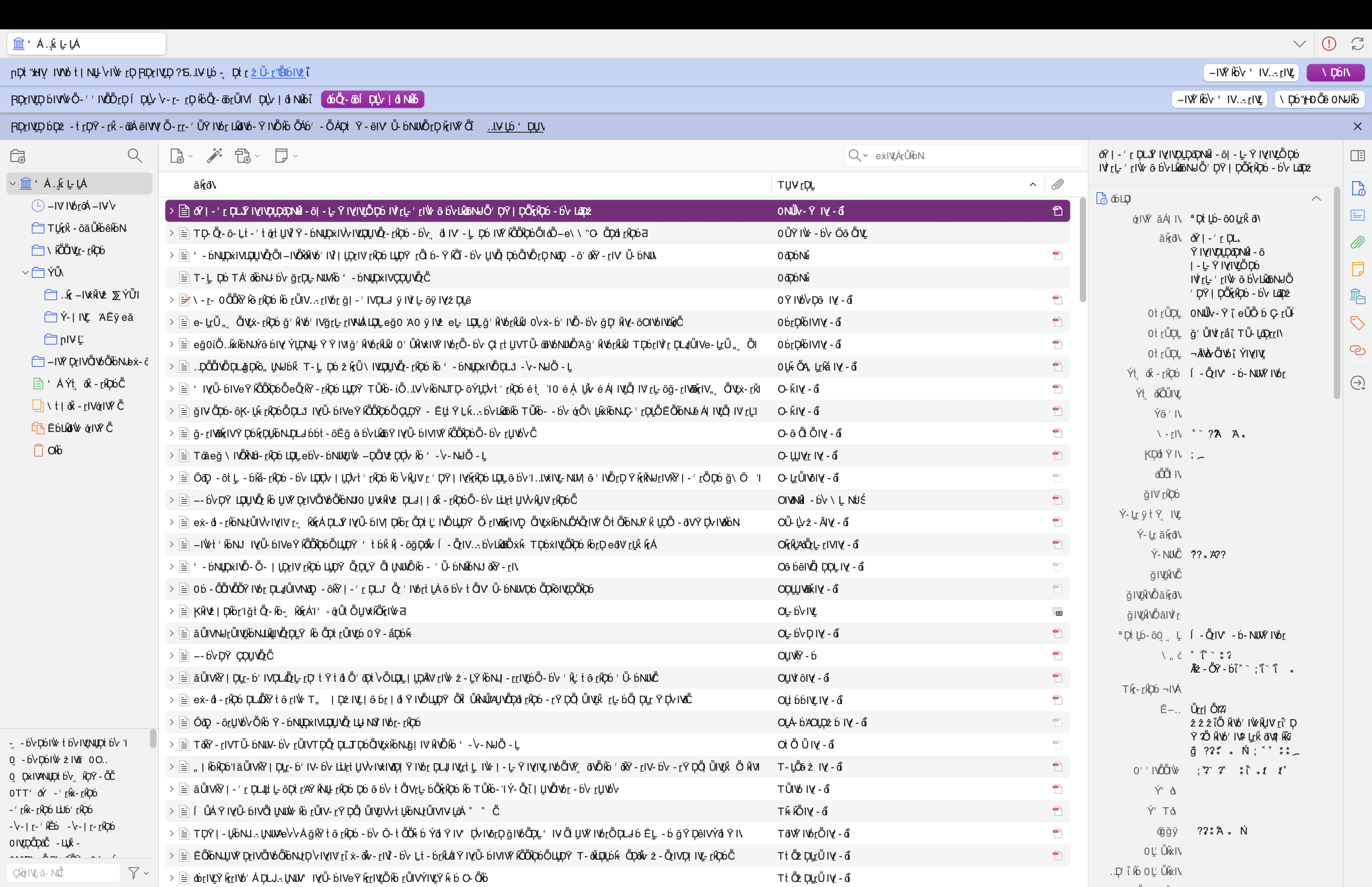
Hi, my Zotero interface has suddenly become completely unreadable... All text in the UI is displaying as garbled symbols. The underlying data is fine (hovering over items shows correct English text in tooltips), but the entire interface is unreadable.
**System info:**
- macOS: 15.3.1 (24D70)
- Zotero: 9 (fresh install)
- Plugin: Notero
**What I've tried:**
- Full clean reinstall of Zotero 9 (used to have 8, worked fine) (deleting ~/Library/Application Support/Zotero before reinstalling)
- Launched in safe mode (--safe-mode flag) = still garbled, so not a plugin issue?
- Cleared macOS font cache (sudo atsutil databases -remove + restart)
- Set intl.locale.requested and intl.accept_languages to en-US in prefs.js
- Forced language via: defaults write org.zotero.zotero AppleLanguages '(en-US)'
None of the above fixed it, all my other app UI work fine so it's a Zotero issue.
I got some of these in the error console output if it helps (my setting is en-US):
```
Missing resource in locale en-AU: branding/brand.ftl
Missing resource in locale en-CA: branding/brand.ftl
Missing resource in locale en-NZ: branding/brand.ftl
Error: Failed to load resource://services-settings/remote-settings.sys.mjs
While creating services from category 'profile-after-change', could not create service for entry 'RemotePermissionService'
DOMException: Could not get children of Crash Reports/events: directory does not exist
```
I've attached a screenshot of what the UI looks like. Any help would be greatly appreciated!
https://s3.amazonaws.com/zotero.org/images/forums/u18059448/lr3isss8v42sryu2sdyr.png
**System info:**
- macOS: 15.3.1 (24D70)
- Zotero: 9 (fresh install)
- Plugin: Notero
**What I've tried:**
- Full clean reinstall of Zotero 9 (used to have 8, worked fine) (deleting ~/Library/Application Support/Zotero before reinstalling)
- Launched in safe mode (--safe-mode flag) = still garbled, so not a plugin issue?
- Cleared macOS font cache (sudo atsutil databases -remove + restart)
- Set intl.locale.requested and intl.accept_languages to en-US in prefs.js
- Forced language via: defaults write org.zotero.zotero AppleLanguages '(en-US)'
None of the above fixed it, all my other app UI work fine so it's a Zotero issue.
I got some of these in the error console output if it helps (my setting is en-US):
```
Missing resource in locale en-AU: branding/brand.ftl
Missing resource in locale en-CA: branding/brand.ftl
Missing resource in locale en-NZ: branding/brand.ftl
Error: Failed to load resource://services-settings/remote-settings.sys.mjs
While creating services from category 'profile-after-change', could not create service for entry 'RemotePermissionService'
DOMException: Could not get children of Crash Reports/events: directory does not exist
```
I've attached a screenshot of what the UI looks like. Any help would be greatly appreciated!
https://s3.amazonaws.com/zotero.org/images/forums/u18059448/lr3isss8v42sryu2sdyr.png
If that doesn't help, your system fonts are likely corrupted. That's not something we could help with — you'd have to ask Apple — but you could likely fix it in Font Book.
I tried starting Zotero in troubleshooting mode and there it works - disabled all plugins - restarted - same gibberish.
What should I check the Font Book for?
https://s3.amazonaws.com/zotero.org/images/forums/u1575612/lez5bucwhpglgl91rg8h.png