
 Upgrade Storage
Mac look up and data detector errors
Hi, I am new to Zotero and am loving it so far. I would like to transition from reading in Apple Preview to Zotero but I am facing some errors when I use the functionality of look ups. Look ups essentially allow you to search through apple dictionary, Siri recommendations and more by tapping a word with three fingers or any other gesture you set up in you trackpad settings on a Mac. When I try and use the functionality, Zotero ends up selecting one or two words behind the word I had clicked. This error seems to be Zotero specific as the look up feature works on web browsers and on Apple Preview. I have attached a screenshot for reference.
https://s3.amazonaws.com/zotero.org/images/forums/u17075724/xuqf33qe2djw8v12nq9z.png
I hope I am posting this at the right place.
https://s3.amazonaws.com/zotero.org/images/forums/u17075724/xuqf33qe2djw8v12nq9z.png
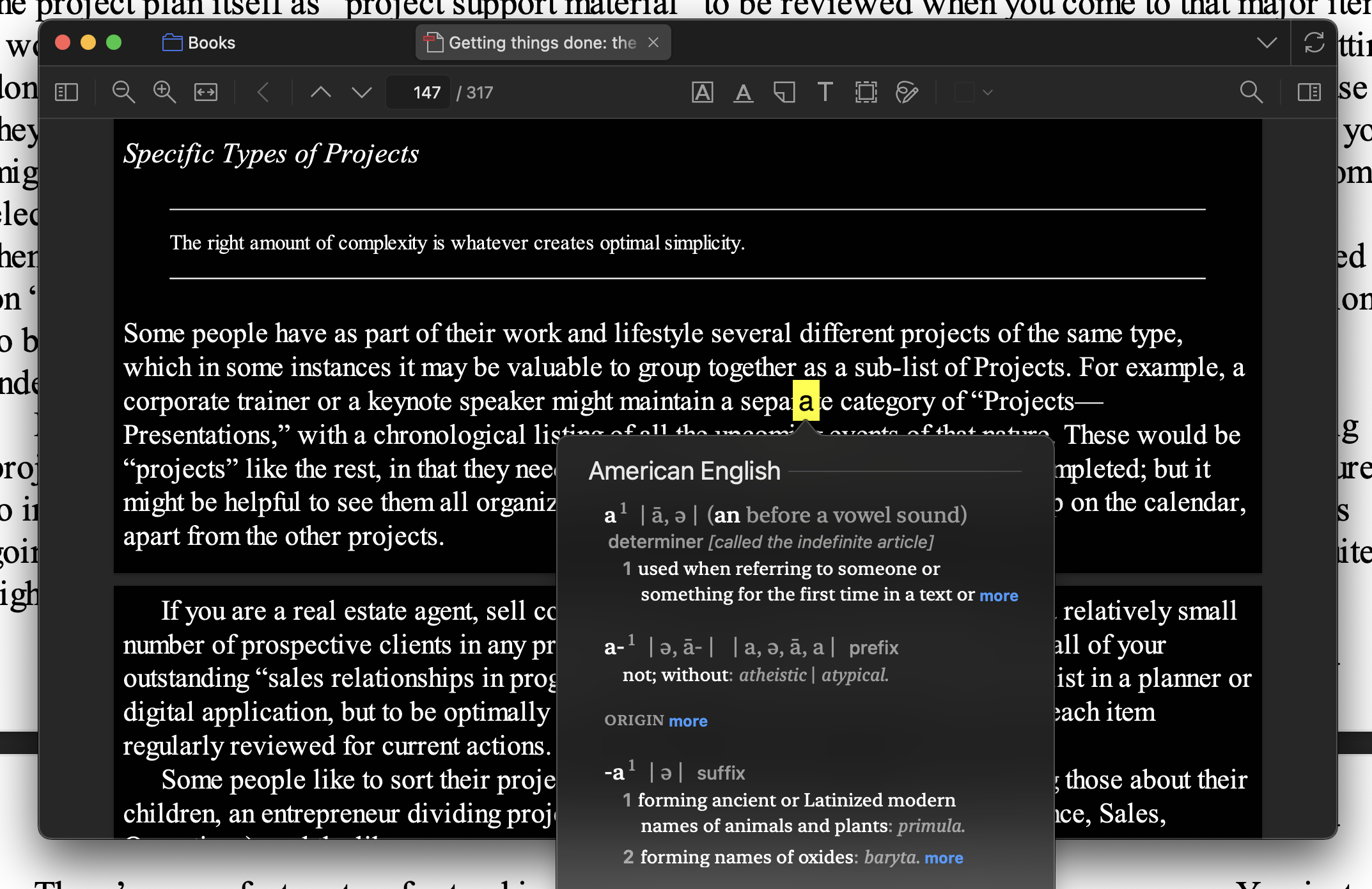
I hope I am posting this at the right place.
For example, I hard pressed word "perpetual" on Mac trackpad but actually it selected and looked up word "the".
https://s3.amazonaws.com/zotero.org/images/forums/u18445059/62wxuxnleft1id2lm64c.png
Some additional observations:
- Text selection and copying return the correct text.
- The offset is the same on both the built-in and external displays.
- The apparent offset remains approximately the same at different PDF zoom levels.
- The same PDFs work correctly with macOS Look Up in Preview.
This makes me wonder whether the issue is related not only to PDF text-layer alignment, but also to the coordinate or word-hit-testing interface between Zotero and macOS Look Up.
Zotero 9.0.6
MacOS 26.5.2
Apple Silicon