Were you using Zotero on this computer before, or did you transfer the data directory from another computer?
Generally this error just means what it says: the file permissions of the Zotero data directory are wrong, and you need to fix them in Finder. That should never happen in a new installation with no previous data.
Hey, It is a completely new computer. I have debugged the problem using ChatGPT by running the following command in terminal window and pressing enter everytime it asked for password:
sudo chmod -R 777 ~/Zotero[Admin note: Do not do this!]
Ugh, no, that's not right. Please do not run AI-generated commands in Terminal that you don't understand, and certainly not ones beginning with sudo! It's incredibly dangerous. I'm not going to help you correct this, but the permissions on the files within your data directory are now wrong.

 Upgrade Storage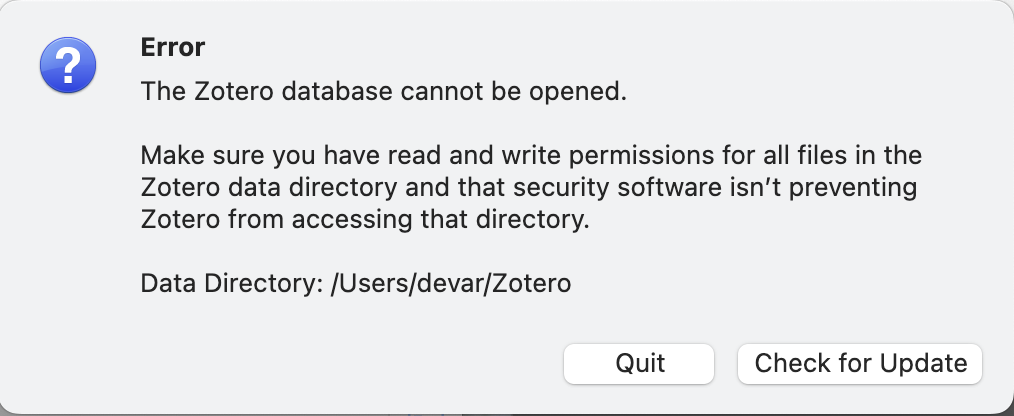
Generally this error just means what it says: the file permissions of the Zotero data directory are wrong, and you need to fix them in Finder. That should never happen in a new installation with no previous data.
It is a completely new computer. I have debugged the problem using ChatGPT by running the following command in terminal window and pressing enter everytime it asked for password:
sudo chmod -R 777 ~/Zotero[Admin note: Do not do this!]Thank you for responding.
sudo! It's incredibly dangerous. I'm not going to help you correct this, but the permissions on the files within your data directory are now wrong.