
 Upgrade Storage
Backup Restore Issues - "File is not a Database"
Hello all. Non-researcher, non-scientist, and non-DB user in general here. My wife is a researcher who uses Zotero professionally, but she's not computer savvy. I'm not a programmer or coder, but I have decent computing skills so I'm attempting to troubleshoot an issue for her.
Several weeks ago, my wife's laptop (and the site of her Zotero install and local files) went into retirement. She wasn't familiar with Zotero's backup or syncing capabilities, so I referred to the information here (https://www.zotero.org/support/zotero_data) to manually backup her data. All seemed to go well.
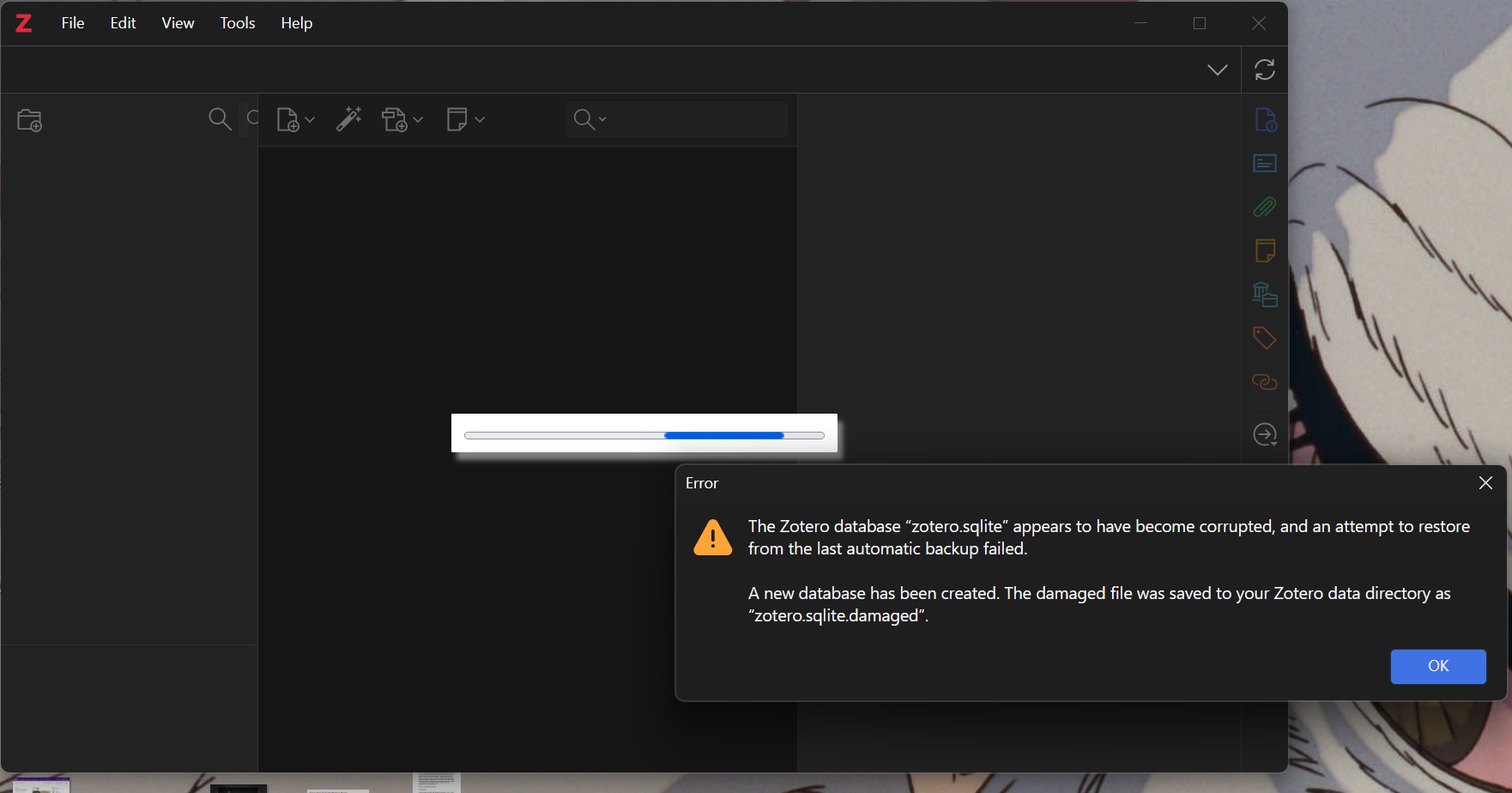
This morning, new laptop in hand and fresh Zotero install complete, I attempted to perform a restore (again, following the simple instructions via the link above). On launch, Zotero announced, "The Zotero database "Zotero.sqlite" appears to have been corrupted, and an attempt to restore from the last automatic backup has failed."
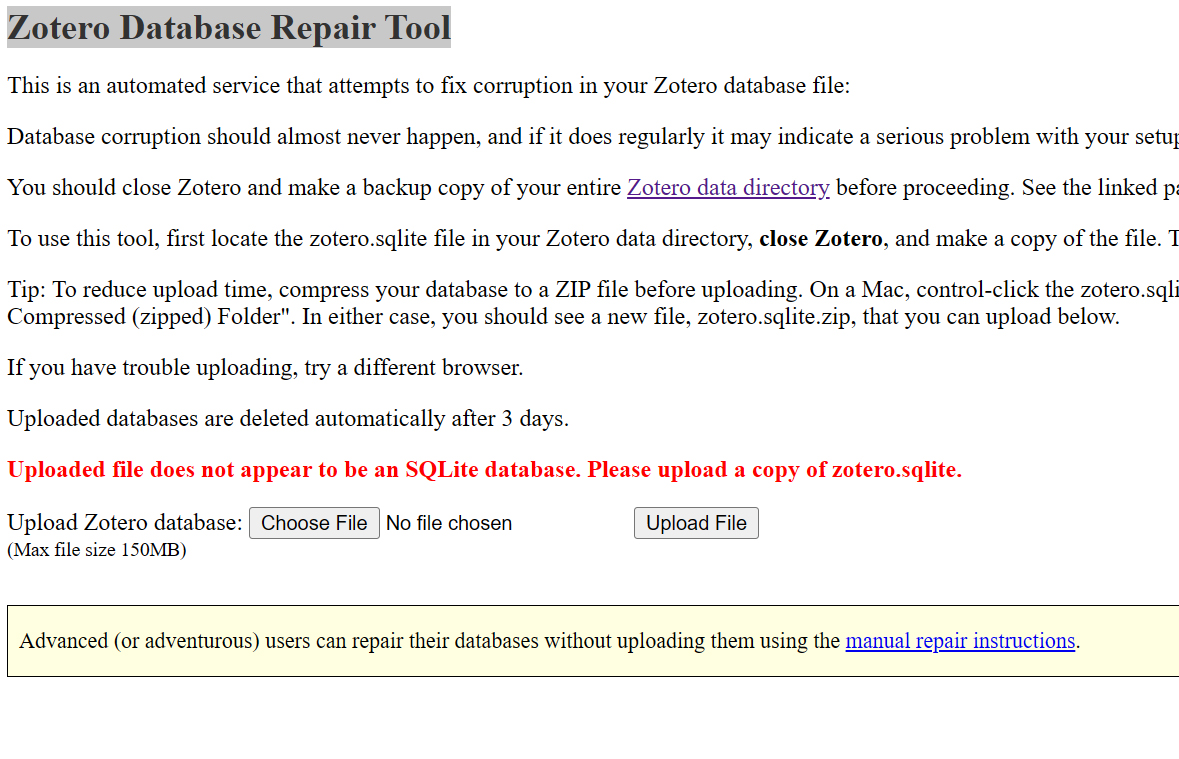
From there, I uploaded our "Zotero.sqlite" file to the Zotero Database Repair Tool (https://www.zotero.org/utils/dbfix/?upload=1), at which point the utility announced, "Uploaded file does NOT appear to be an SQLite database."
Lastly, I tried to view our "Zotero.sqlite" file in a few different third-party SQLite viewers (and as a first step to attempting a manual repair), and each time, got the same message in return: "file is not a database."
Thoughts? Suggestions? Thanks so much, in advance.
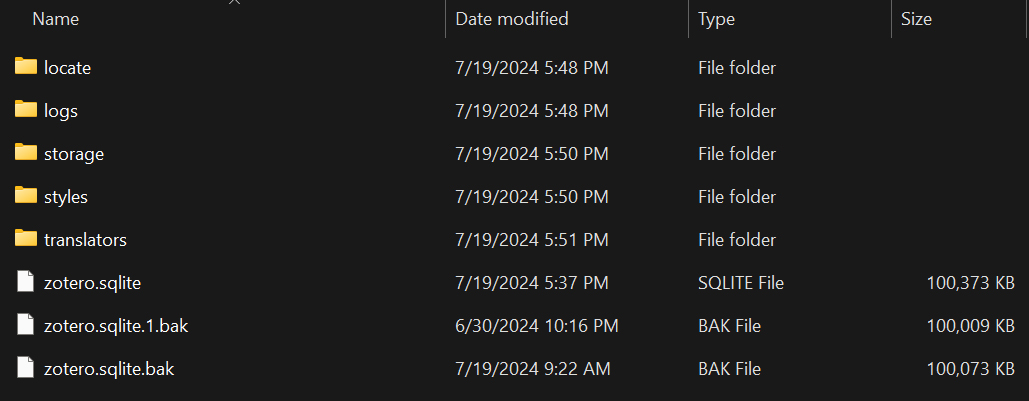
Backup Zotero folder contents:
https://s3.amazonaws.com/zotero.org/images/forums/u14834454/opg4h2ds3zlveebvw4pn.jpg
Restoration attempt error result:
https://s3.amazonaws.com/zotero.org/images/forums/u14834454/3zqovnwmh6e4uxhud7rl.jpg
Database Repair Utility error result:
https://s3.amazonaws.com/zotero.org/images/forums/u14834454/81b54873d18y3zy0vpwy.jpg
Several weeks ago, my wife's laptop (and the site of her Zotero install and local files) went into retirement. She wasn't familiar with Zotero's backup or syncing capabilities, so I referred to the information here (https://www.zotero.org/support/zotero_data) to manually backup her data. All seemed to go well.
This morning, new laptop in hand and fresh Zotero install complete, I attempted to perform a restore (again, following the simple instructions via the link above). On launch, Zotero announced, "The Zotero database "Zotero.sqlite" appears to have been corrupted, and an attempt to restore from the last automatic backup has failed."
From there, I uploaded our "Zotero.sqlite" file to the Zotero Database Repair Tool (https://www.zotero.org/utils/dbfix/?upload=1), at which point the utility announced, "Uploaded file does NOT appear to be an SQLite database."
Lastly, I tried to view our "Zotero.sqlite" file in a few different third-party SQLite viewers (and as a first step to attempting a manual repair), and each time, got the same message in return: "file is not a database."
Thoughts? Suggestions? Thanks so much, in advance.
Backup Zotero folder contents:
https://s3.amazonaws.com/zotero.org/images/forums/u14834454/opg4h2ds3zlveebvw4pn.jpg
Restoration attempt error result:
https://s3.amazonaws.com/zotero.org/images/forums/u14834454/3zqovnwmh6e4uxhud7rl.jpg
Database Repair Utility error result:
https://s3.amazonaws.com/zotero.org/images/forums/u14834454/81b54873d18y3zy0vpwy.jpg
Encryption is something I suspected as well, only because of how the file(s) behave now, but I have no idea why that would be.
Suggestions?
One way or another, this isn't really about Zotero at all. You can check if other files in the backup — e.g., PDF files within 'storage' — were similarly affected.
I'm not a security guy; this is above my paygrade. Next steps? I assume the IT department at her university might have insights re: what encryption processes might be at work, and how to get around them?