
 Upgrade Storage
Zotero creating items in storage not visible in macOS Finder. Thoughts?
As it says.
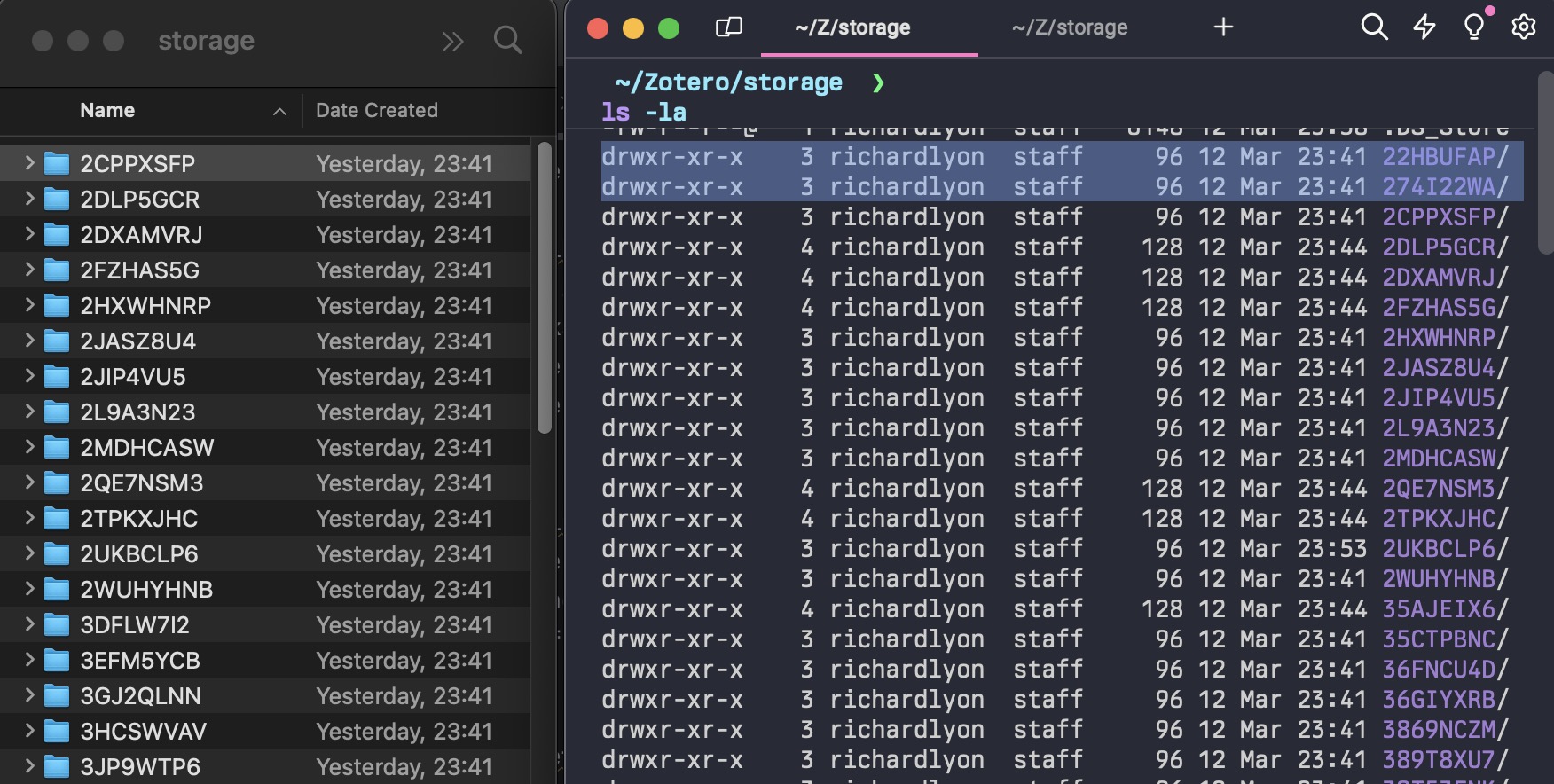
I want to locate the PDFs in the local file system so I can fix the titles in the metadata. In the storage directory created by Zotero's sync function, there are directories that are visible in the terminal, but not visible in Finder. I can search for and locate their content in Spotlight. But as soon as I navigate "back up" the path, the folder vanishes.
Has anyone experienced this, and/or have any idea what's going on? I can't see any difference in permissions between the visible and invisible items. (macOS 14.4 / Apple M2 Pro).
Thanks.
https://s3.amazonaws.com/zotero.org/images/forums/u93338/3kjbbbrll8frdiqqdcrg.jpg
I want to locate the PDFs in the local file system so I can fix the titles in the metadata. In the storage directory created by Zotero's sync function, there are directories that are visible in the terminal, but not visible in Finder. I can search for and locate their content in Spotlight. But as soon as I navigate "back up" the path, the folder vanishes.
Has anyone experienced this, and/or have any idea what's going on? I can't see any difference in permissions between the visible and invisible items. (macOS 14.4 / Apple M2 Pro).
Thanks.
https://s3.amazonaws.com/zotero.org/images/forums/u93338/3kjbbbrll8frdiqqdcrg.jpg
Try
ls -p | \awk -F. '{ if ($0 ~ /\/$/ ) { print "!",$0 } else if ( NF == 1 ) { print "!!",$0 } else { print $NF,$0 } }' | sort -k 1,1 -k 2,2V | \
cut -d' ' -f2-
and look at the output (source)