
 Upgrade Storage
Rainbow for Zotero — current-sentence focus for PDF Reading Mode (Alpha preview)
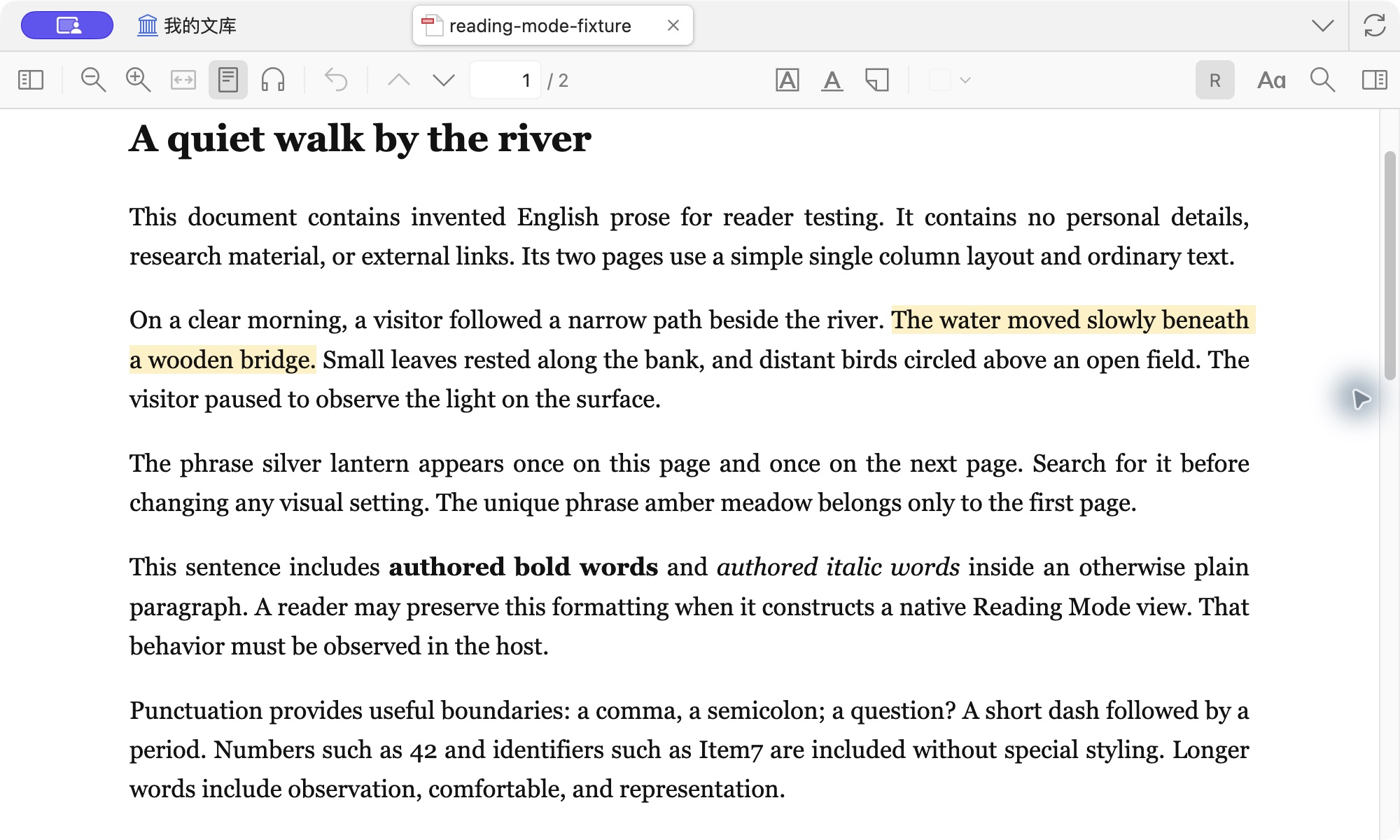
Rainbow for Zotero is an add-on for Zotero's native PDF Reading Mode. It helps you keep your place in a paper by giving the current sentence a subtle background.
https://s3.amazonaws.com/zotero.org/images/forums/u22023730/0ysj12z056k26kvxubj4.jpg
To use it, open a PDF in Reading Mode and turn on Rainbow with the R button in the reader toolbar or in Settings → Rainbow. It is off by default. Double-click the sentence you are reading, then press the Up and Down arrow keys to move to the previous or next sentence. Settings → Rainbow also offers [ / ] for these moves. Esc clears the focus.
While Rainbow sentence focus is enabled, its double-click gesture in PDF Reading Mode may conflict with features or plugins that also use double-click to mark text.
Version 0.1.0-alpha.3 is an Alpha preview. This preview was tested on Zotero 10.0.9 on macOS. Other platforms and Zotero builds are unverified, so reports from them are welcome in this thread. Please include your OS and Zotero version.
To install, download the XPI from the 0.1.0-alpha.3 release, then open Tools → Plugins in Zotero and install the file. Alpha updates are manual. Install each new XPI the same way.
Rainbow requires no personal data or library upload. The source is available from the release page under AGPL-3.0-or-later, with LICENSE and THIRD_PARTY_NOTICES.md.
https://s3.amazonaws.com/zotero.org/images/forums/u22023730/0ysj12z056k26kvxubj4.jpg
To use it, open a PDF in Reading Mode and turn on Rainbow with the R button in the reader toolbar or in Settings → Rainbow. It is off by default. Double-click the sentence you are reading, then press the Up and Down arrow keys to move to the previous or next sentence. Settings → Rainbow also offers [ / ] for these moves. Esc clears the focus.
While Rainbow sentence focus is enabled, its double-click gesture in PDF Reading Mode may conflict with features or plugins that also use double-click to mark text.
Version 0.1.0-alpha.3 is an Alpha preview. This preview was tested on Zotero 10.0.9 on macOS. Other platforms and Zotero builds are unverified, so reports from them are welcome in this thread. Please include your OS and Zotero version.
To install, download the XPI from the 0.1.0-alpha.3 release, then open Tools → Plugins in Zotero and install the file. Alpha updates are manual. Install each new XPI the same way.
Rainbow requires no personal data or library upload. The source is available from the release page under AGPL-3.0-or-later, with LICENSE and THIRD_PARTY_NOTICES.md.