
 Upgrade Storage
1450668097 Zotero app stopped syncing with Zotero Chrome Extension and account
1450668097
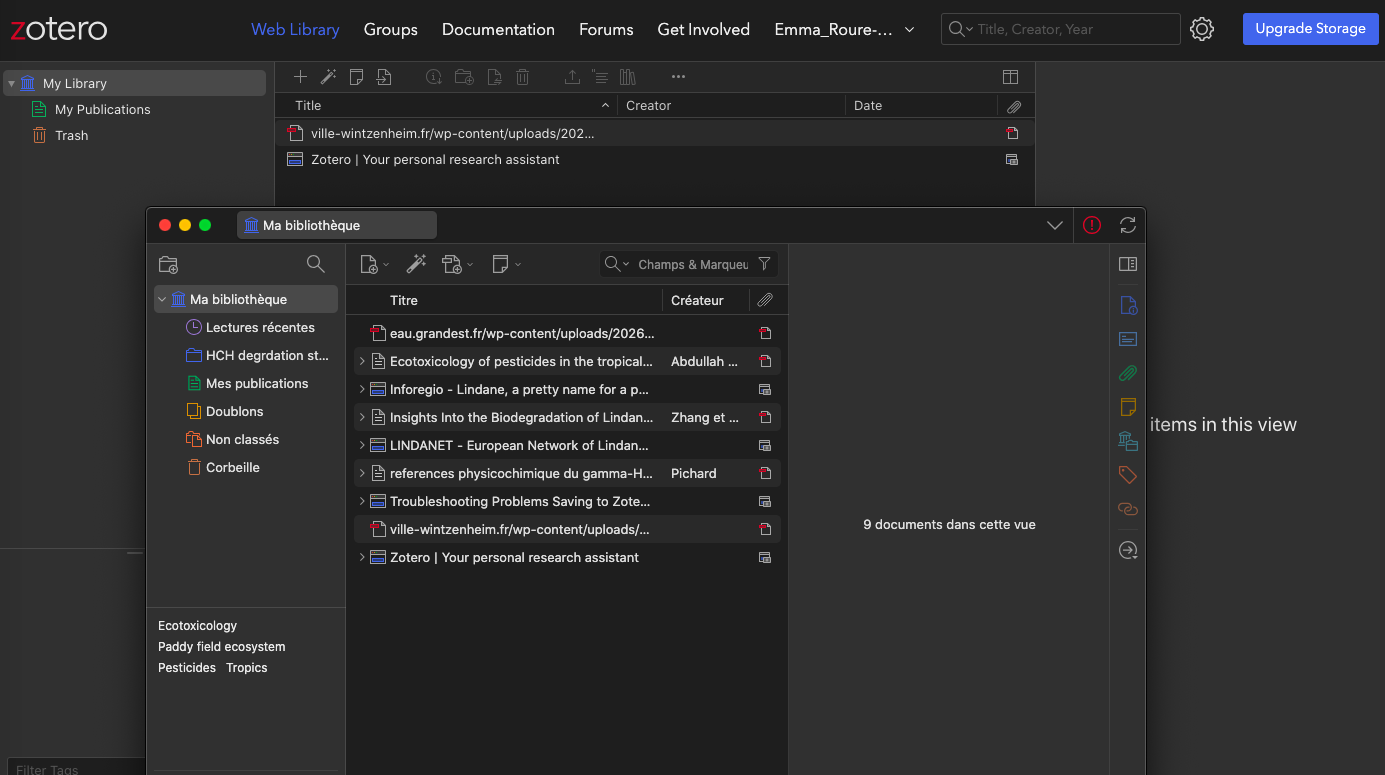
Hello, my Zotero stopped syncing with my Chrome Extension and I can't find how to fix it. I don't have a lot of documents, I actually just started using Zotero and it doesn't sync anymore... The 9 documents I have saved in my Zotero library are not saved/linked to my account/web library but rather solely on the app. I saved a first document (pdf) before creating a new collection for my 7 other documents ; I can see this first one but I don't have the others saved on the web library, so it stopped syncing pretty early.
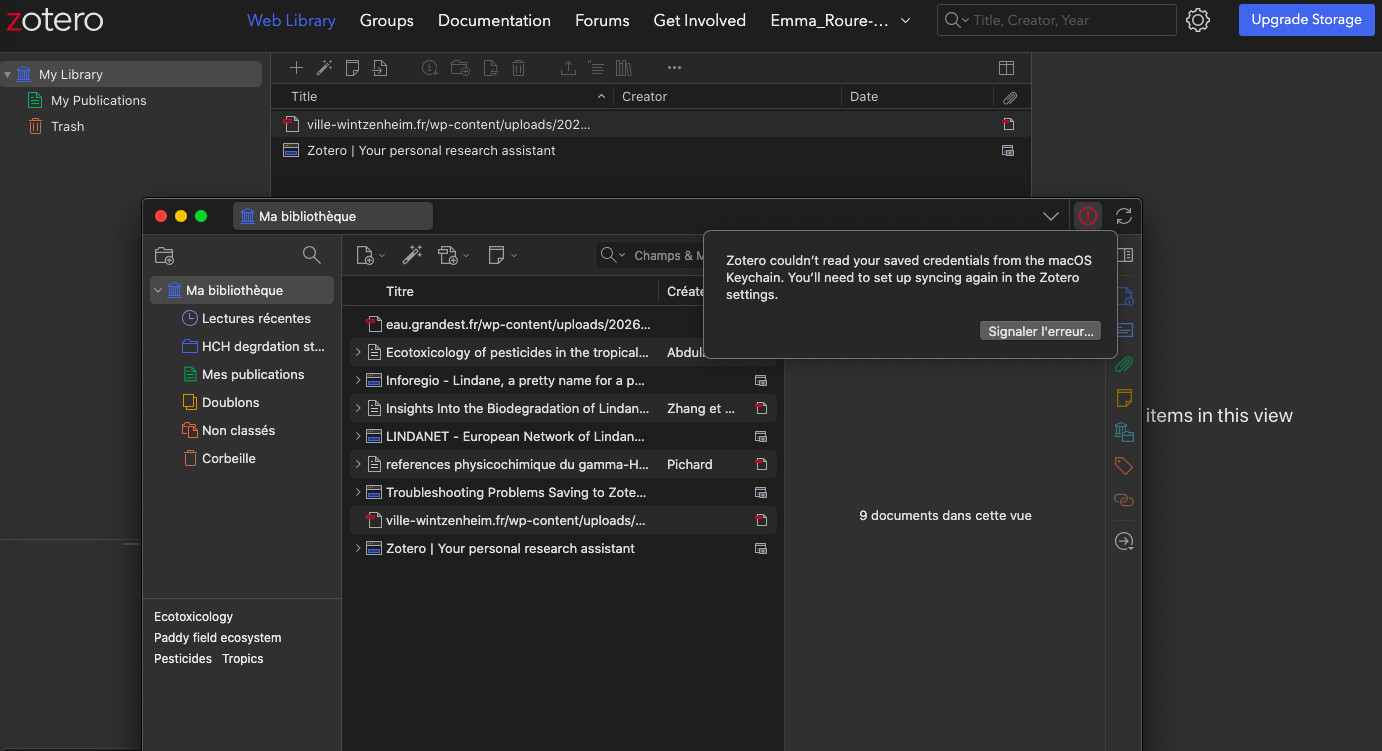
In the top right corner of my Zotero app, there is this red icon telling me that "Zotero couldn’t read your saved credentials from the macOS Keychain. You’ll need to set up syncing again in the Zotero settings." when I click on it. I can't refresh and can't find how to force the syncing. There is a great possibility I just don't know how to do it myself and the fix is really simple but I'd still like to report it, as it is asking me to do so.
https://s3.amazonaws.com/zotero.org/images/forums/u21386904/2xacnplz2py7u247buzm.png
https://s3.amazonaws.com/zotero.org/images/forums/u21386904/9q88wmd5xy529dd85d1c.png
Is there a simple way I could fix this ? I also want to mention I work on with MacOS Catalina 10.15.7 (2017 MacBook Air), I hope the issue isn't related.
Thank you in advance for your help.
Hello, my Zotero stopped syncing with my Chrome Extension and I can't find how to fix it. I don't have a lot of documents, I actually just started using Zotero and it doesn't sync anymore... The 9 documents I have saved in my Zotero library are not saved/linked to my account/web library but rather solely on the app. I saved a first document (pdf) before creating a new collection for my 7 other documents ; I can see this first one but I don't have the others saved on the web library, so it stopped syncing pretty early.
In the top right corner of my Zotero app, there is this red icon telling me that "Zotero couldn’t read your saved credentials from the macOS Keychain. You’ll need to set up syncing again in the Zotero settings." when I click on it. I can't refresh and can't find how to force the syncing. There is a great possibility I just don't know how to do it myself and the fix is really simple but I'd still like to report it, as it is asking me to do so.
https://s3.amazonaws.com/zotero.org/images/forums/u21386904/2xacnplz2py7u247buzm.png
https://s3.amazonaws.com/zotero.org/images/forums/u21386904/9q88wmd5xy529dd85d1c.png
Is there a simple way I could fix this ? I also want to mention I work on with MacOS Catalina 10.15.7 (2017 MacBook Air), I hope the issue isn't related.
Thank you in advance for your help.