
 Upgrade Storage
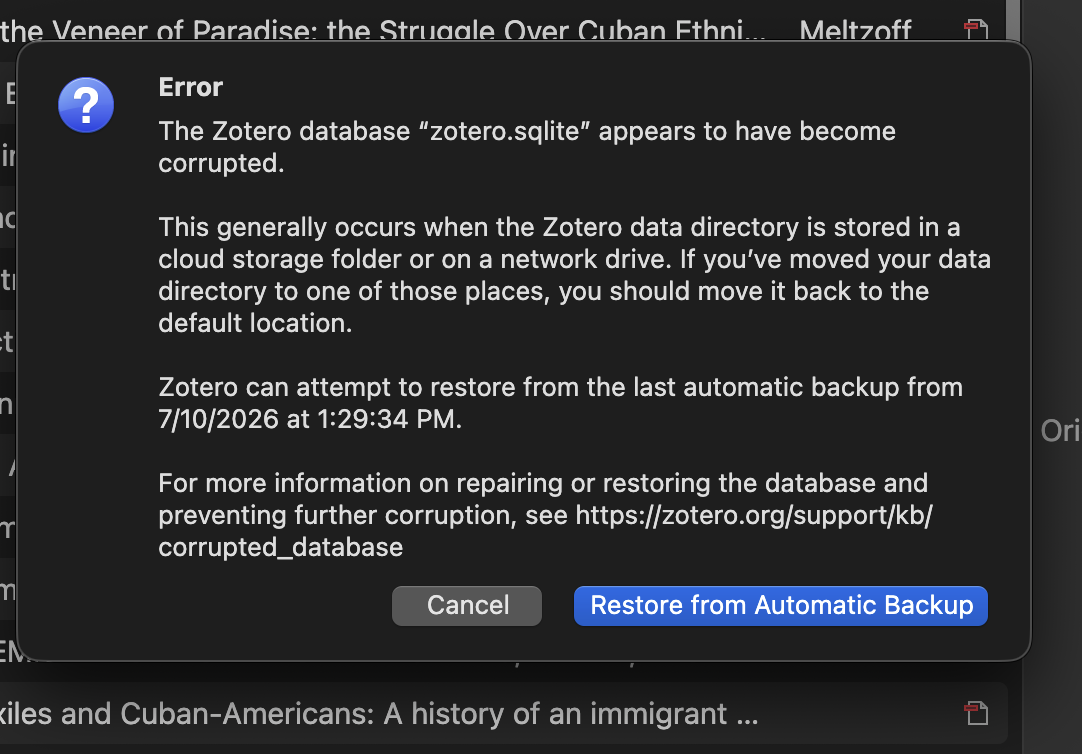
Error Message when I open desktop application
I keep getting an error message regarding a backup. I have not moved my files or my library. I do not understand what is happening. I can "cancel' the backup and my Zotero works. I can opt to do the backup and my library loads but I still get the message.
https://s3.amazonaws.com/zotero.org/images/forums/u7917697/ifnofdzp8arqs3qip3j6.png
https://s3.amazonaws.com/zotero.org/images/forums/u7917697/ifnofdzp8arqs3qip3j6.png
Steps assuming your library is synced:
1. Find and open your data director (see the linked article at the top of the corrupted database page)
2. Quit Zotero
3. In your data folder, find the file zotero.sqlite (you may need to show file extensions on Windows)
4. Cut that file and paste it somewhere else (e.g., your Desktop); alternatively you can also rename it to something like zotero.sqlite-broken
5. Restart Zotero. It will come up completely empty but should start sync and download all your data from the server.
If that works and you've used it a couple of days to make sure nothing is missing, you can delete your old database file (moved to Desktop in 4.) out.
https://s3.amazonaws.com/zotero.org/images/forums/u7917697/cqj8kgdtzodrnftoo5cx.png
I have a few files that are named Zotero.sqlite. Which is the right one to remove? Is it strange that this is only occurring on my desktop? The application runs just fine on my laptop.
Hard to say why this is happening, but it's not very strange it only happens on one machine (both if it's cause by a broken disk or if you're syncing a folder and not aware of it)