
 Upgrade Storage
Sync Issue with desktop app, no log in possible
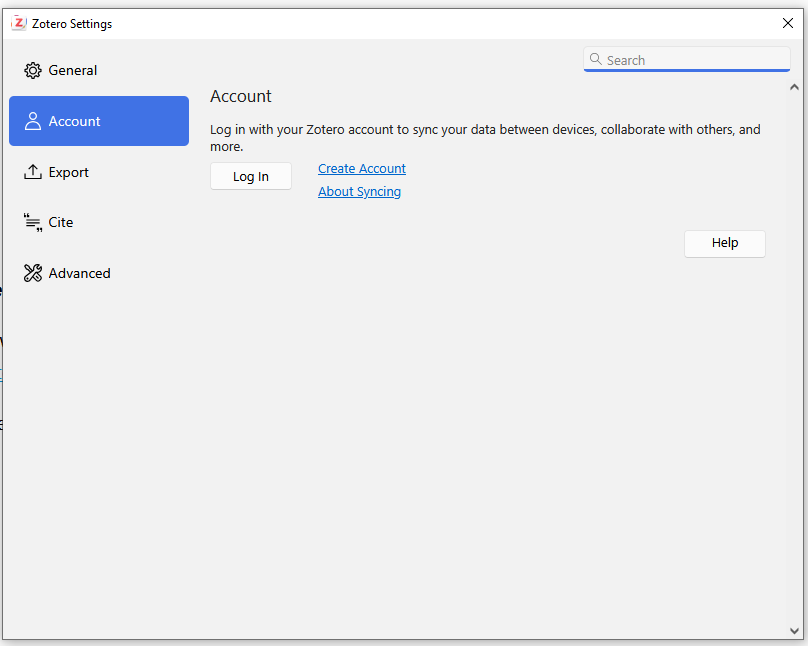
After downloading Zotero Version 10 on Windows, I wanted to sync it with my account. This window appears:
https://s3.amazonaws.com/zotero.org/images/forums/u21501947/vc86suddx1lzps63otiw.png
There is no option to log in, as the spaces to enter username and password are missing and the log in button is not functioning. Any idea, how to snyc?
https://s3.amazonaws.com/zotero.org/images/forums/u21501947/vc86suddx1lzps63otiw.png
There is no option to log in, as the spaces to enter username and password are missing and the log in button is not functioning. Any idea, how to snyc?
If it's not opening in a web browser, please provide a Debug ID for that.
Is this an institutional computer?
Thanks anyways!