
 Upgrade Storage
[Plugin] LingKuma for Zotero (Click and Learn)
LingKuma for Zotero
LingKuma — let knowledge spread beyond the barriers of language — is a translation and language-learning tool designed around reading.
The idea :
See it. Click it. Learn it.
You shouldn't have to wait until you have "learned" a language before you can start reading papers, books, or other content in that language.
LingKuma is designed to help you read content in languages you are still learning. When you encounter a word you don't know, click it. When a sentence is difficult to understand, click it.
While you read, LingKuma can provide word meanings, full-sentence translations, pronunciation, grammar explanations, vocabulary support, and other language-learning information directly inside the reading experience.
Instead of separating language learning from reading, LingKuma lets the two happen together. You can read papers, books, and documents that genuinely interest you while gradually expanding your vocabulary, becoming more familiar with grammar and expressions, and improving your understanding of the language.
The goal:
Enjoy reading first — and learn a new language along the way.
What can LingKuma do?
- Click a word to see its meaning
- Translate and analyse complete sentences
- Listen to word pronunciation with TTS
- Learn vocabulary while reading
- Get AI-assisted grammar and contextual explanations
- Translate between multiple languages
- Use light and dark themes
- Keep the original LingKuma-style interface inside Zotero
Screenshots
https://s3.amazonaws.com/zotero.org/images/forums/u12067114/roggenmwsdz7t1fos5lt.png
https://s3.amazonaws.com/zotero.org/images/forums/u12067114/xv0jojr81r21t074bo5b.png
Zotero Port
This is an unofficial Zotero port of the open-source LingKuma project.
The Zotero port adds:
- Zotero runtime adaptation
- Improved sentence selection for PDF reading
- Better sentence recognition across different languages
- Zotero-compatible frosted-glass effects
- Multilingual translation and AI output support
- Integration with Zotero's built-in PDF reading environment
Installation
1. Download the latest .xpi file from GitHub Releases.
2. Open Zotero.
3. Go to Tools → Plugins.
4. Open the gear menu.
5. Choose "Install Plugin From File..."
6. Select the downloaded .xpi file.
7. Restart Zotero if required.
Links
GitHub:
https://github.com/white-ink-cell/lingkuma-zotero
Releases:
https://github.com/white-ink-cell/lingkuma-zotero/releases
Attribution
This is an unofficial Zotero port of LingKuma.
The original LingKuma authorship, copyright, and licenses remain unchanged.
The Zotero port is maintained and published by white-ink-cell.
LingKuma — let knowledge spread beyond the barriers of language — is a translation and language-learning tool designed around reading.
The idea :
See it. Click it. Learn it.
You shouldn't have to wait until you have "learned" a language before you can start reading papers, books, or other content in that language.
LingKuma is designed to help you read content in languages you are still learning. When you encounter a word you don't know, click it. When a sentence is difficult to understand, click it.
While you read, LingKuma can provide word meanings, full-sentence translations, pronunciation, grammar explanations, vocabulary support, and other language-learning information directly inside the reading experience.
Instead of separating language learning from reading, LingKuma lets the two happen together. You can read papers, books, and documents that genuinely interest you while gradually expanding your vocabulary, becoming more familiar with grammar and expressions, and improving your understanding of the language.
The goal:
Enjoy reading first — and learn a new language along the way.
What can LingKuma do?
- Click a word to see its meaning
- Translate and analyse complete sentences
- Listen to word pronunciation with TTS
- Learn vocabulary while reading
- Get AI-assisted grammar and contextual explanations
- Translate between multiple languages
- Use light and dark themes
- Keep the original LingKuma-style interface inside Zotero
Screenshots
https://s3.amazonaws.com/zotero.org/images/forums/u12067114/roggenmwsdz7t1fos5lt.png
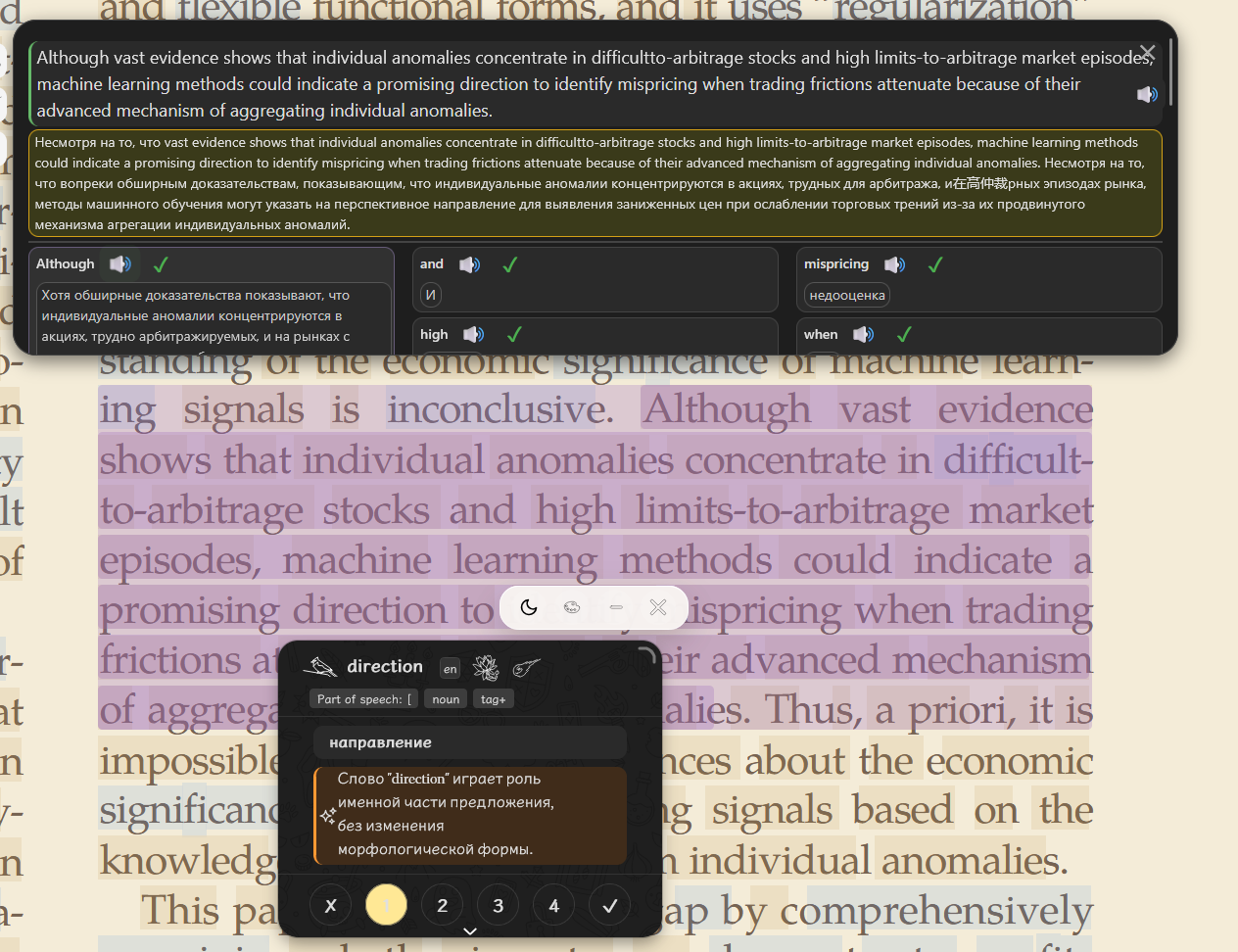
https://s3.amazonaws.com/zotero.org/images/forums/u12067114/xv0jojr81r21t074bo5b.png
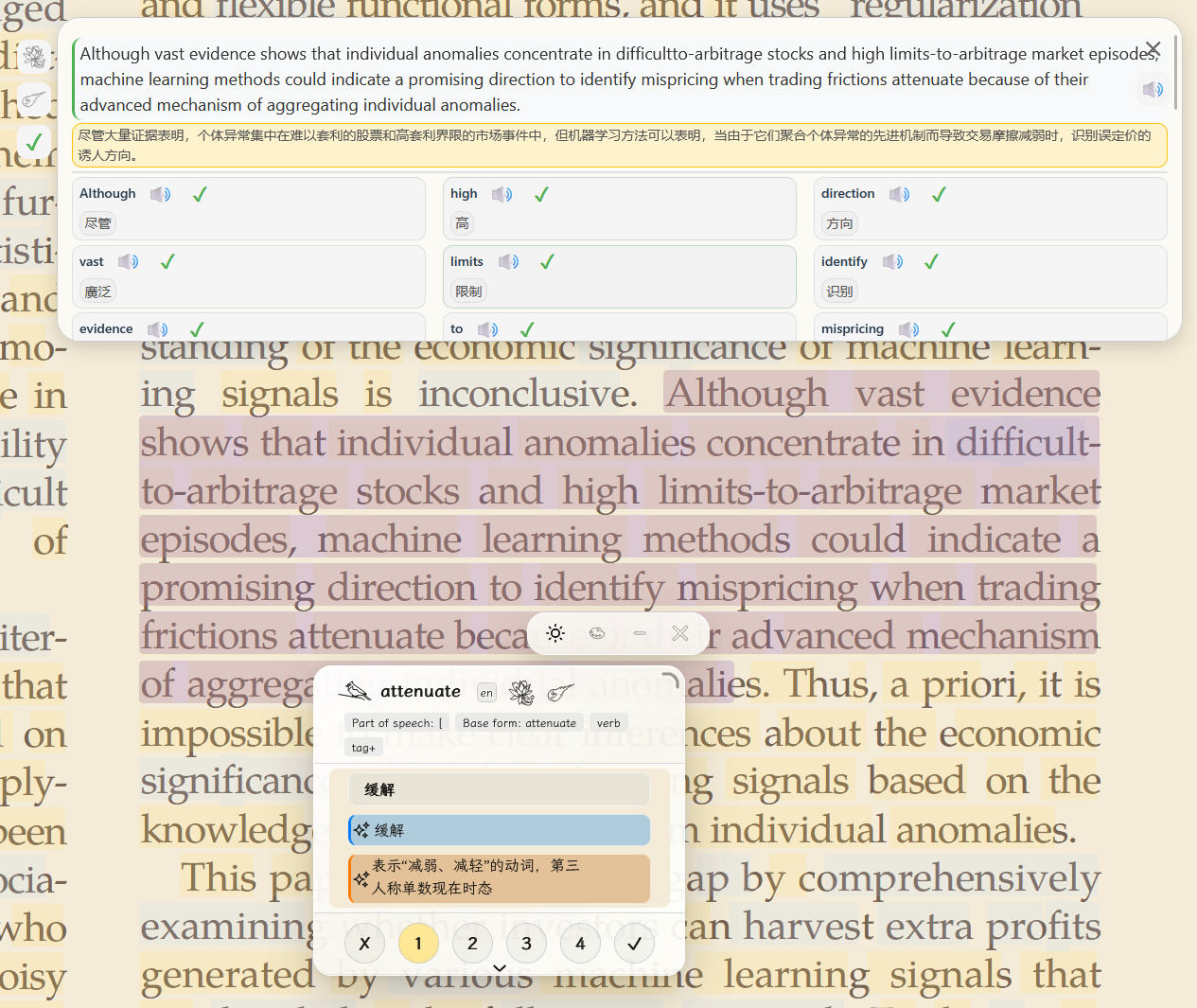
Zotero Port
This is an unofficial Zotero port of the open-source LingKuma project.
The Zotero port adds:
- Zotero runtime adaptation
- Improved sentence selection for PDF reading
- Better sentence recognition across different languages
- Zotero-compatible frosted-glass effects
- Multilingual translation and AI output support
- Integration with Zotero's built-in PDF reading environment
Installation
1. Download the latest .xpi file from GitHub Releases.
2. Open Zotero.
3. Go to Tools → Plugins.
4. Open the gear menu.
5. Choose "Install Plugin From File..."
6. Select the downloaded .xpi file.
7. Restart Zotero if required.
Links
GitHub:
https://github.com/white-ink-cell/lingkuma-zotero
Releases:
https://github.com/white-ink-cell/lingkuma-zotero/releases
Attribution
This is an unofficial Zotero port of LingKuma.
The original LingKuma authorship, copyright, and licenses remain unchanged.
The Zotero port is maintained and published by white-ink-cell.
-
huahua4682谢谢分享,下载使用后发现AI解释功能真的很方便,但是这个人工智能的库貌似只截至到2023年,是否有更新的版本,或者设置可以扩充AI知识库?