
 Upgrade Storage
Android [beta]: bugs and nitpicks
Running the most recent version of the beta available through the Play Store (last update Jul 14) on a Boox Note Max (which has a 13.3" screen).
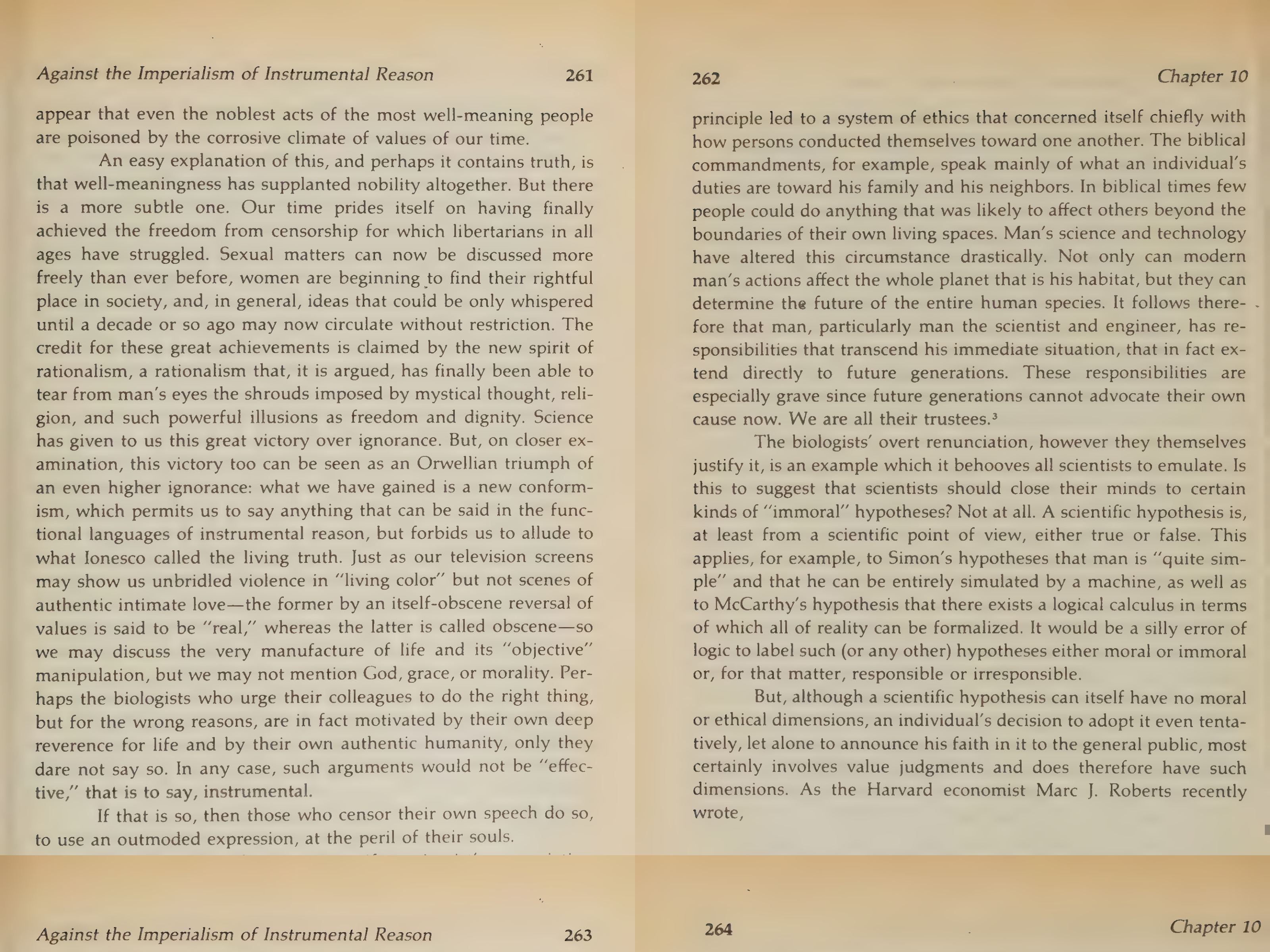
1. I'm having problems with PDF display in the PDF reader. PDFs are getting cut off at the bottom of the page; they aren't displaying completely, and scrolling just turns the page (i.e., it doesn't reveal the cutoff content). I think it might be related to the annotation toolbar being closed; it seems not to happen when scrolling with the annotation toolbar open. Here's a comparison of the display on the Note Max compared to the same spread on desktop Zotero, so you can see that content is missing:
https://s3.amazonaws.com/zotero.org/images/forums/u6663681/knouam0qp9p7t5xdcdik.jpg
https://s3.amazonaws.com/zotero.org/images/forums/u6663681/9zmx782n790afban8lwx.png
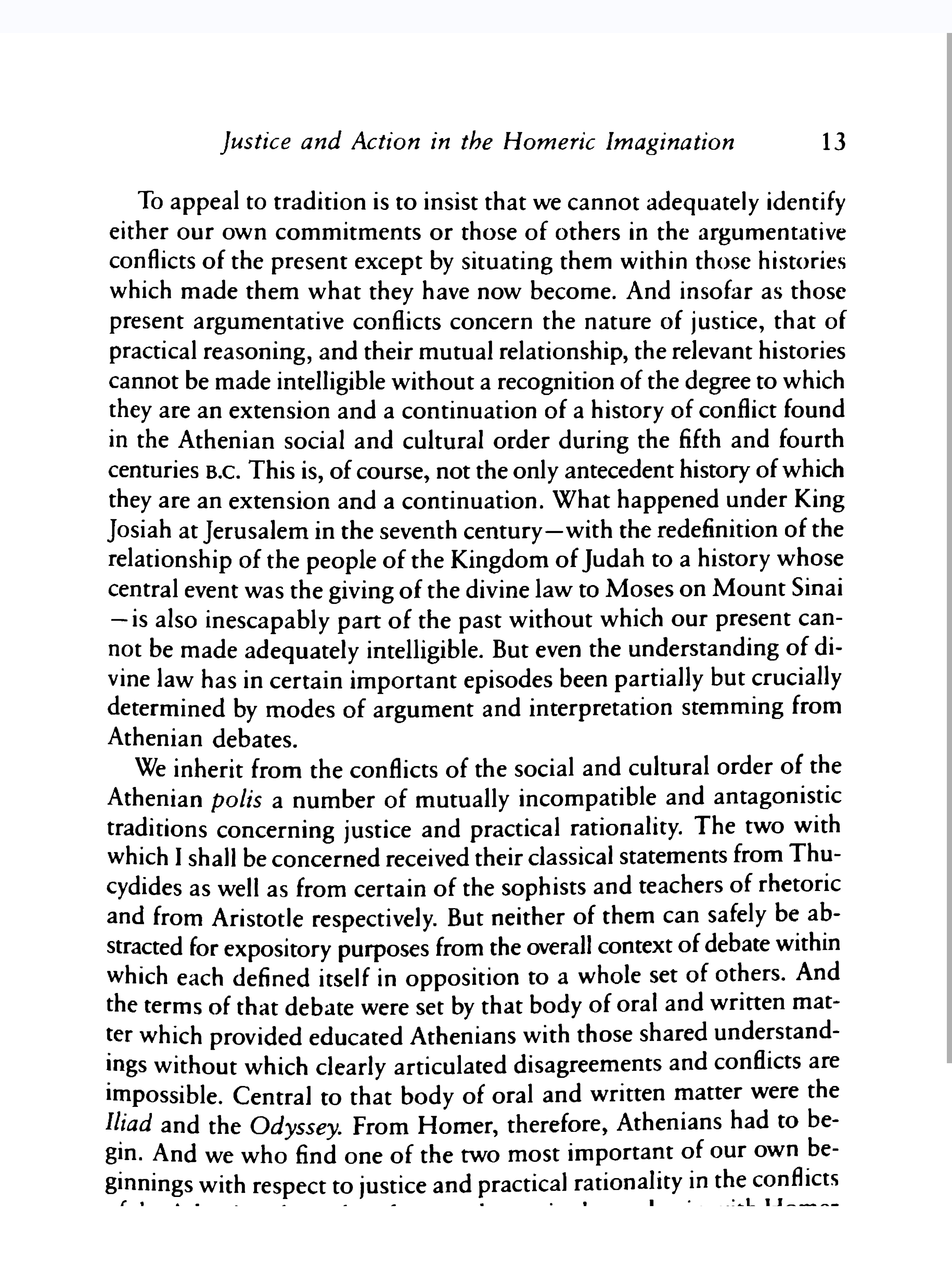
Here's a different PDF on the Note Max with the bottom cut off, but this is a different issue (I think). Mine is an A4 size tablet and it seems to be that it should be able to view an entire PDF page without the need to scroll. (In contrast to the image of the PDF above, this one will scroll to display the rest of the page--but IMHO no scrolling should be necessary). The page as shown here cannot be zoomed out any further. Maybe this is a case of mistaken expectations but it would be great to be able to just see the whole page at a glance without the need to scroll.
https://s3.amazonaws.com/zotero.org/images/forums/u6663681/ojx4k8sdem91gs7817ma.png
2. When disconnected from WiFi, the EPUB reader displays a "sync unsuccessful" message (which occludes text at the bottom of the page) on every page turn. Maybe overkill?
3. The EPUB reader loads with a really small font size by default and does not remember changes to the font size. It's really, really small on my device. It takes like 20 seconds and five separate gestures of zooming to get it to be reasonable, and the zooming gesture very frequently/easily triggers page turns. Pretty annoying, and needs to be done every time an EPUB is opened. A workaround on my device is to change the DPI settings--setting a higher value than the default increases the size of text in EPUBs and in the browser. It's still too small, though, for my taste, even when changing the DPI settings, it just means fewer zoom gestures are required after loading a document. (By the way, those settings don't seem to affect the problem discussed in #1).
4. Could we get a scroll bar for the list of annotations? It would be nice to be able to move faster through the list of annotations when there are many.
5. PDF highlighting behavior on my device is annoying. It's not possible to press-and-drag to highlight. First, you have to press to select a single word. Then, you have to press again on the handle at the bottom right of the selected word (a semi-small hit box) and drag to the end of the highlight. Could this be changed to provide press-and-drag like there is in the EPUB/snapshot reader?
6. Any chance of the "Recently Read" folder coming to Android? Any chance of a "Downloaded" folder? It would be really nice to be able to see in one place which files are downloaded to my device, so I can un-download them easily when finished with them.
1. I'm having problems with PDF display in the PDF reader. PDFs are getting cut off at the bottom of the page; they aren't displaying completely, and scrolling just turns the page (i.e., it doesn't reveal the cutoff content). I think it might be related to the annotation toolbar being closed; it seems not to happen when scrolling with the annotation toolbar open. Here's a comparison of the display on the Note Max compared to the same spread on desktop Zotero, so you can see that content is missing:
https://s3.amazonaws.com/zotero.org/images/forums/u6663681/knouam0qp9p7t5xdcdik.jpg
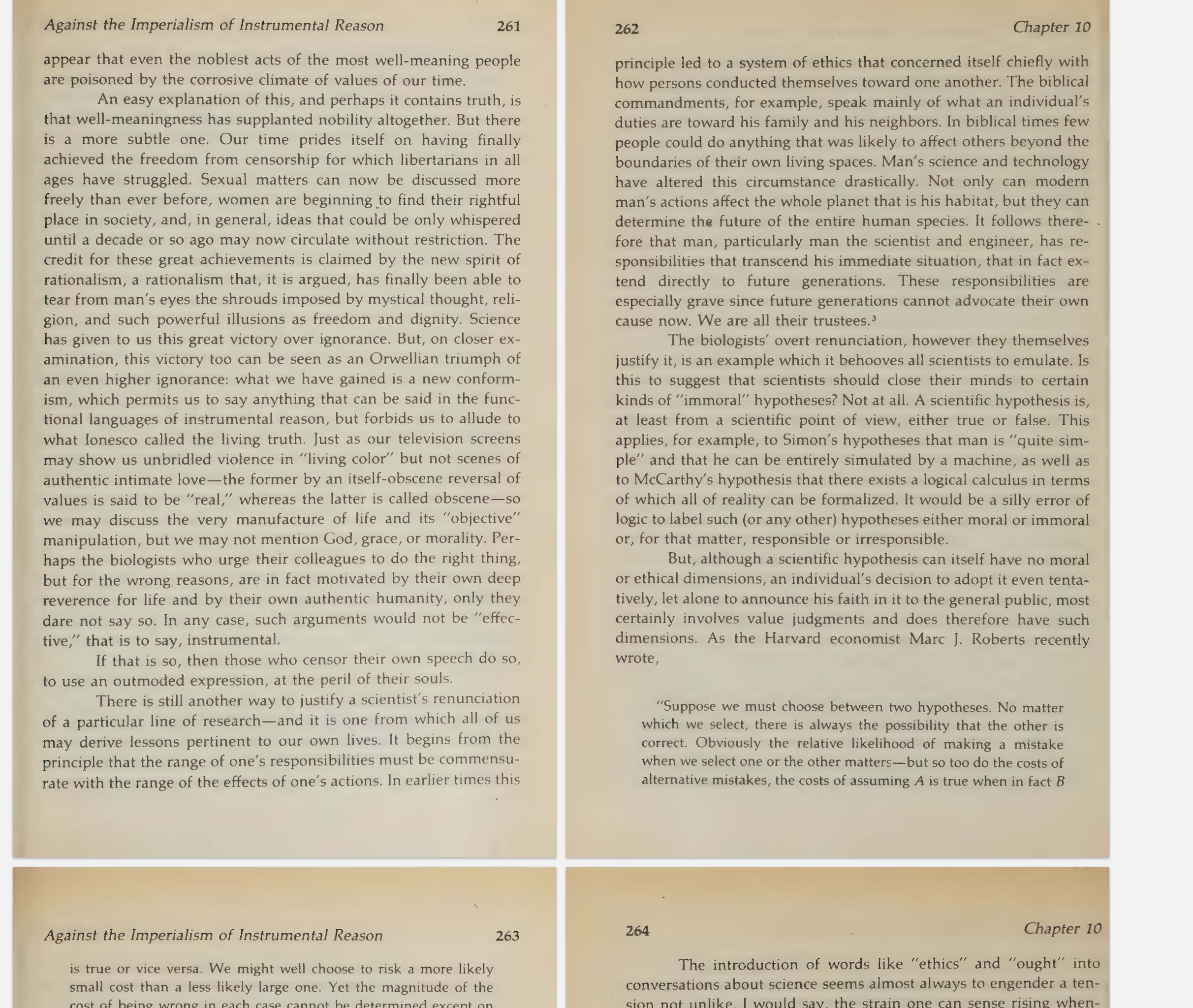
https://s3.amazonaws.com/zotero.org/images/forums/u6663681/9zmx782n790afban8lwx.png
Here's a different PDF on the Note Max with the bottom cut off, but this is a different issue (I think). Mine is an A4 size tablet and it seems to be that it should be able to view an entire PDF page without the need to scroll. (In contrast to the image of the PDF above, this one will scroll to display the rest of the page--but IMHO no scrolling should be necessary). The page as shown here cannot be zoomed out any further. Maybe this is a case of mistaken expectations but it would be great to be able to just see the whole page at a glance without the need to scroll.
https://s3.amazonaws.com/zotero.org/images/forums/u6663681/ojx4k8sdem91gs7817ma.png
2. When disconnected from WiFi, the EPUB reader displays a "sync unsuccessful" message (which occludes text at the bottom of the page) on every page turn. Maybe overkill?
3. The EPUB reader loads with a really small font size by default and does not remember changes to the font size. It's really, really small on my device. It takes like 20 seconds and five separate gestures of zooming to get it to be reasonable, and the zooming gesture very frequently/easily triggers page turns. Pretty annoying, and needs to be done every time an EPUB is opened. A workaround on my device is to change the DPI settings--setting a higher value than the default increases the size of text in EPUBs and in the browser. It's still too small, though, for my taste, even when changing the DPI settings, it just means fewer zoom gestures are required after loading a document. (By the way, those settings don't seem to affect the problem discussed in #1).
4. Could we get a scroll bar for the list of annotations? It would be nice to be able to move faster through the list of annotations when there are many.
5. PDF highlighting behavior on my device is annoying. It's not possible to press-and-drag to highlight. First, you have to press to select a single word. Then, you have to press again on the handle at the bottom right of the selected word (a semi-small hit box) and drag to the end of the highlight. Could this be changed to provide press-and-drag like there is in the EPUB/snapshot reader?
6. Any chance of the "Recently Read" folder coming to Android? Any chance of a "Downloaded" folder? It would be really nice to be able to see in one place which files are downloaded to my device, so I can un-download them easily when finished with them.
-
bennett.smith7. Once you've made an annotation in snapshot mode, you cannot select it by tapping on the annotation inline--it has to be selected from the sidebar. This does not happen with EPUBs; with EPUBs annotations can be selected (and the commenting popup appears) by tapping on the annotation in-text.