
 Upgrade Storage
Chicago Manual Style 16th edition
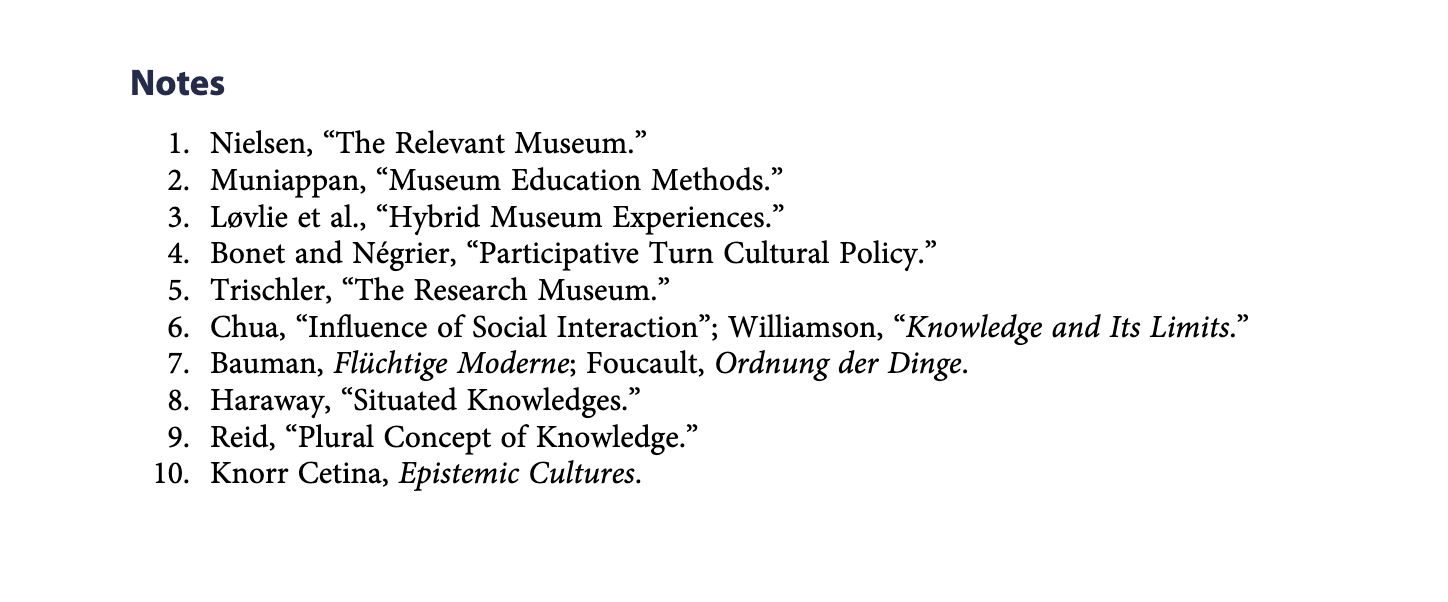
Hi, I am writing a paper for Journal of Museum Education. They use Chicago Manual of Style 16th Ed., Notes with bibliography. I have installed this style from the Zotero website. I have selected the style in the Zotero preferences in the Word plugin. However, the results are not consistent with how it looks in their published articles (see attached image). The Zotero plugin for Word produces a list with Roman numerals instead of Arabic ones. Additionally, the plugin produces longer notes, including journal titles. How do I resolve this problem? Is it the journal that does not strictly adhere to the style or is it the plugin that is producing incorrect notes?
https://s3.amazonaws.com/zotero.org/images/forums/u2069541/g9yedwcirsixijlbn46y.png
https://s3.amazonaws.com/zotero.org/images/forums/u2069541/g9yedwcirsixijlbn46y.png
See here for a guide on how to change them from roman to arabic: https://citationstyler.com/en/knowledge/how-to-change-footnote-numbering-in-word/
I realised that the footnote settings were handled by Word and managed to correct it. However, the journal titles does not come out abbreviated and there seems to be no setting for it in the Zotero plugin preferences. Do I need to manually edit the style file?
https://www.zotero.org/styles?q=id:chicago-shortened-notes-bibliography-16th-edition