
 Upgrade Storage
Footnotes creating a blocks of empty space on Microsoft Word
Hi everyone
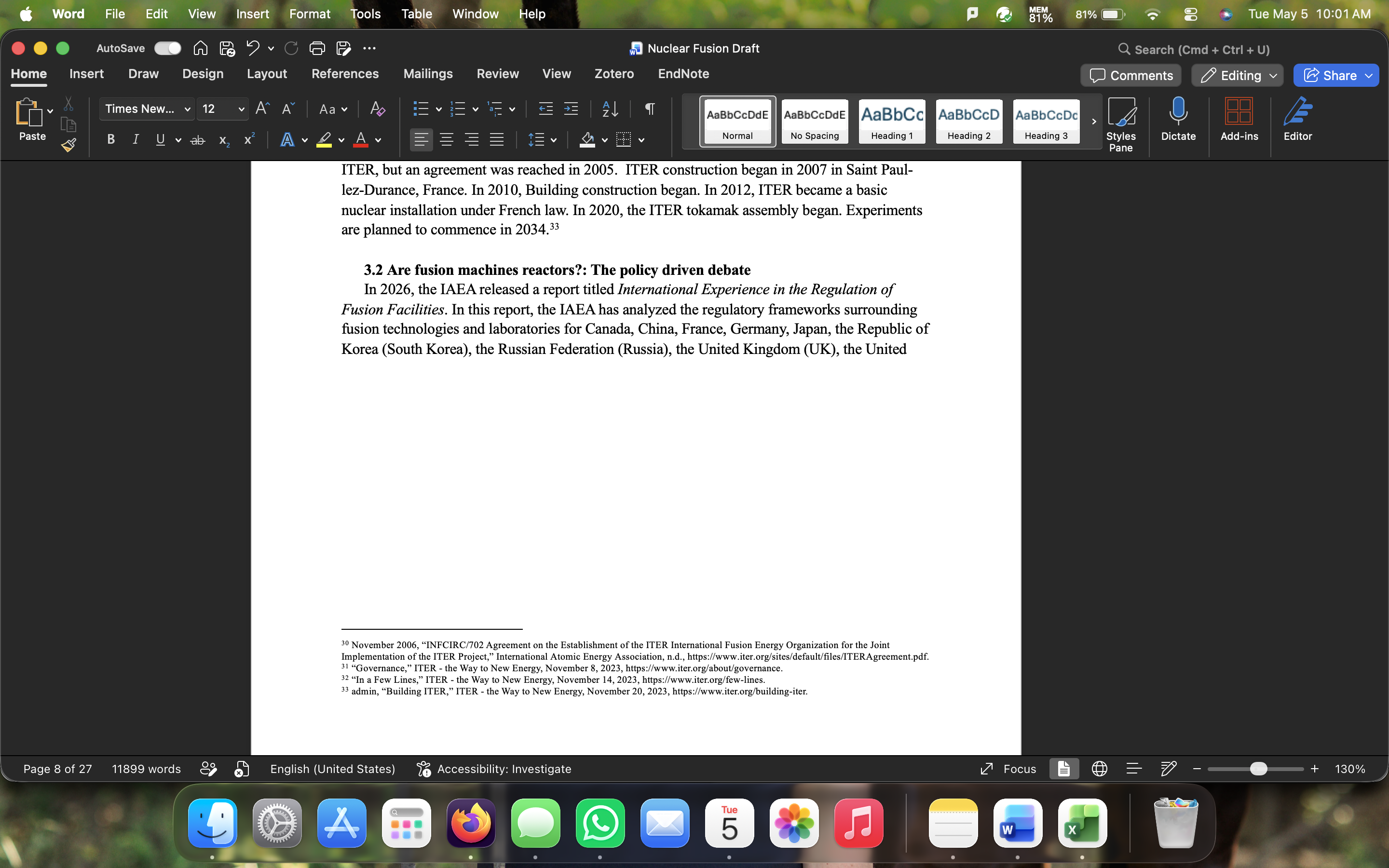
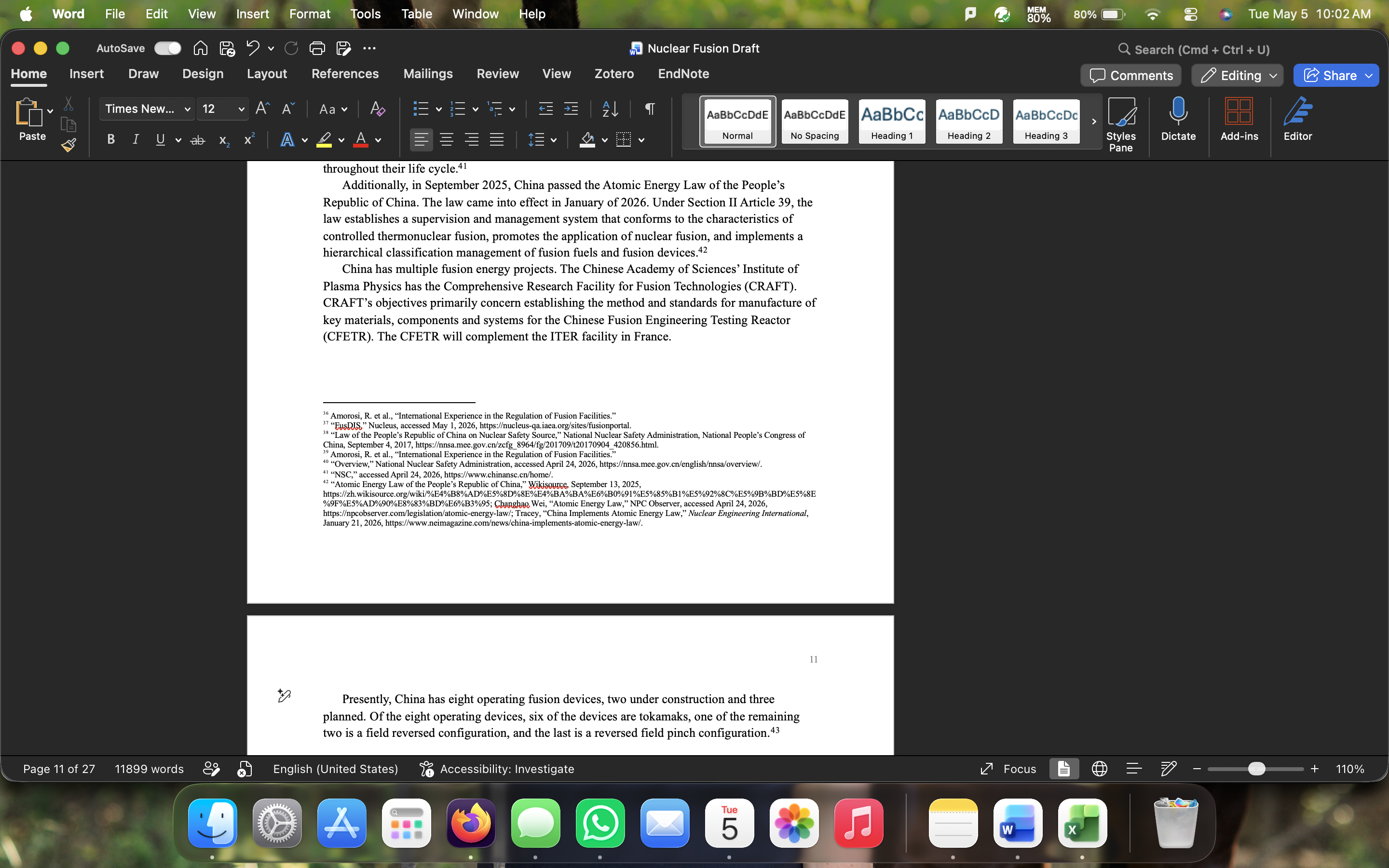
I'm currently working on a publication and using Zotero to keep track of all of my citations. I'm using Chicago 18th edition. I've noticed that depending on how many citations I use on a page and the paragraph structure of the page, I may have a large gap between the end of the text and the start of citations on the page. I noticed that when I deleted the last citation before each gap that the gap went away. These gaps are disrupting the natural the flow of my paper and lengthening it. Does anyone have any suggestions for how to fix this?
I've attached some screenshots for reference. Thank you in advance for all your help!
https://s3.amazonaws.com/zotero.org/images/forums/u11610980/905rs429d3kyt2l6a6nm.png
https://s3.amazonaws.com/zotero.org/images/forums/u11610980/uk39tc9xyfml91lznk7n.png
I'm currently working on a publication and using Zotero to keep track of all of my citations. I'm using Chicago 18th edition. I've noticed that depending on how many citations I use on a page and the paragraph structure of the page, I may have a large gap between the end of the text and the start of citations on the page. I noticed that when I deleted the last citation before each gap that the gap went away. These gaps are disrupting the natural the flow of my paper and lengthening it. Does anyone have any suggestions for how to fix this?
I've attached some screenshots for reference. Thank you in advance for all your help!
https://s3.amazonaws.com/zotero.org/images/forums/u11610980/905rs429d3kyt2l6a6nm.png
https://s3.amazonaws.com/zotero.org/images/forums/u11610980/uk39tc9xyfml91lznk7n.png
-
adamsmithPlacement of text vs footnotes is entirely handled by Word, nothing to do with Zotero, so you'd have to look for a fix in Word's various footnote/formatting settings (this sounds familiar, so should be easy to google -- don't include Zotero in a search, just search for Word footnotes)