
 Upgrade Storage
Item Pane incorrectly scrolls to Abstract/Attachments section after editing a field
Hi everyone!
I've been experiencing an unexpected behavior in the Item Pane that I believe is a bug. I searched the forum and couldn't find anything similar, so here's my contribution.
Hopefully it helps the team track it down.
Thanks!
=====
Environment:
Zotero 9 (also reproducible in Zotero 8)
Windows 11 25H2
No plugins installed
Debug ID: 524410324
Steps to reproduce:
1. Select any item in the library
2. In the Item Pane, edit any field in the middle (URL, PMID, ISSN etc) or lower portion of the Info section
3. Click on a field below the edited one to confirm the change
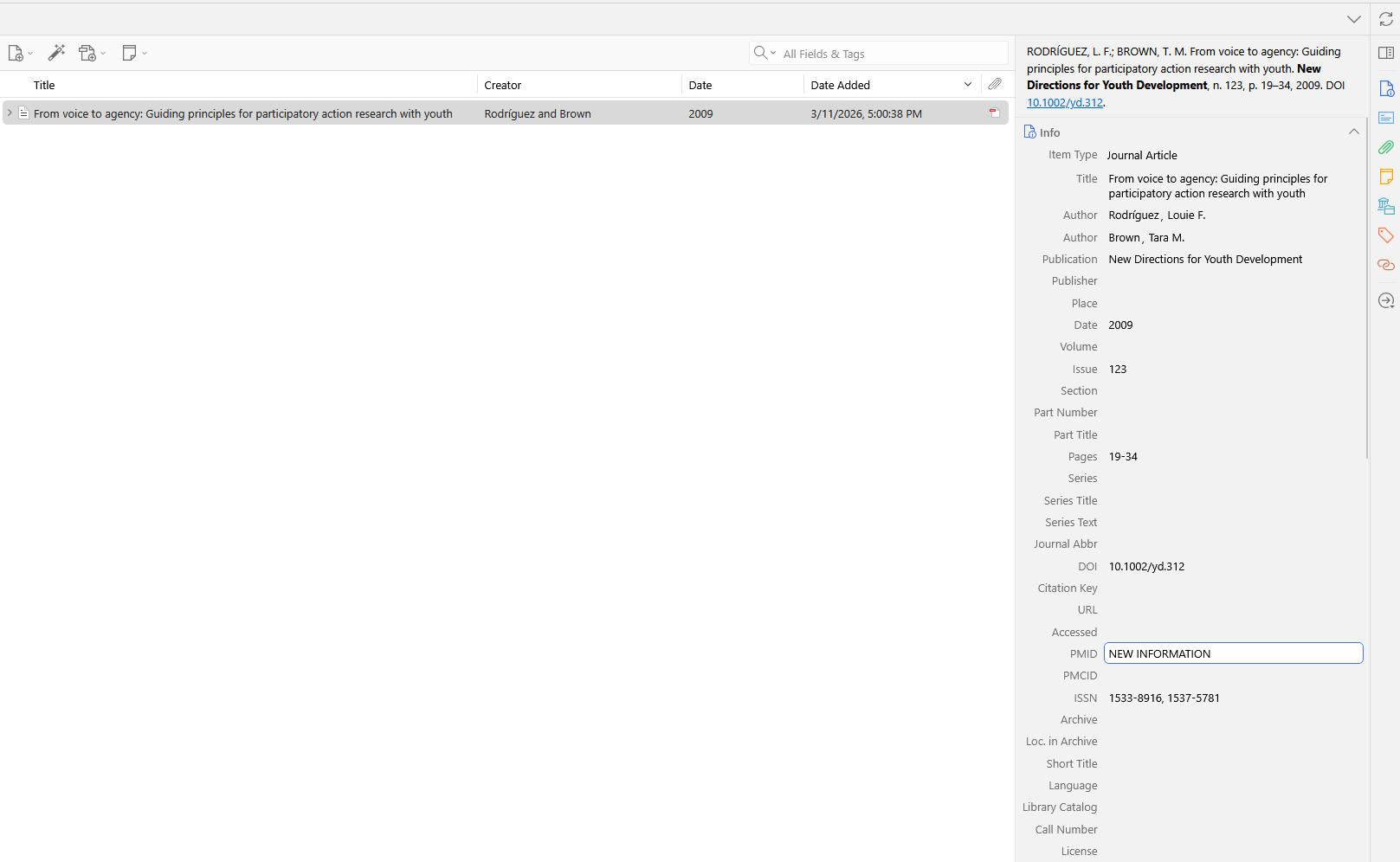
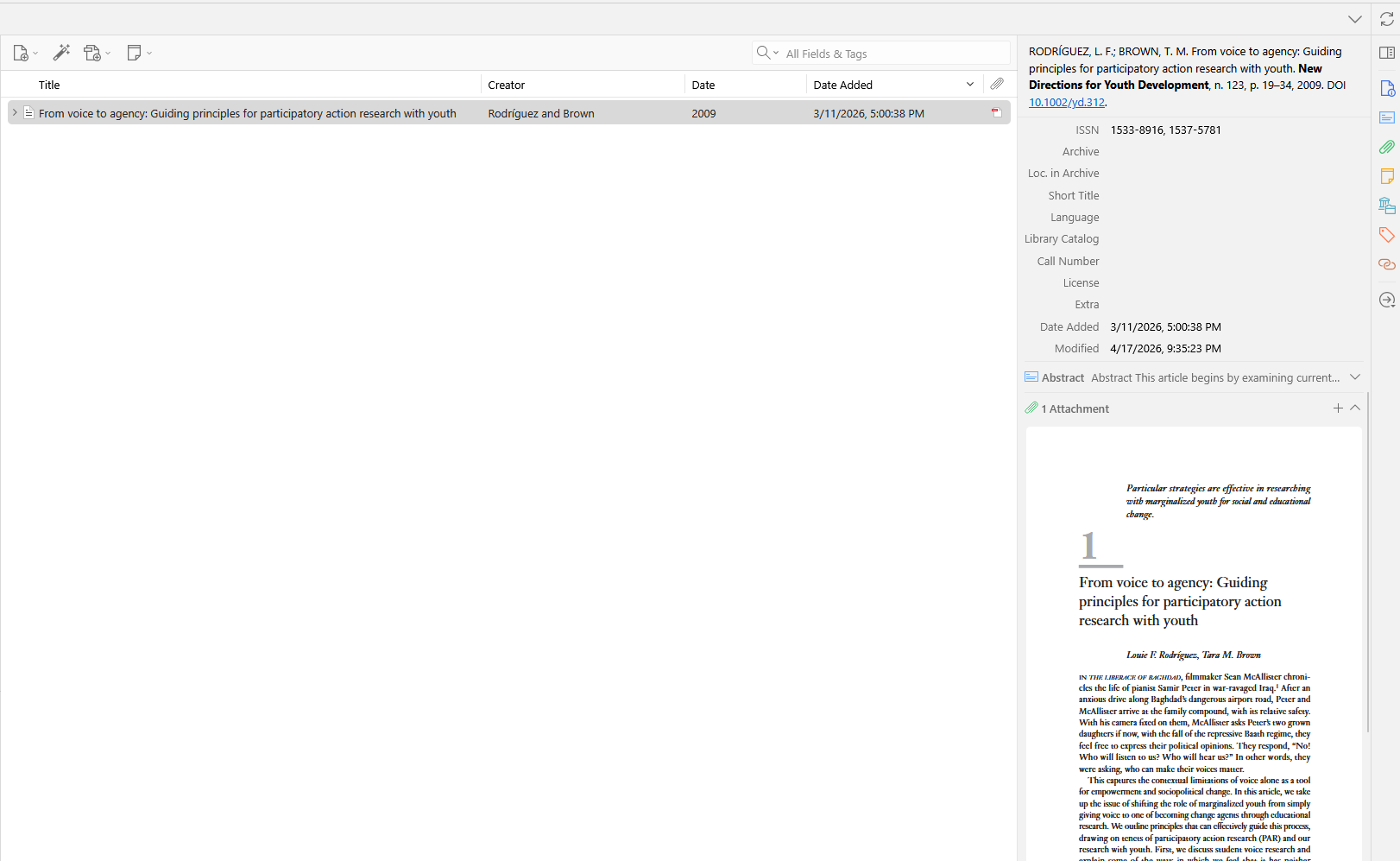
The Item Pane scrolls past the target field and lands on the Abstract or Attachments section.
Additional notes:
- The bug is more pronounced in the middle and lower fields of the Info section
- The scroll down is less pronounced when confirming by clicking a field above the edited one
- The scroll does not occur if the Abstract/Attachments section is already visible on screen at the time of the edit
- This bug was not present in Zotero 7 and appears to have been introduced in Zotero 8
Example:
Before editting
https://s3.amazonaws.com/zotero.org/images/forums/u10566150/74je1ejt36c9paa6rrxf.png
After editting
https://s3.amazonaws.com/zotero.org/images/forums/u10566150/80jd08to528v1o6x3mwx.png
I've been experiencing an unexpected behavior in the Item Pane that I believe is a bug. I searched the forum and couldn't find anything similar, so here's my contribution.
Hopefully it helps the team track it down.
Thanks!
=====
Environment:
Zotero 9 (also reproducible in Zotero 8)
Windows 11 25H2
No plugins installed
Debug ID: 524410324
Steps to reproduce:
1. Select any item in the library
2. In the Item Pane, edit any field in the middle (URL, PMID, ISSN etc) or lower portion of the Info section
3. Click on a field below the edited one to confirm the change
The Item Pane scrolls past the target field and lands on the Abstract or Attachments section.
Additional notes:
- The bug is more pronounced in the middle and lower fields of the Info section
- The scroll down is less pronounced when confirming by clicking a field above the edited one
- The scroll does not occur if the Abstract/Attachments section is already visible on screen at the time of the edit
- This bug was not present in Zotero 7 and appears to have been introduced in Zotero 8
Example:
Before editting
https://s3.amazonaws.com/zotero.org/images/forums/u10566150/74je1ejt36c9paa6rrxf.png
After editting
https://s3.amazonaws.com/zotero.org/images/forums/u10566150/80jd08to528v1o6x3mwx.png
Just following up on this report. Has it been noted in the flow of messages?
If something else is needed, I'm glad to help by providing any additional information.
Thanks!