
 Upgrade Storage
Not seeing the Zotero 8's new Interface
Greetings,
As I'm a Zotero novice may question may be user error.
I'm running Zotero 8 on a MacBook Pro M5 with MacOS 26. In the Zetero 8 blog entry www.zotero.org/blog/zotero-8/ the first image shows the List and Library buttons at the bottom. I don't see that or any of the other features shown. My installation still looks like it did with Zotero 7 as shown in the first image from www.zotero.org.
I'm also not finding "page number" as described further down in the blog post. I do have "# of Pages" citation field in the right sidebar but not "page number". The following is the sentence from the blog entry identified above.
As before, once you’ve selected an item, you can click on its bubble to customize the citation with a page number, prefix, etc.
I'm hoping my confusion can be resolved. Thanks
https://s3.amazonaws.com/zotero.org/images/forums/u18772644/mk426mm0pqip1vi3ye3i.png
https://s3.amazonaws.com/zotero.org/images/forums/u18772644/iisc0ivisfngy169yur5.png
As I'm a Zotero novice may question may be user error.
I'm running Zotero 8 on a MacBook Pro M5 with MacOS 26. In the Zetero 8 blog entry www.zotero.org/blog/zotero-8/ the first image shows the List and Library buttons at the bottom. I don't see that or any of the other features shown. My installation still looks like it did with Zotero 7 as shown in the first image from www.zotero.org.
I'm also not finding "page number" as described further down in the blog post. I do have "# of Pages" citation field in the right sidebar but not "page number". The following is the sentence from the blog entry identified above.
As before, once you’ve selected an item, you can click on its bubble to customize the citation with a page number, prefix, etc.
I'm hoping my confusion can be resolved. Thanks
https://s3.amazonaws.com/zotero.org/images/forums/u18772644/mk426mm0pqip1vi3ye3i.png
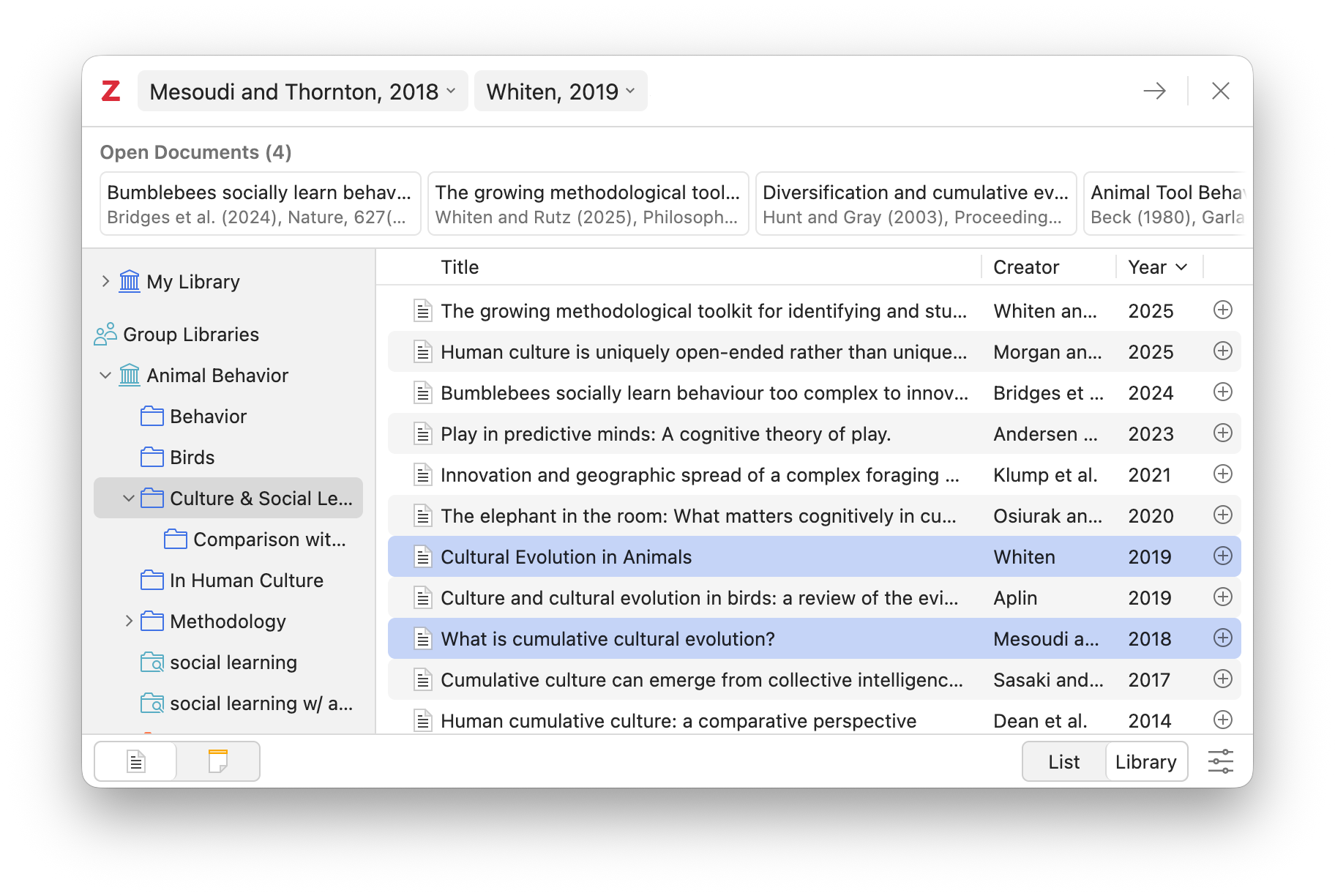
https://s3.amazonaws.com/zotero.org/images/forums/u18772644/iisc0ivisfngy169yur5.png
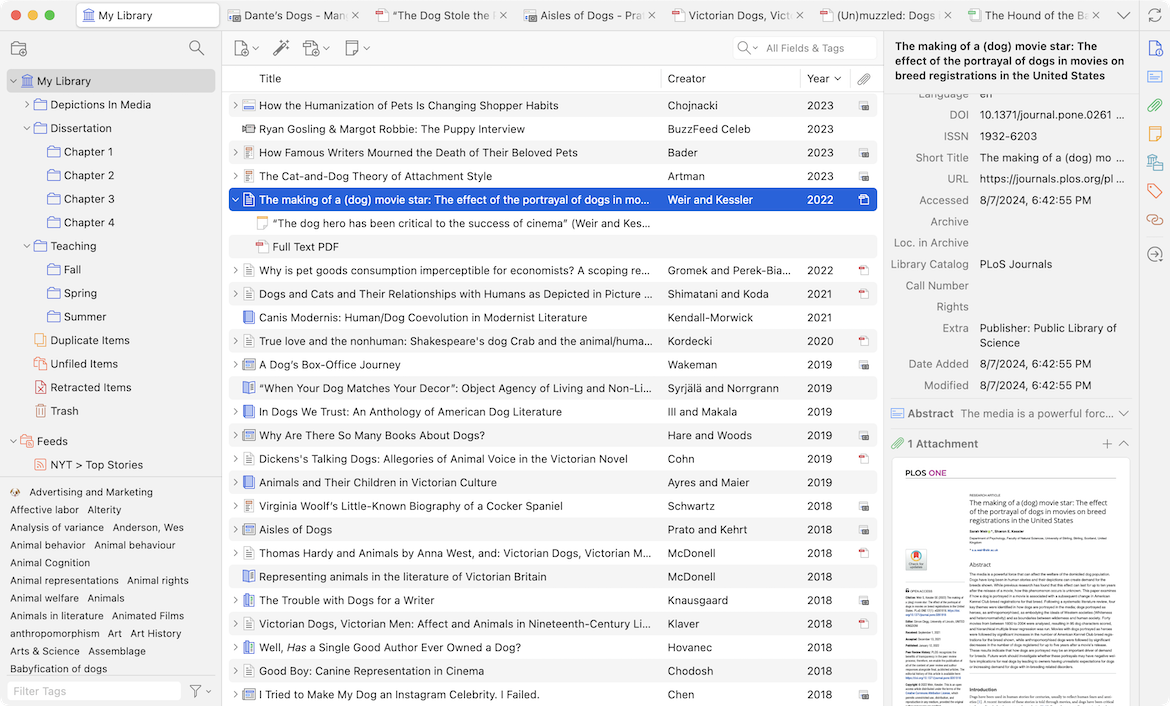
-
dstillman Zotero TeamThe blog post is talking about the citation dialog — what you get when using the word processor plugins — not the main window.