Upgrade Storage
How to increase font size of note tags in Zotero 8?
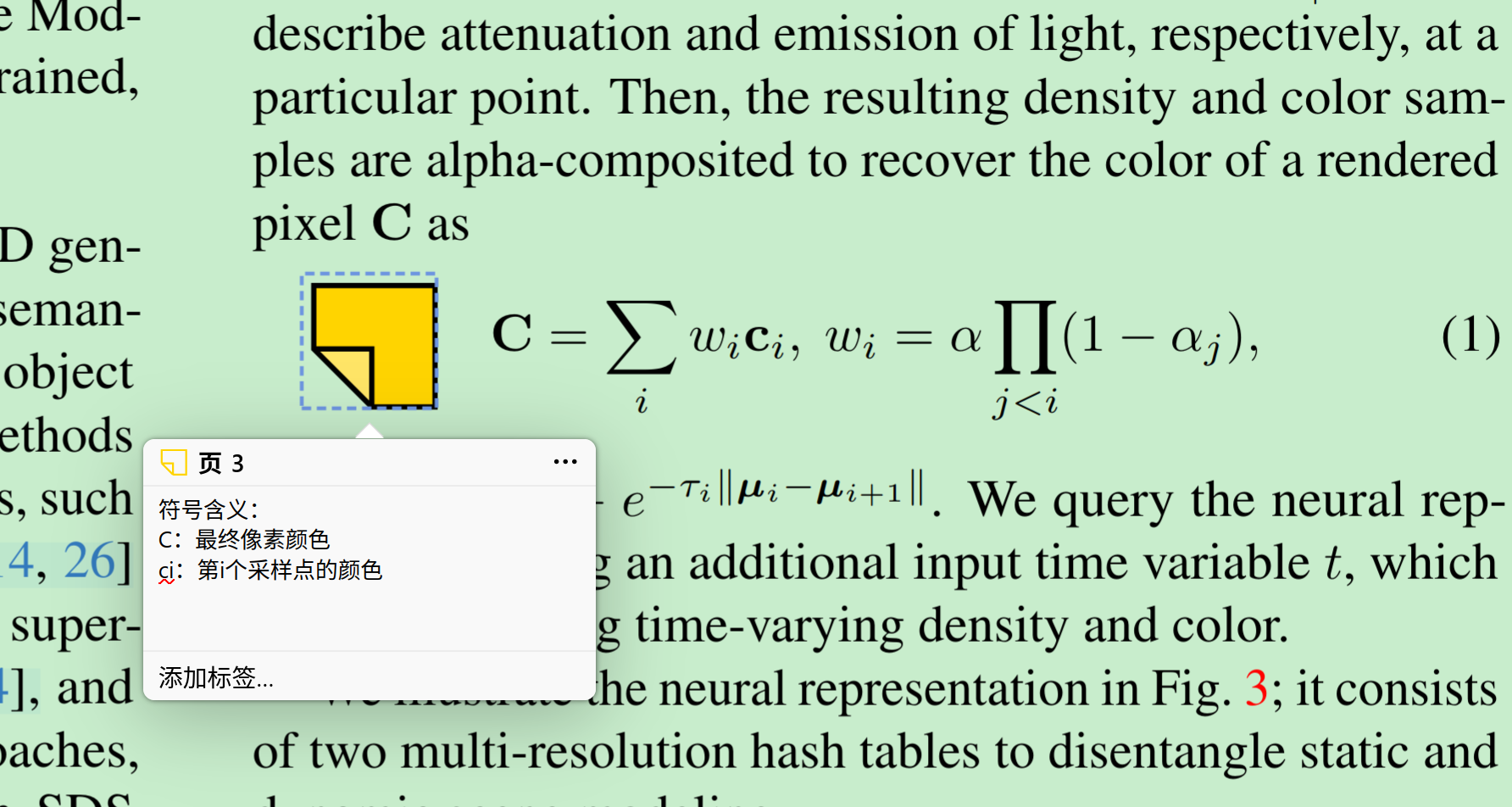
I'm using Zotero 8 and noticed that when I add tags to my notes, the tag font size is quite small and difficult to read. I've tried adjusting the general font settings via View → Font Size and View → Note Font Size, but these don't seem to affect the tags/labels within the note editor itself.
My specific issue:
The tags added to notes display in a very small font
This makes it hard to read and manage tags, especially on high-resolution displays
Adjusting the main UI or note font size doesn't change the tag font size
What I've tried:
View → Font Size → Bigger (affects general UI but not note tags)
View → Note Font Size → Bigger (affects note content but not the tags)
Checked Preferences → General for tag-specific settings (couldn't find any)
Questions:
Is there a way to increase the font size of tags within the note editor?
Can this be done through the Config Editor (about:config) or custom CSS?
If CSS is the solution, which specific selector targets note tags?
I found some older discussions about customizing note CSS via extensions.zotero.note.css , but I'm not sure if this applies to the tag labels specifically in Zotero 8.
https://s3.amazonaws.com/zotero.org/images/forums/u20091693/tsyl5rlgsju24rv8v2gf.png
My specific issue:
The tags added to notes display in a very small font
This makes it hard to read and manage tags, especially on high-resolution displays
Adjusting the main UI or note font size doesn't change the tag font size
What I've tried:
View → Font Size → Bigger (affects general UI but not note tags)
View → Note Font Size → Bigger (affects note content but not the tags)
Checked Preferences → General for tag-specific settings (couldn't find any)
Questions:
Is there a way to increase the font size of tags within the note editor?
Can this be done through the Config Editor (about:config) or custom CSS?
If CSS is the solution, which specific selector targets note tags?
I found some older discussions about customizing note CSS via extensions.zotero.note.css , but I'm not sure if this applies to the tag labels specifically in Zotero 8.
https://s3.amazonaws.com/zotero.org/images/forums/u20091693/tsyl5rlgsju24rv8v2gf.png