
 Upgrade Storage
Filename Template bug, Zotero 8.0.4, macOS ?
I've encountered what appears to be a bug with the Filename Template settings in Zotero 8.0.4 on macOS 26.3.1.
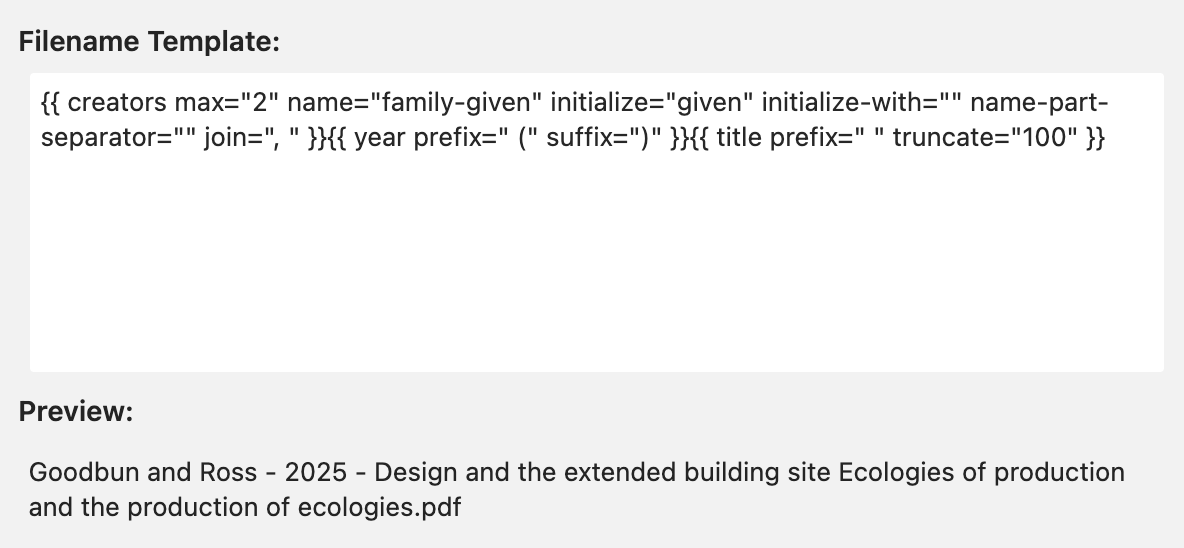
I had been using a custom Filename Template in previous versions of Zotero. After upgrading to v8, imported files were being renamed based on a default naming scheme, despite the custom template I specified.
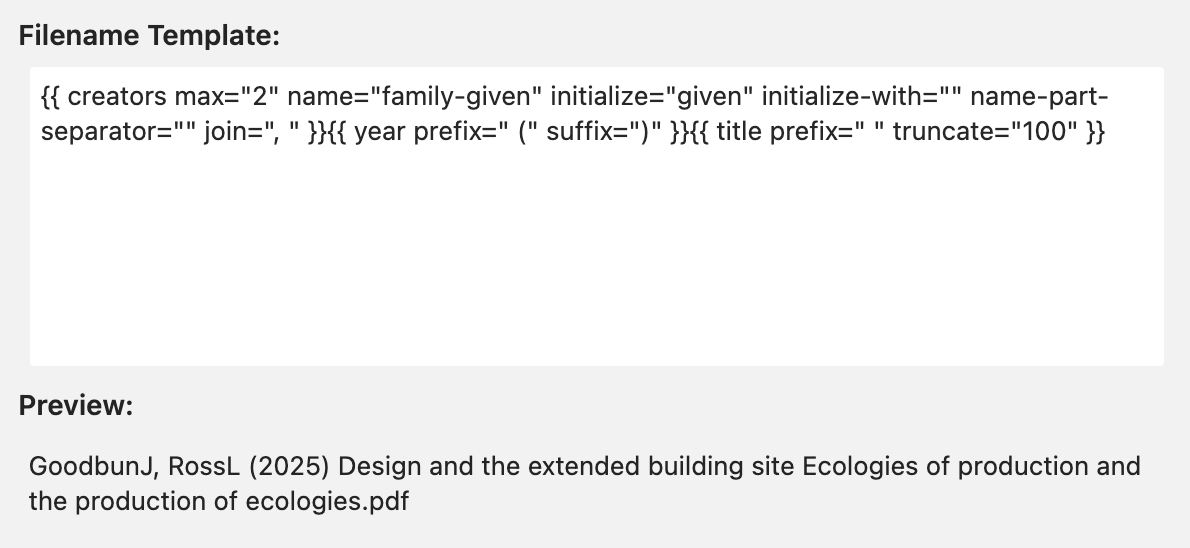
I appear to have resolved this by cutting my existing template directives from the input field and re-pasting them back into the input field. Zotero then seems to recognize the custom template. See the screenshots below of the before and after states.
Zotero then prompted me to rename all of the existing files that hadn't been renamed with my custom template since the upgrade to v8.
Before:
https://s3.amazonaws.com/zotero.org/images/forums/u7529243/w8lobmrkjft43v3jl29y.png
After:
https://s3.amazonaws.com/zotero.org/images/forums/u7529243/av8w0vxugg0y0ki3xuvp.png
I had been using a custom Filename Template in previous versions of Zotero. After upgrading to v8, imported files were being renamed based on a default naming scheme, despite the custom template I specified.
I appear to have resolved this by cutting my existing template directives from the input field and re-pasting them back into the input field. Zotero then seems to recognize the custom template. See the screenshots below of the before and after states.
Zotero then prompted me to rename all of the existing files that hadn't been renamed with my custom template since the upgrade to v8.
Before:
https://s3.amazonaws.com/zotero.org/images/forums/u7529243/w8lobmrkjft43v3jl29y.png
After:
https://s3.amazonaws.com/zotero.org/images/forums/u7529243/av8w0vxugg0y0ki3xuvp.png
Group libraries don't yet support custom filename format templates. It will be configurable by group admins in a future update.