
 Upgrade Storage
Web Page not available in dropdown
Why is the "webpage" missing from the main dropdown menu when manually creating a new item? You can only find it in the side pane after choosing any of the other categories. Very annoying when I'm trying to teach this to undergraduate students. It seems like an annoying little bug to them that makes at least some of them think this is faulty software.
https://s3.amazonaws.com/zotero.org/images/forums/u4987392/dxzhgwmdtkp20vnqfsiz.png
https://s3.amazonaws.com/zotero.org/images/forums/u4987392/2c0uto2vn4nlhzfxeyb2.png
https://s3.amazonaws.com/zotero.org/images/forums/u4987392/dxzhgwmdtkp20vnqfsiz.png

https://s3.amazonaws.com/zotero.org/images/forums/u4987392/2c0uto2vn4nlhzfxeyb2.png
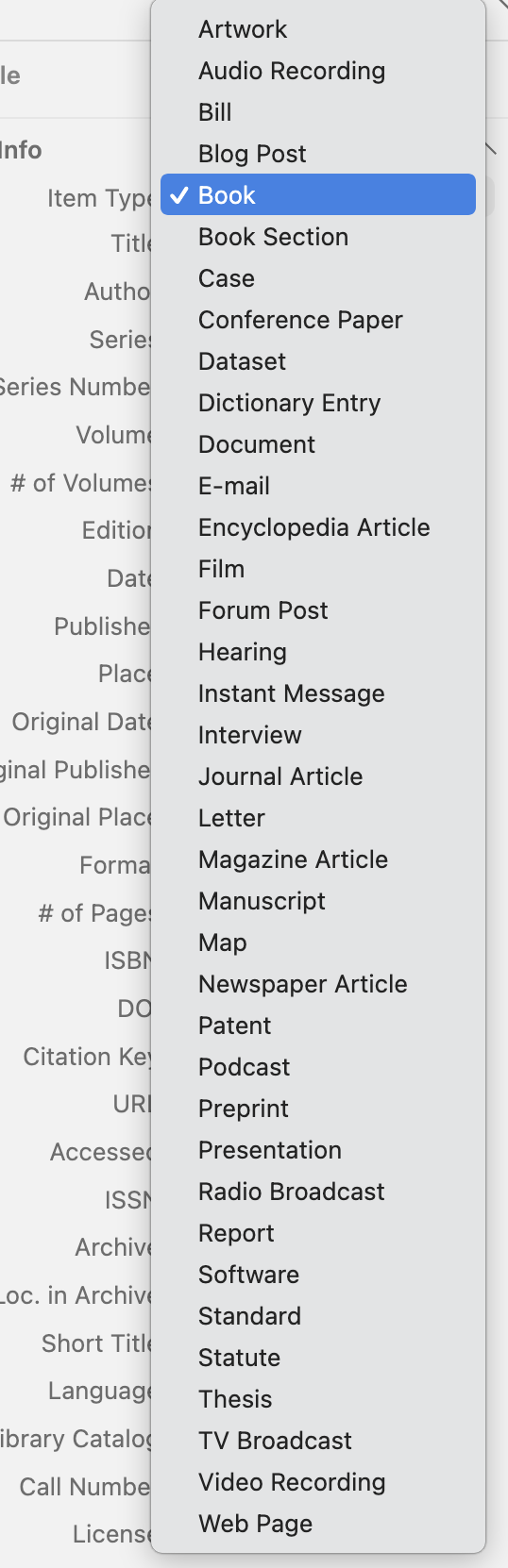
https://www.zotero.org/support/adding_items_to_zotero#manually_adding_items
Zotero exists to save people from tedious tasks, which very much includes manually typing in metadata that can be saved with one click from the browser. While we've long planned to add a webpage option along with a guidance popup encouraging use of the Connector, every single person who has ever come to the forums to ask about this has fundamentally misunderstood this basic fact about how Zotero is meant to be used.
If you're teaching your students Zotero, please help them download both Zotero and the Zotero Connector. It's a few more clicks for a dramatically better experience.