
 Upgrade Storage
Stuck on 'applying updates'
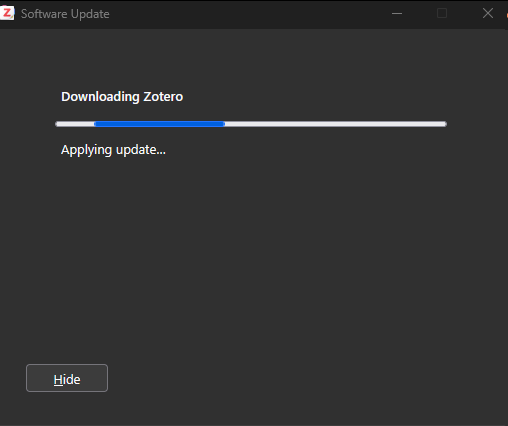
When I "Check for Updates" from the Help menu, I get the Software Update window. But it stops at: "Downloading Zotero", "Applying update...".
https://s3.amazonaws.com/zotero.org/images/forums/u265723/0kvo2z5ha0nqw89nmili.png
I know I can just close it and restart Zotero, but it would be nice to have it fixed.
It do have plugins enabled, so I would need to check without the plugins if I can still reproduce. But I would need access to the previous beta installation file for Windows 11 64 bits: 9.0-beta.8+b80bcea18 (64-bit).
https://s3.amazonaws.com/zotero.org/images/forums/u265723/0kvo2z5ha0nqw89nmili.png
I know I can just close it and restart Zotero, but it would be nice to have it fixed.
It do have plugins enabled, so I would need to check without the plugins if I can still reproduce. But I would need access to the previous beta installation file for Windows 11 64 bits: 9.0-beta.8+b80bcea18 (64-bit).