
 Upgrade Storage
EPUB reader on iOS does not show page
iOS app doesn’t show what page I am at on the file when reading an EPUB. Besides, it doesn’t even show what chapter I’m in. How do I navigate? Is this a bug or a feature hasn’t been added yet?
Sorry if this replicates some existing thread, didn’t find one.
Adding a screenshot. iPhone 11, iOS 26.1.1, Zotero 2.0.4.
https://s3.amazonaws.com/zotero.org/images/forums/u8532606/xl36f3f3dfqwg55ah820.png
Sorry if this replicates some existing thread, didn’t find one.
Adding a screenshot. iPhone 11, iOS 26.1.1, Zotero 2.0.4.
https://s3.amazonaws.com/zotero.org/images/forums/u8532606/xl36f3f3dfqwg55ah820.png
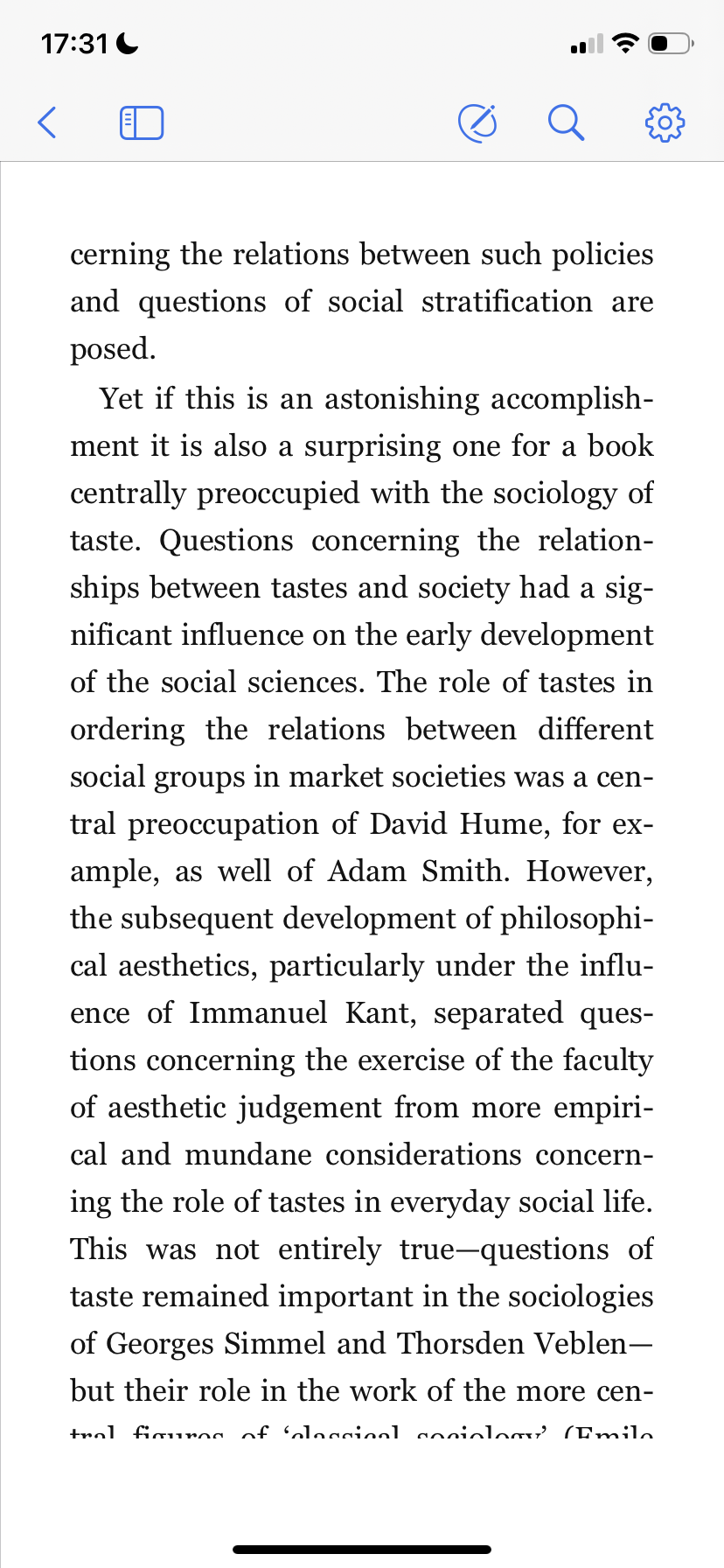
Could you email the EPUB to support@zotero.org and include a link to this thread? The cut-off text is an issue - I'd like to take a look.