
 Upgrade Storage
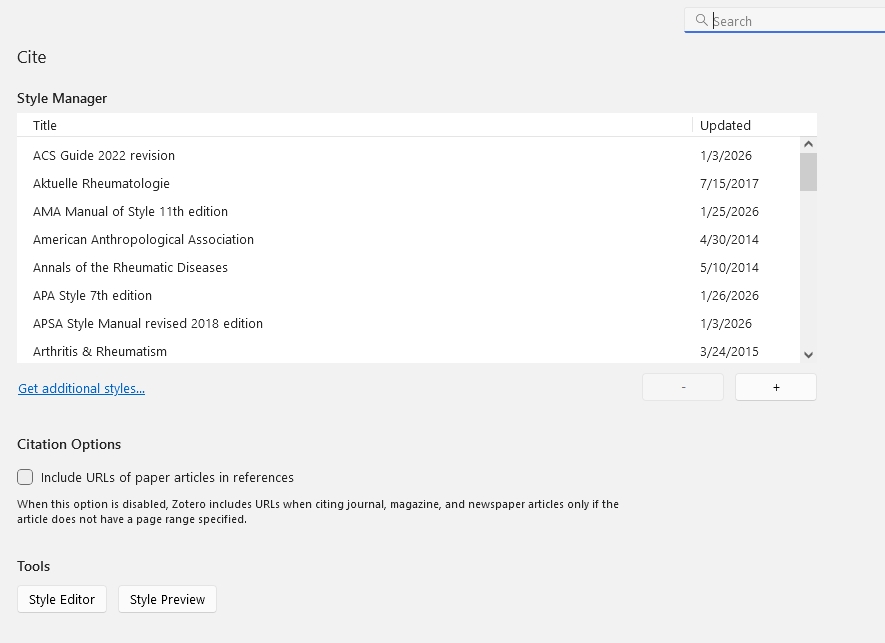
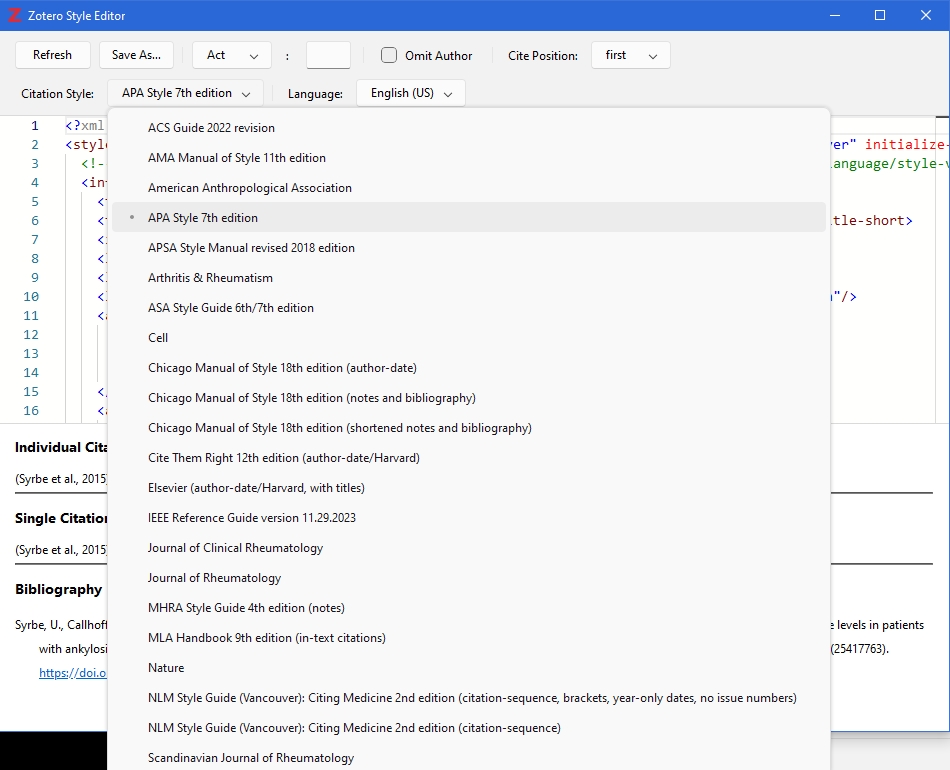
Newly added reference style appears in Style Manager but NOT in Style Editor
Hi,
I added a new reference style to Zotero using the built-in "Get additional styles ..." function.
It is the style for "Annals of the Rheumatic Diseases".
The problem is: The style is listed in Zotero's Style Manager but not in the drop-down list of styles in the Style Editor. How is that possible? What can I do about it?
I checked whether the style file is located in the same folder as the other styles. And yes, it is. I also downloaded the style file manually from the Zotero Style Repository and put it into the appropriate folder. Same problem. Re-starting Zotero and clicking "Refresh" did not help.
https://s3.amazonaws.com/zotero.org/images/forums/u2019935/bwrca53qush9njpzckm9.jpg
https://s3.amazonaws.com/zotero.org/images/forums/u2019935/9mklx3su7r2u9j360a52.jpg
I added a new reference style to Zotero using the built-in "Get additional styles ..." function.
It is the style for "Annals of the Rheumatic Diseases".
The problem is: The style is listed in Zotero's Style Manager but not in the drop-down list of styles in the Style Editor. How is that possible? What can I do about it?
I checked whether the style file is located in the same folder as the other styles. And yes, it is. I also downloaded the style file manually from the Zotero Style Repository and put it into the appropriate folder. Same problem. Re-starting Zotero and clicking "Refresh" did not help.
https://s3.amazonaws.com/zotero.org/images/forums/u2019935/bwrca53qush9njpzckm9.jpg
https://s3.amazonaws.com/zotero.org/images/forums/u2019935/9mklx3su7r2u9j360a52.jpg
-
adamsmithIt's a dependent style, i.e. just a link to another style (BMJ in this case), do there is nothing to edit
-
tapatogaOK, I see. So, if I wanted to make some change on this style, I would have to download the BMJ style in this case and make the modifications there. Thanks for the explanation.