
 Upgrade Storage
what happened to the show/highlight item location feature in Zotero 7/8?
Zotero had this really handy feature to hint where an item was organized in the Zotero library.
You selected an item within a collection and press/hold ALT, which would then highlight in the item's location(s) in the collections pane.
I upgraded from Zotero 6 to 7 (now 8) recently, and this feature is no longer available.
What happened to this feature?
It still works in one's Zotero Web Library (web app version), but not in the desktop app.
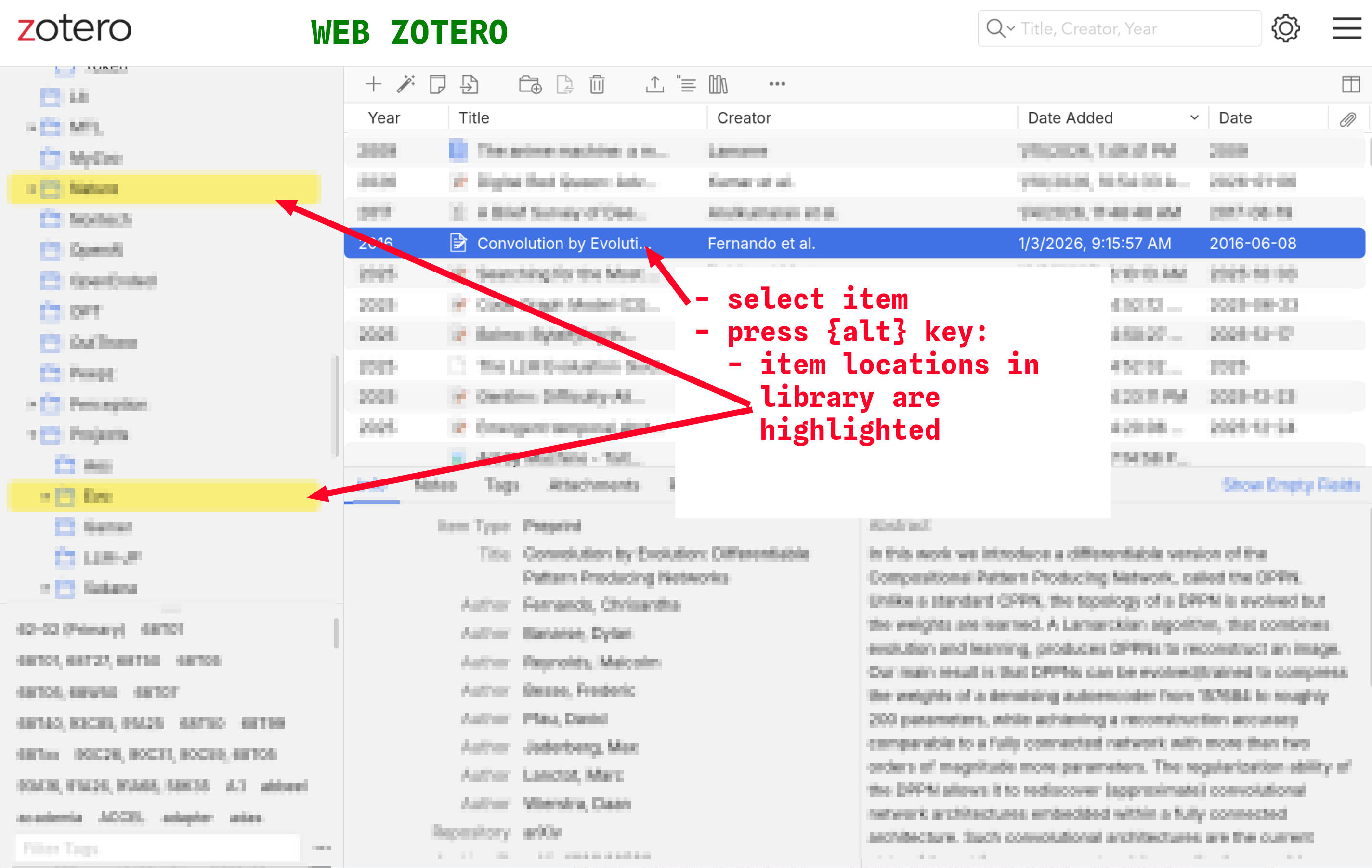
Please see the screenshot of the feature in the Web Library version.
In this screencap, I have selected an item and am actively holding the ALT key to highlight it's location/organization in my library collection:
https://s3.amazonaws.com/zotero.org/images/forums/u6193988/66kko15xot4fb270nuig.png
What's the fix?
You selected an item within a collection and press/hold ALT, which would then highlight in the item's location(s) in the collections pane.
I upgraded from Zotero 6 to 7 (now 8) recently, and this feature is no longer available.
What happened to this feature?
It still works in one's Zotero Web Library (web app version), but not in the desktop app.
Please see the screenshot of the feature in the Web Library version.
In this screencap, I have selected an item and am actively holding the ALT key to highlight it's location/organization in my library collection:
https://s3.amazonaws.com/zotero.org/images/forums/u6193988/66kko15xot4fb270nuig.png
What's the fix?
https://www.zotero.org/support/kb/collections_containing_an_item