
 Upgrade Storage
Zotero 8's PDF reader incorrectly renders custom page numbers in multi-section document
Hi!
I'm running the latest beta build (8.0-beta.24+faf8f2510) under macOS Tahoe 26.2 (25C56), and one of my PDF files is acting up in the reader as far as page numbering is concerned.
It's an excerpt from a book, with an added introductory page as is customary in academic papers, which I've deliberately labelled in Acrobat with *no* page number, and whose content actually starts in page 5 and ends in page 59.
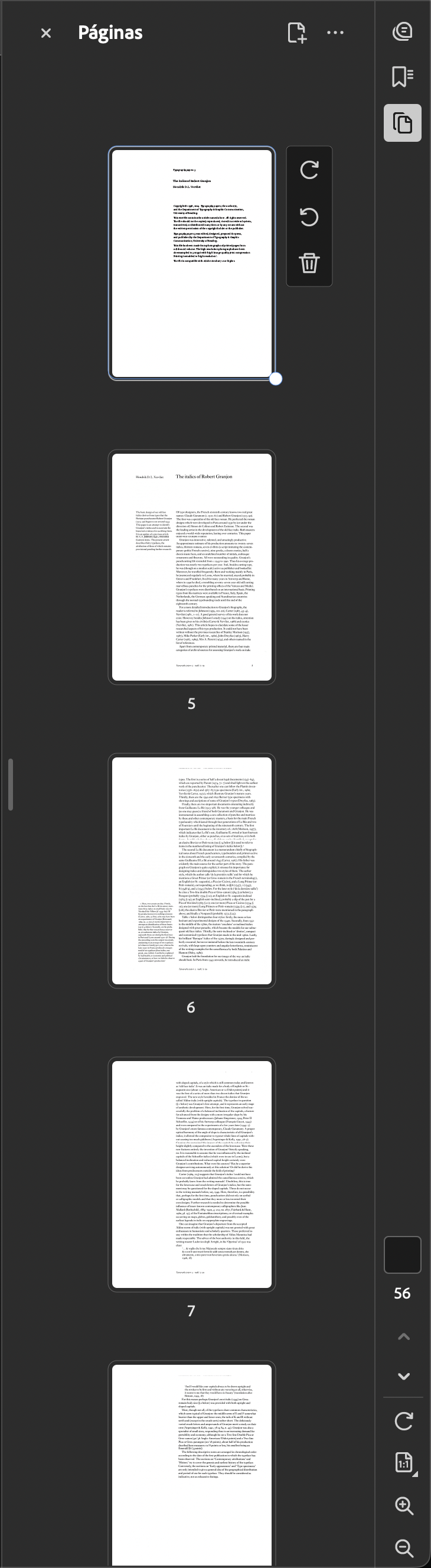
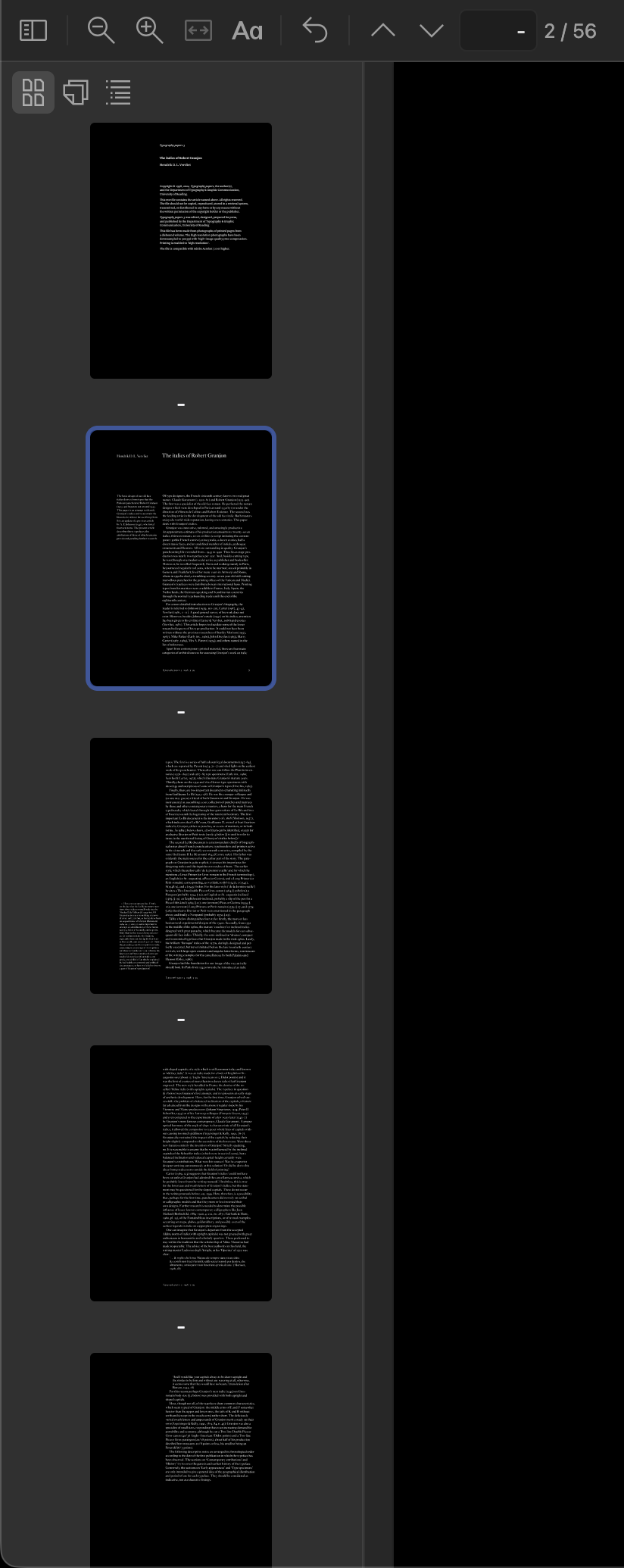
Whereas all other papers from this volume and others from the same collection have their pages correctly render on the toolbar as “[ 1 ]/ z” (“1” being said introductory page that I've labeled as blank and “z” being the name of the total absolute number of pages in the document), and all subsequent pages rendered as “[ x ] y/z” (“x” being the current custom number, and “y” being the current absolute number), a feature which I absolutely love as it makes citing the correct page in a document much easier, this particular document is completely borked, despite having been customised in much the same way under Acrobat, and renders as follows:
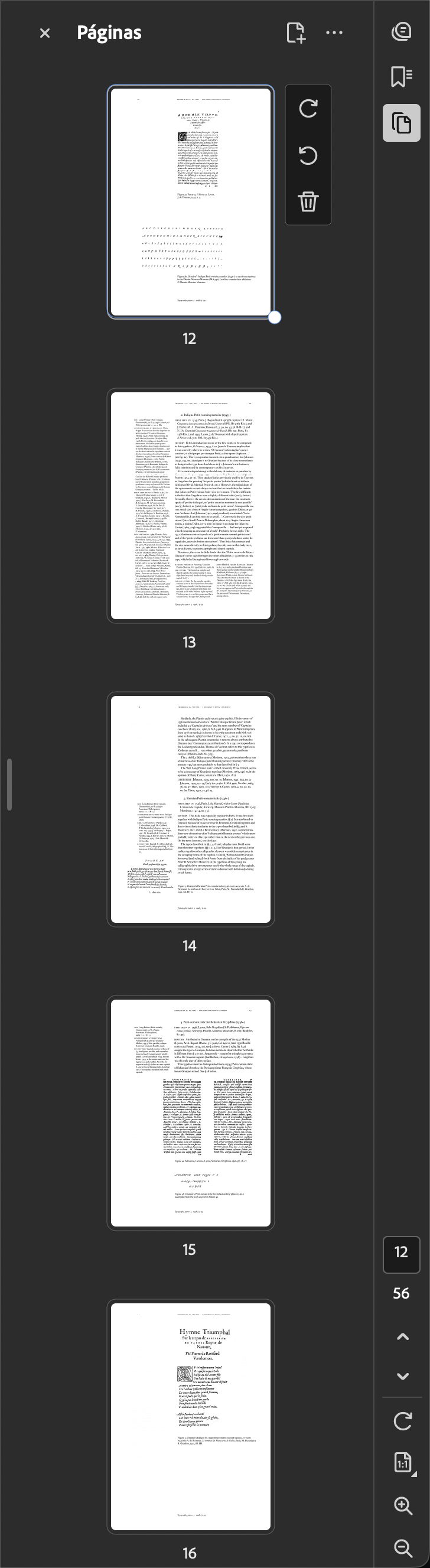
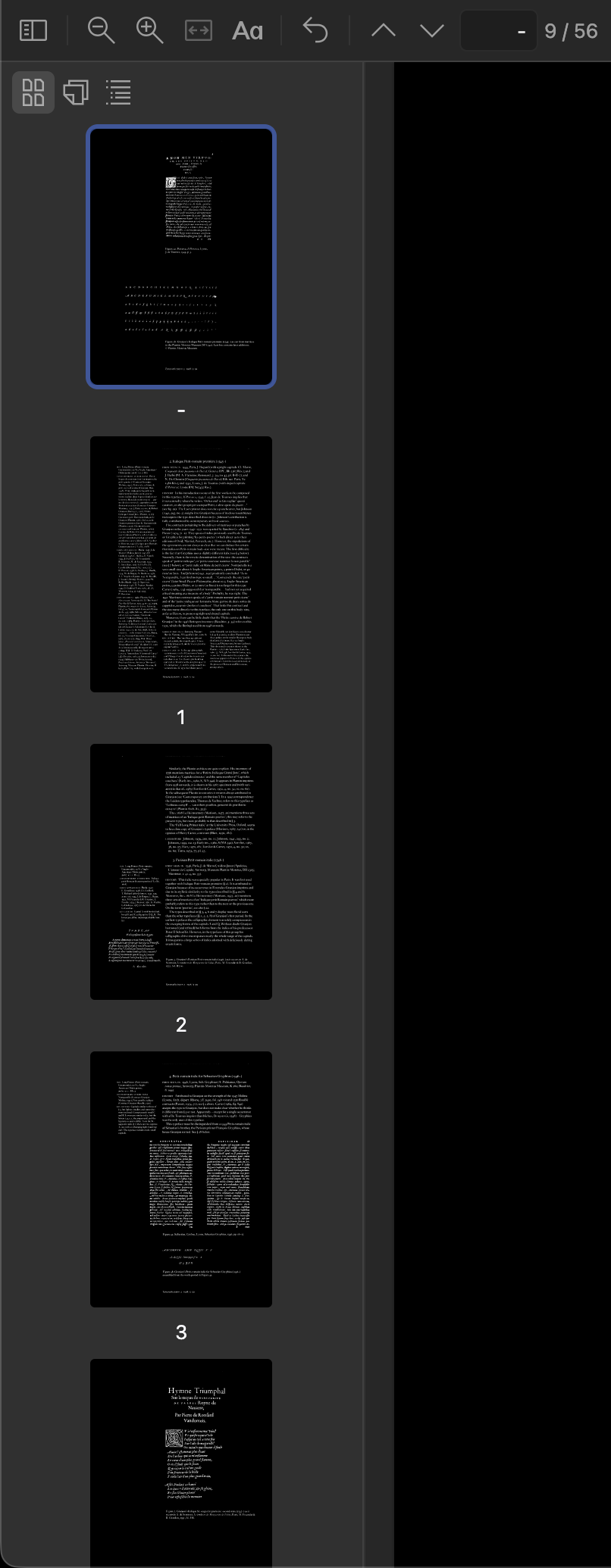
• The introductory page, usually rendered as depicted above (in this particular case, it should be [ 1 ]/56”), renders as “[ -] 1/56”, this pattern repeating itself until custom page 12, i.e. this particular document, starting at page 5 of the book, which should render as “[ 5 ] 2/56” but instead renders as [ -] 2/56, remains in this extra buggy state until said page, which should render as “[ 12 ] 9/56”, is still rendered as “[ -] 9/56”;
• Actual numbering (also incredibly buggy and inscrutable) starts at absolute page 10, or relative page 13, which should render as “[ 13 ] 10/56]”, is instead rendered as “[ 1 ] 10/56” and this pattern follows until the last page, which should be rendered as “[ 59 ] 56/56” but is, instead, rendered as “[ 47 ] 56/56”.
I really enjoy this feature, but having it fail so weirdly seems really strange.
I've tried everything, including deleting the attachment and re-adding it, recreating the PDF file by creating a blank one by printing a PDF from Preview.app and copying each section's pages from the original document to the new one, restarting Zotero, deleting the entry altogether and re-adding the document and manually inputting its metadata, adding different, completely random sections and even deleting them altogether and format it as a basic 1-56 page affair, using different numbering styles such as roman numerals, etc., all to no avail.
The document, no matter its provenance or internal formatting, always has its page numbers render in this buggy state, which leads me to believe that the issue lies not with the document itself or with Acrobat, but instead with some sort of smart content detection in Zotero that is overriding the document's actual internal metadata, or some other strange and undesirable behaviour. Internal, well-structured metadata, such as bookmarks, index and page numbering, added in through industry-standard apps, should always be respected and take precedence over any supposedly smart features, no exceptions.
In any case, if you wish I may send you the offending document so you can perform further testing on in, validate its integrity, etc. I am also attaching a few screenshots to better illustrate the issue. Thank you for your attention!
__________________________
Edit: I painstakingly recreated the document by manually assembling all images from the document in InDesign, including my custom section numbering, and then opening the resulting file in Acrobat and recognising the text via OCR, instead of using my usual Acrobat-only workflow, and I could not reproduce the bug.
It seems the issue may, thus, lie somewhere in the original file itself. However, said offending file's custom pages do render correctly in Preview.app, even after being edited on Acrobat, so this issue shouldn't be arising in Zotero's built-in reader. If you wish, I may send you also the new, larger file created with InDesign, and other files from the same collection, created through the much simpler and more efficient Acrobat-only workflow, that don't trigger this bug.
https://s3.amazonaws.com/zotero.org/images/forums/u6505448/3efrsykftmidw55jev9x.png
https://s3.amazonaws.com/zotero.org/images/forums/u6505448/mtrybzj206fnkaa9f43h.png
https://s3.amazonaws.com/zotero.org/images/forums/u6505448/7yf5mf4n0cnyua5ce5wt.png
https://s3.amazonaws.com/zotero.org/images/forums/u6505448/eo2p0dwe4xdlxm5ko02t.png
I'm running the latest beta build (8.0-beta.24+faf8f2510) under macOS Tahoe 26.2 (25C56), and one of my PDF files is acting up in the reader as far as page numbering is concerned.
It's an excerpt from a book, with an added introductory page as is customary in academic papers, which I've deliberately labelled in Acrobat with *no* page number, and whose content actually starts in page 5 and ends in page 59.
Whereas all other papers from this volume and others from the same collection have their pages correctly render on the toolbar as “[ 1 ]/ z” (“1” being said introductory page that I've labeled as blank and “z” being the name of the total absolute number of pages in the document), and all subsequent pages rendered as “[ x ] y/z” (“x” being the current custom number, and “y” being the current absolute number), a feature which I absolutely love as it makes citing the correct page in a document much easier, this particular document is completely borked, despite having been customised in much the same way under Acrobat, and renders as follows:
• The introductory page, usually rendered as depicted above (in this particular case, it should be [ 1 ]/56”), renders as “[ -] 1/56”, this pattern repeating itself until custom page 12, i.e. this particular document, starting at page 5 of the book, which should render as “[ 5 ] 2/56” but instead renders as [ -] 2/56, remains in this extra buggy state until said page, which should render as “[ 12 ] 9/56”, is still rendered as “[ -] 9/56”;
• Actual numbering (also incredibly buggy and inscrutable) starts at absolute page 10, or relative page 13, which should render as “[ 13 ] 10/56]”, is instead rendered as “[ 1 ] 10/56” and this pattern follows until the last page, which should be rendered as “[ 59 ] 56/56” but is, instead, rendered as “[ 47 ] 56/56”.
I really enjoy this feature, but having it fail so weirdly seems really strange.
I've tried everything, including deleting the attachment and re-adding it, recreating the PDF file by creating a blank one by printing a PDF from Preview.app and copying each section's pages from the original document to the new one, restarting Zotero, deleting the entry altogether and re-adding the document and manually inputting its metadata, adding different, completely random sections and even deleting them altogether and format it as a basic 1-56 page affair, using different numbering styles such as roman numerals, etc., all to no avail.
The document, no matter its provenance or internal formatting, always has its page numbers render in this buggy state, which leads me to believe that the issue lies not with the document itself or with Acrobat, but instead with some sort of smart content detection in Zotero that is overriding the document's actual internal metadata, or some other strange and undesirable behaviour. Internal, well-structured metadata, such as bookmarks, index and page numbering, added in through industry-standard apps, should always be respected and take precedence over any supposedly smart features, no exceptions.
In any case, if you wish I may send you the offending document so you can perform further testing on in, validate its integrity, etc. I am also attaching a few screenshots to better illustrate the issue. Thank you for your attention!
__________________________
Edit: I painstakingly recreated the document by manually assembling all images from the document in InDesign, including my custom section numbering, and then opening the resulting file in Acrobat and recognising the text via OCR, instead of using my usual Acrobat-only workflow, and I could not reproduce the bug.
It seems the issue may, thus, lie somewhere in the original file itself. However, said offending file's custom pages do render correctly in Preview.app, even after being edited on Acrobat, so this issue shouldn't be arising in Zotero's built-in reader. If you wish, I may send you also the new, larger file created with InDesign, and other files from the same collection, created through the much simpler and more efficient Acrobat-only workflow, that don't trigger this bug.
https://s3.amazonaws.com/zotero.org/images/forums/u6505448/3efrsykftmidw55jev9x.png
https://s3.amazonaws.com/zotero.org/images/forums/u6505448/mtrybzj206fnkaa9f43h.png
https://s3.amazonaws.com/zotero.org/images/forums/u6505448/7yf5mf4n0cnyua5ce5wt.png
https://s3.amazonaws.com/zotero.org/images/forums/u6505448/eo2p0dwe4xdlxm5ko02t.png
-
martynas_b Zotero TeamCould you send the PDF file to support@zotero.org with a link to this thread?
-
joaofrgomesedited January 16, 2026Sure! I'll prepare a little care package with further explanation on how these files were created, and send it over with said link, thanks!