
 Upgrade Storage
can't install plugins - xpi file appears to be corrupt
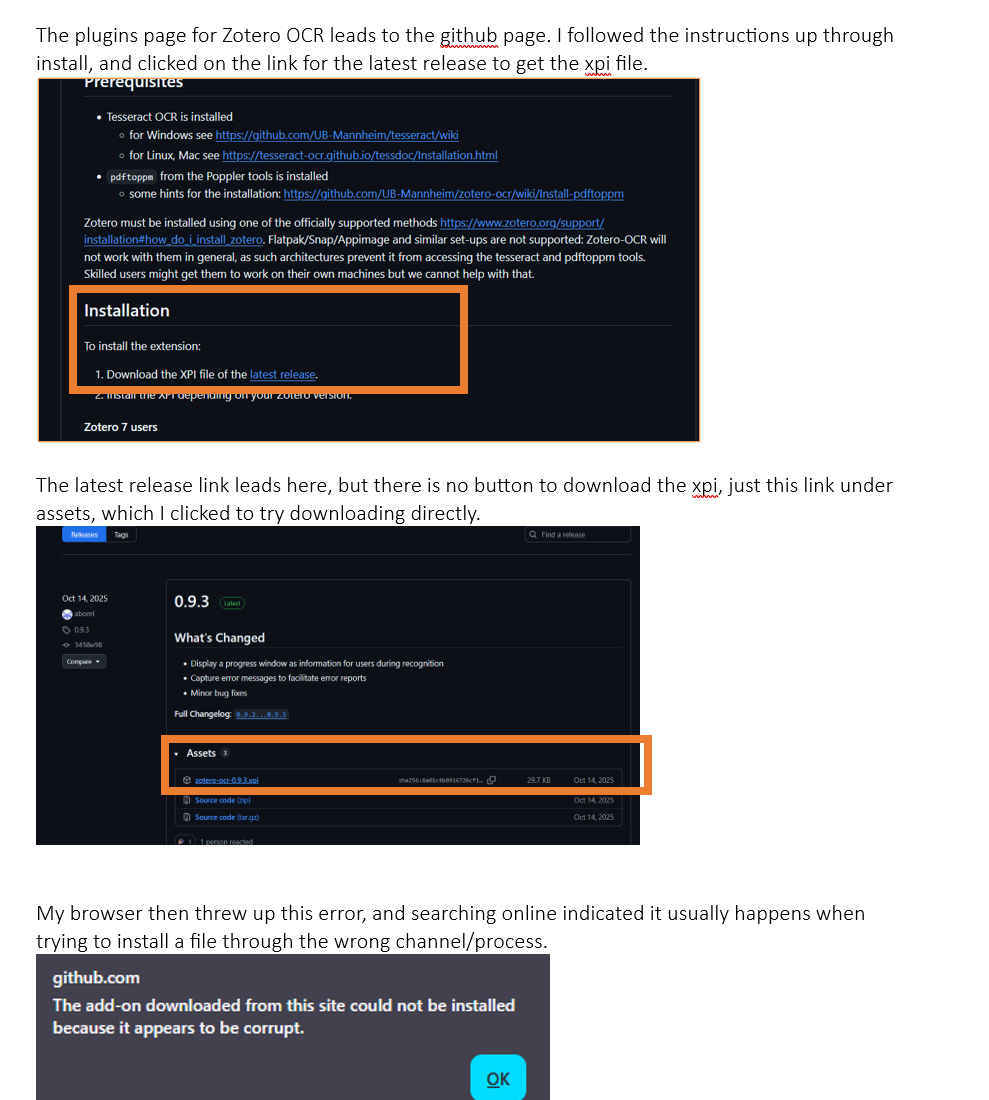
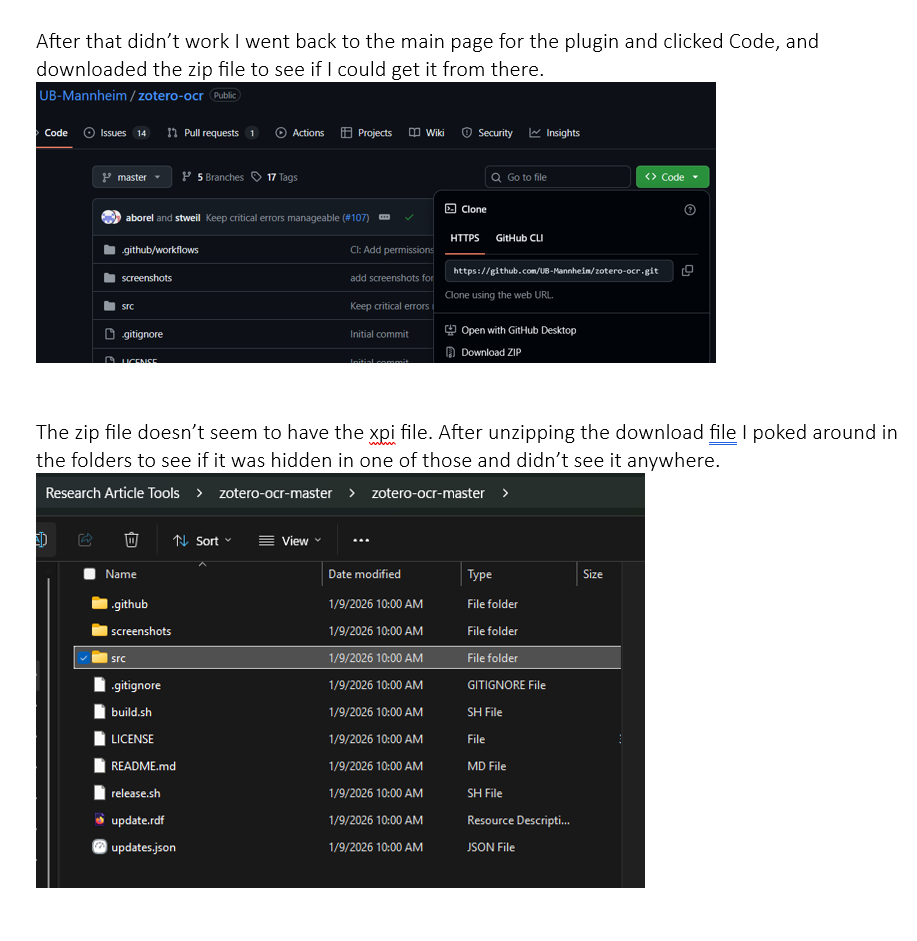
Multiple plugins I've attempted to install run into the same problem. the zip file shown on the main page for the plugin on github doesn't have an xpi file in it. There's instructions saying to download the latest xpi file release, which takes me to a releases page, with links to assets that includes the xpi file, but there's no download button. The url linked on the xpi file element appears to be a download option, but when i click on it i get a message from my browser saying the file is corrupt. A web search tells me that this error means that i'm using the wrong process to download the file, but i see no other options for getting the xpi file, and that seems to be the specific file type needed to make a plugin work.
Here's an example of what I've been running into. Can someone please guide me through how to get these files installed and running?
https://s3.amazonaws.com/zotero.org/images/forums/u19316221/6ra2j4svx2z42la6eq4g.png
https://s3.amazonaws.com/zotero.org/images/forums/u19316221/uik9dokp5f39q0imp6o4.png
(I'm on Zotero v7, Windows 11)
Here's an example of what I've been running into. Can someone please guide me through how to get these files installed and running?
https://s3.amazonaws.com/zotero.org/images/forums/u19316221/6ra2j4svx2z42la6eq4g.png
https://s3.amazonaws.com/zotero.org/images/forums/u19316221/uik9dokp5f39q0imp6o4.png
(I'm on Zotero v7, Windows 11)
thanks!