
 Upgrade Storage
Android: display issue prevents deleting files or removing tags
Edit: Debug id D988535676 although I'm not sure if that's helpful here
My Android phone (a Galaxy S25) has the on-screen buttons at the bottom rather than a dedicated physical back button etc. Zotero is accidentally putting parts of the UI underneath those buttons, which makes it impossible to interact with the underneath elements of the app.
For instance, when long-pressing on a tag for an item, I cannot remove it:
https://s3.amazonaws.com/zotero.org/images/forums/u19263960/ankyxbkaeurb4hd5edf6.jpg
(I can get around it by clicking "add tag" and unchecking it there.)
Similarly, I can't delete an attachment:
https://s3.amazonaws.com/zotero.org/images/forums/u19263960/0n2cvueae8usgj7zbus4.jpg
There possibly are other places this happens, but those are the ones I've noticed.
The main views recognize the button bar and only use the space above it:
https://s3.amazonaws.com/zotero.org/images/forums/u19263960/cgdxjywt84f25e8efaf1.jpg
The item view page does not, which I suspect is the root of this problem. With viewing it's not an issue however because you can simply scroll further to see everything unobstructed:
https://s3.amazonaws.com/zotero.org/images/forums/u19263960/qv8kb3rlhnp4g0gjvn4p.jpg
This is Android 16 and One UI 8.0.
My Android phone (a Galaxy S25) has the on-screen buttons at the bottom rather than a dedicated physical back button etc. Zotero is accidentally putting parts of the UI underneath those buttons, which makes it impossible to interact with the underneath elements of the app.
For instance, when long-pressing on a tag for an item, I cannot remove it:
https://s3.amazonaws.com/zotero.org/images/forums/u19263960/ankyxbkaeurb4hd5edf6.jpg
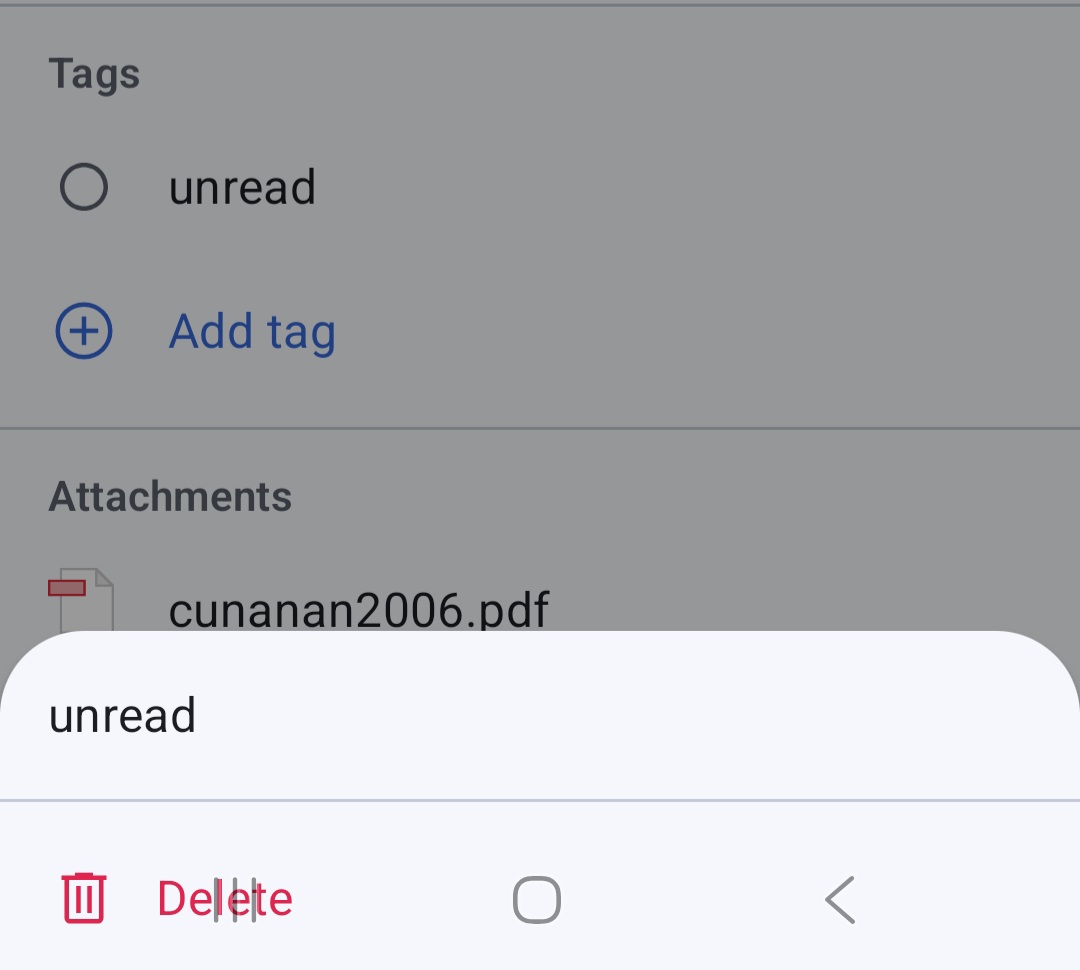
(I can get around it by clicking "add tag" and unchecking it there.)
Similarly, I can't delete an attachment:
https://s3.amazonaws.com/zotero.org/images/forums/u19263960/0n2cvueae8usgj7zbus4.jpg
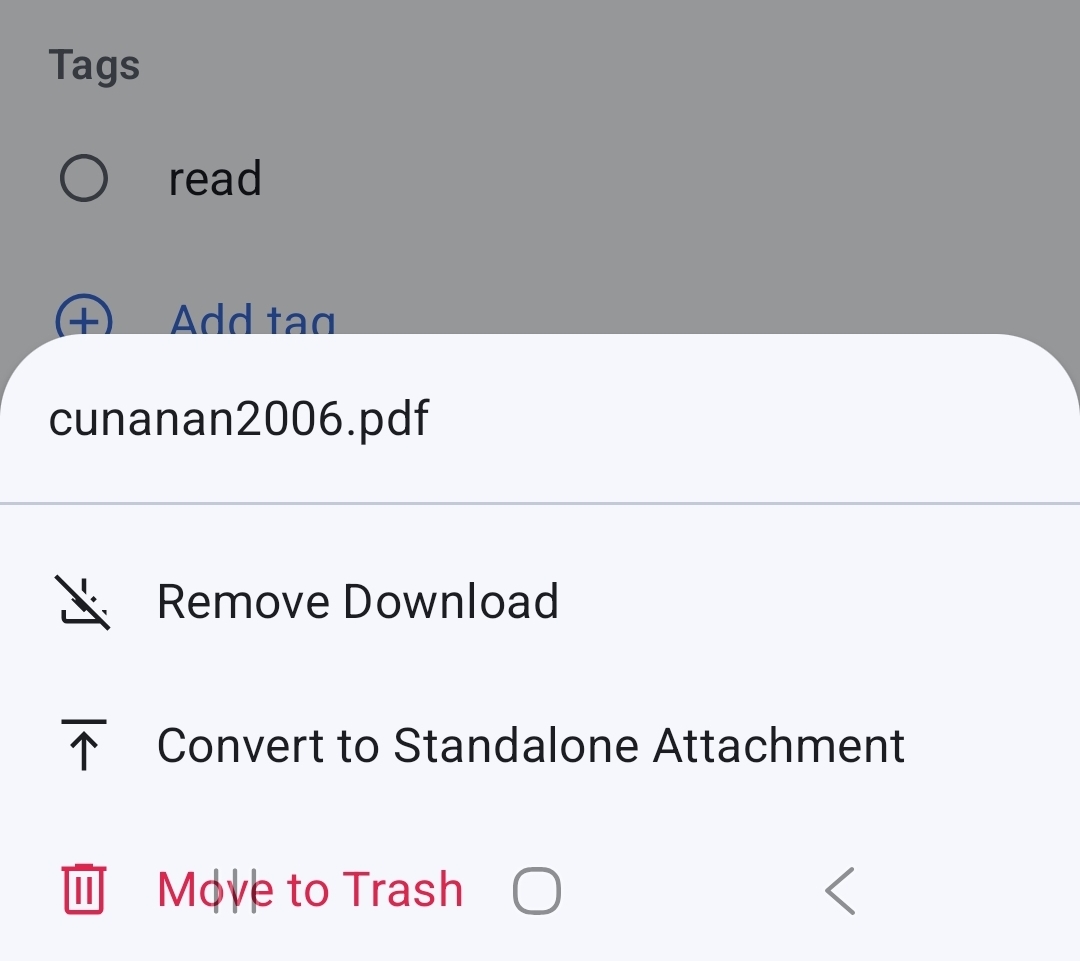
There possibly are other places this happens, but those are the ones I've noticed.
The main views recognize the button bar and only use the space above it:
https://s3.amazonaws.com/zotero.org/images/forums/u19263960/cgdxjywt84f25e8efaf1.jpg
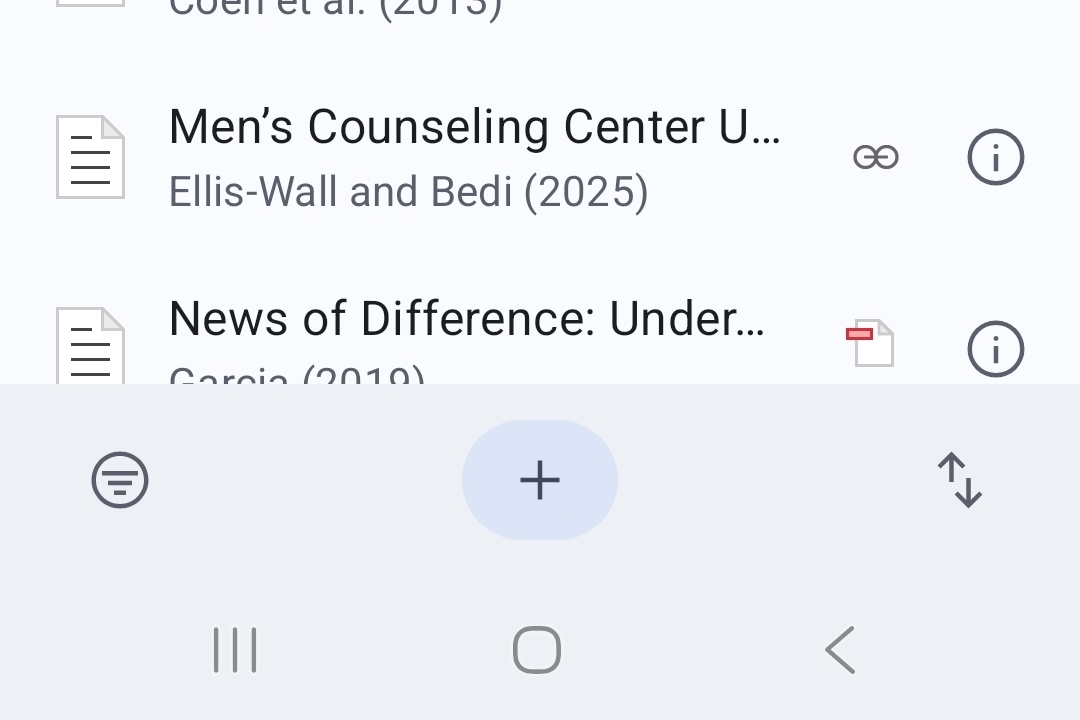
The item view page does not, which I suspect is the root of this problem. With viewing it's not an issue however because you can simply scroll further to see everything unobstructed:
https://s3.amazonaws.com/zotero.org/images/forums/u19263960/qv8kb3rlhnp4g0gjvn4p.jpg
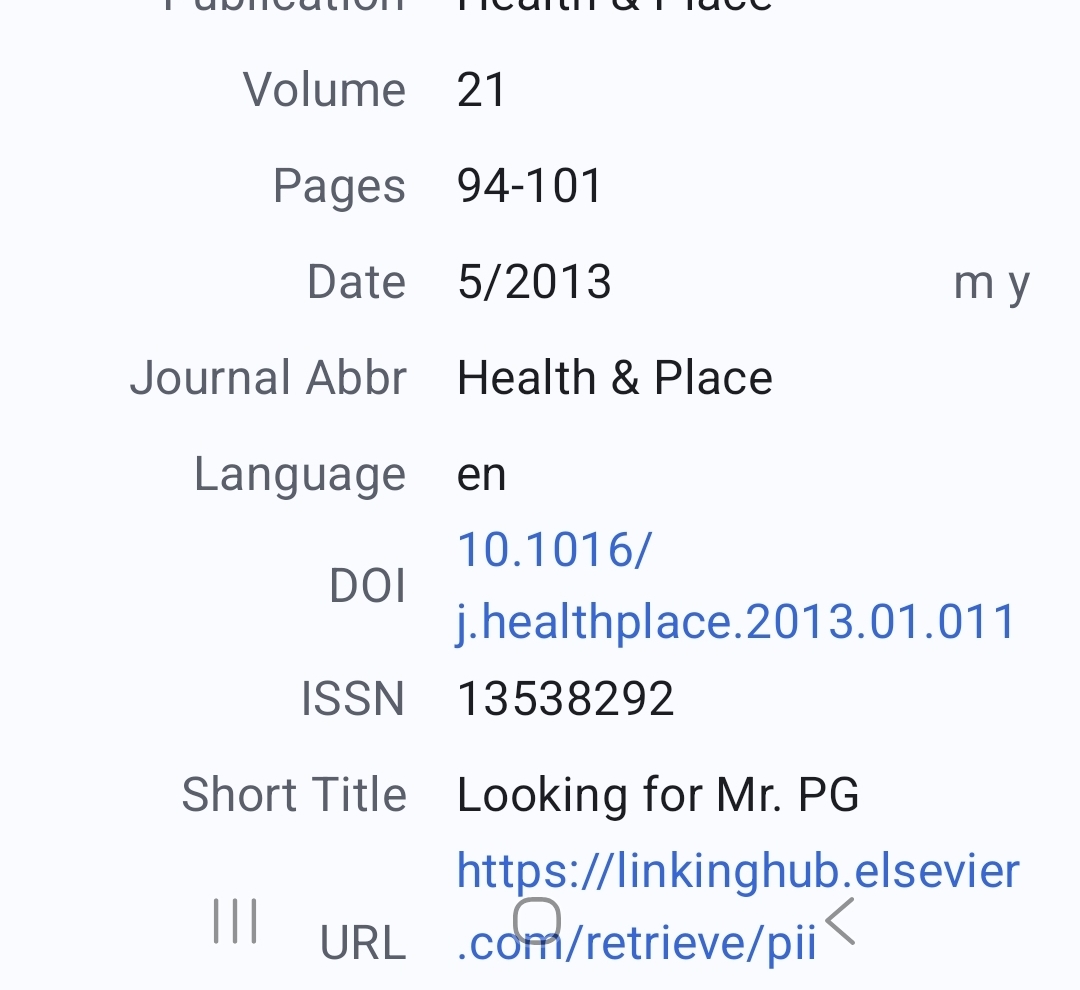
This is Android 16 and One UI 8.0.
The issue where BottomSheetDialogs don't account for space that soft device buttons occupy should be fixed starting build 1.0.0-219. (Issue shown in your 1st and 2nd screenshots)
The transparency of space occupied by soft device buttons on the screen itself (your last screenshot) is intended though and you should just continue to scroll until soft buttons are out of the way so you can interract with the item you want.