
 Upgrade Storage
Locate button
Hello: I have all my instances of Zotero set to relative paths but when I switch between computers, I'm only able to open documents that I attached while using that computer despite using relative paths. To compound the issue, recently when the app's UI changed the Locate button no longer works. I get a message (see attachment) that the file can't be found. When I click Locate now, the dialogue box just closes and I don't get the option to pick a file. I can still pick a file in other instances. I did find a discussion about this from 2019 but no fixes. Please help. This is happening across Mac and Windows. Help!
https://s3.amazonaws.com/zotero.org/images/forums/u1045691/iasyb5bi426spxdqryzf.png
https://s3.amazonaws.com/zotero.org/images/forums/u1045691/iasyb5bi426spxdqryzf.png
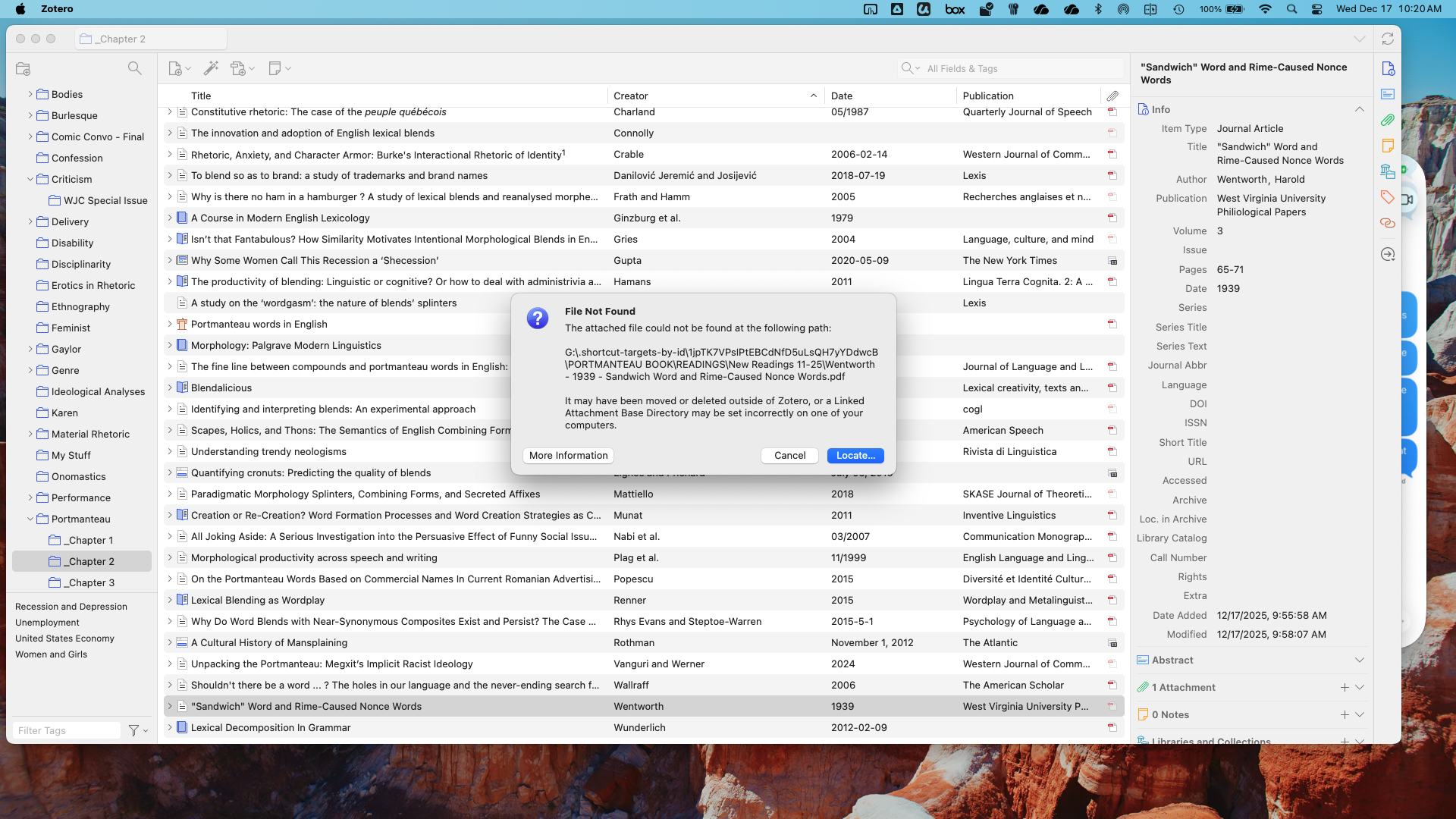
Note that we're not able to help troubleshoot problems with linked-file setups. The Locate button should work, though. Can you provide a Debug ID for reproducing that?